8
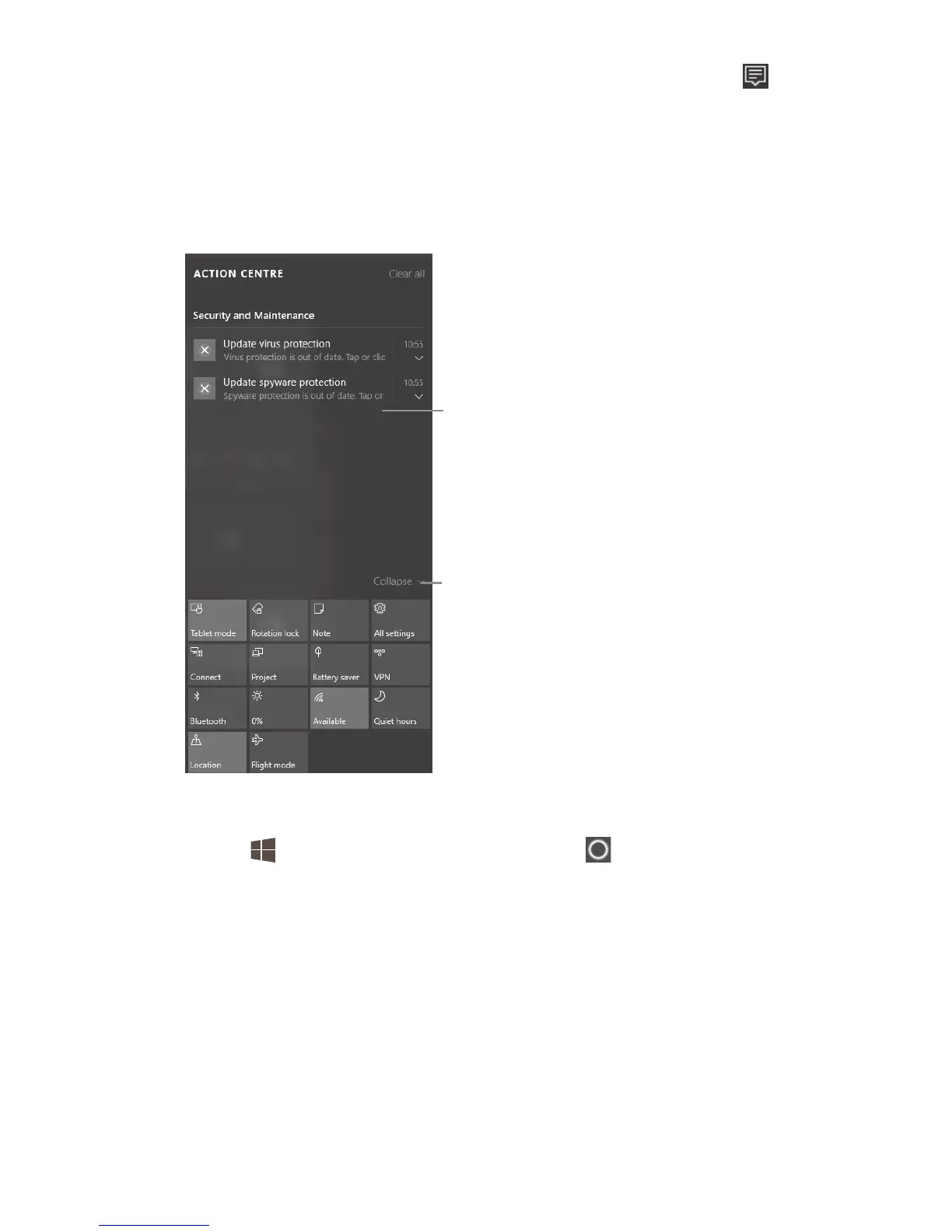
2.2 Action centre
Swipe in from the right edge of the screen or touch
in the taskbar to open the Action centre.
Here you can access common settings like Wi-Fi
connections or screen brightness. When there are
notifications, they appear at the top of the Action
centre.
Notifications appear here.
Touch to make the common
settings area smaller.
2.3 Search
Go to and select Cortana or touch in the taskbar.
Then enter your question in the search box.











 To Next Page