11
3.2 Touchpad gestures
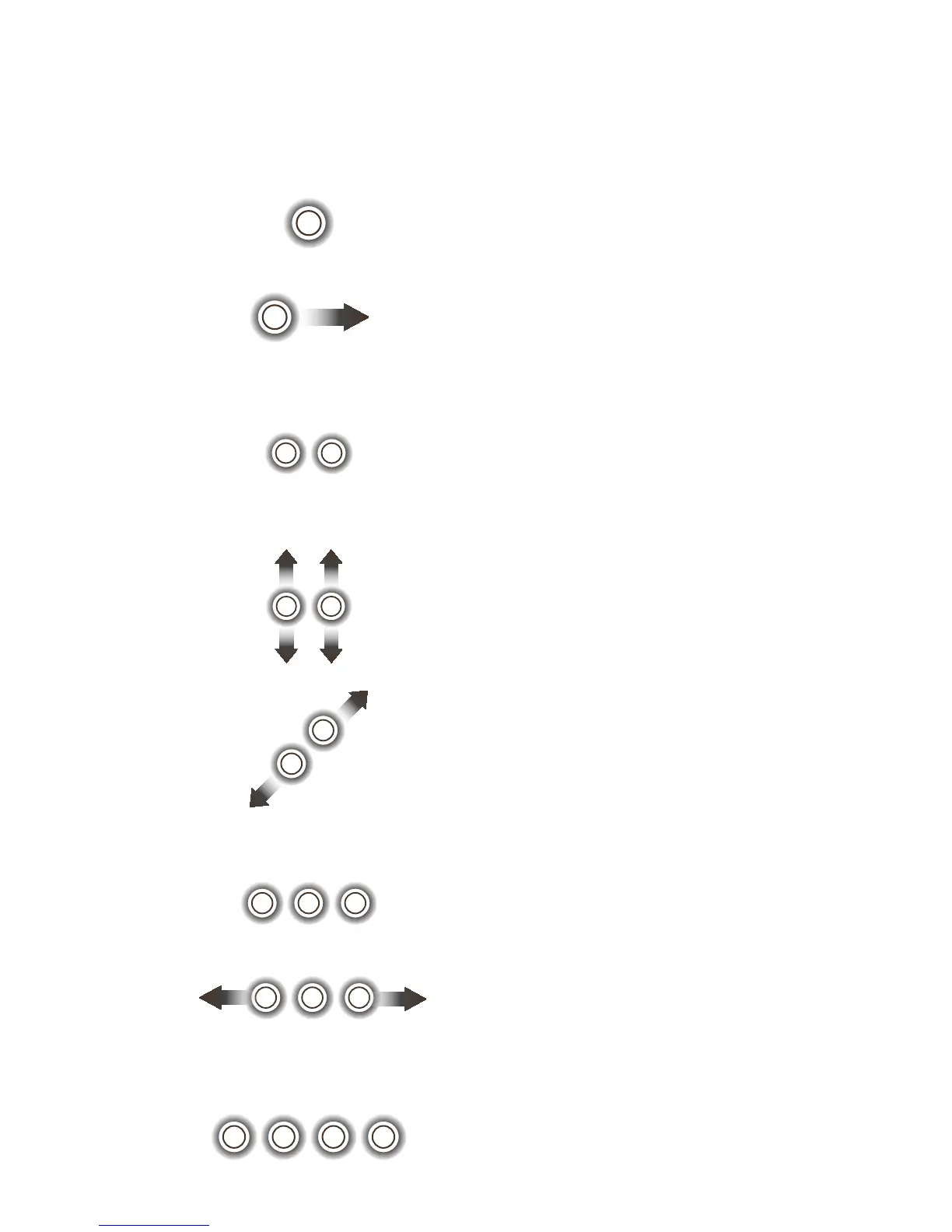
The keyboard touchpad supports eight gestures to
make operations much easier.
One finger
Double touch to start an
app. This equals the effect of
left-clicking using a mouse.
Double touch and slide to
move an icon across the
screen.
Two fingers
Touch to show the attributes
of an object. This equals the
effect of right-clicking using
a mouse.
Touch and slide up and
down for scrolling up and
down.
Draw two fingers apart
or together to scale an
element on the screen.
Three fingers
Touch to start the Cortana
search assistant.
Touch and slide left or right
to switch between tasks.
Four fingers
Touch to show the Action
centre.











 To Next Page