7
2
Windows features
You can use Windows features when the tablet
is operated independently or in laptop mode. This
guide uses the independent tablet as an example to
describe these features.
2.1 Start menu
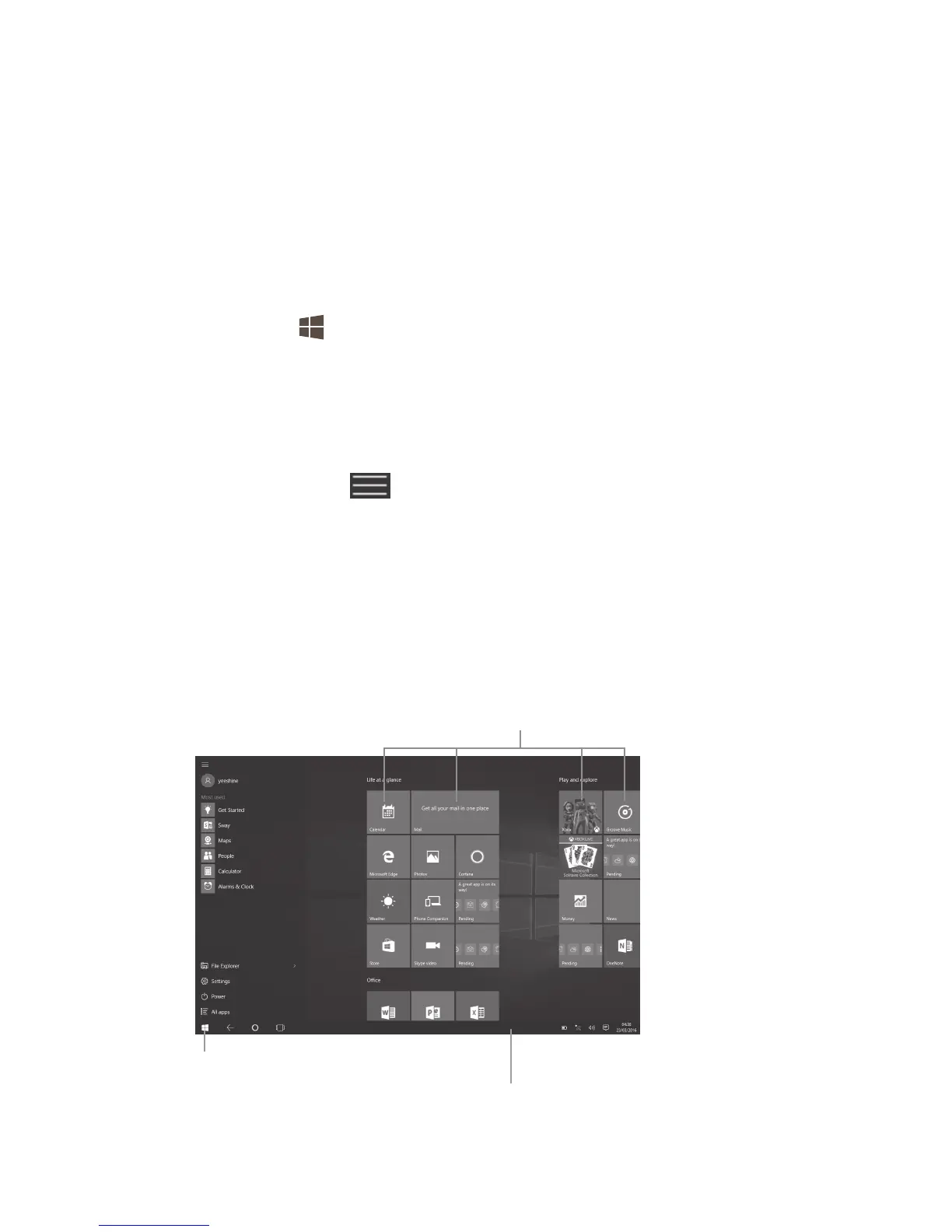
Touch the key to switch to the Start menu.
• Move all of the apps you use most frequently to your
Start menu for quick access. You can rearrange,
resize, add, and remove the tiles whenever you
want.
• By touching at the lower left of the Start menu,
you will find quick links to File Explorer, Settings,
Power (shut down, sleep, and restart), and All apps.
• Frequently used apps appear at the upper left.
• Your name and profile picture appear at the top of
the left side. Select them to change your account
settings, lock the screen, or sign out.
Touch to go back to
the Start menu.
Taskbar
•Status/Notification indicators
•Touch an icon to view more
Touch a tile to open an app.











 To Next Page