9
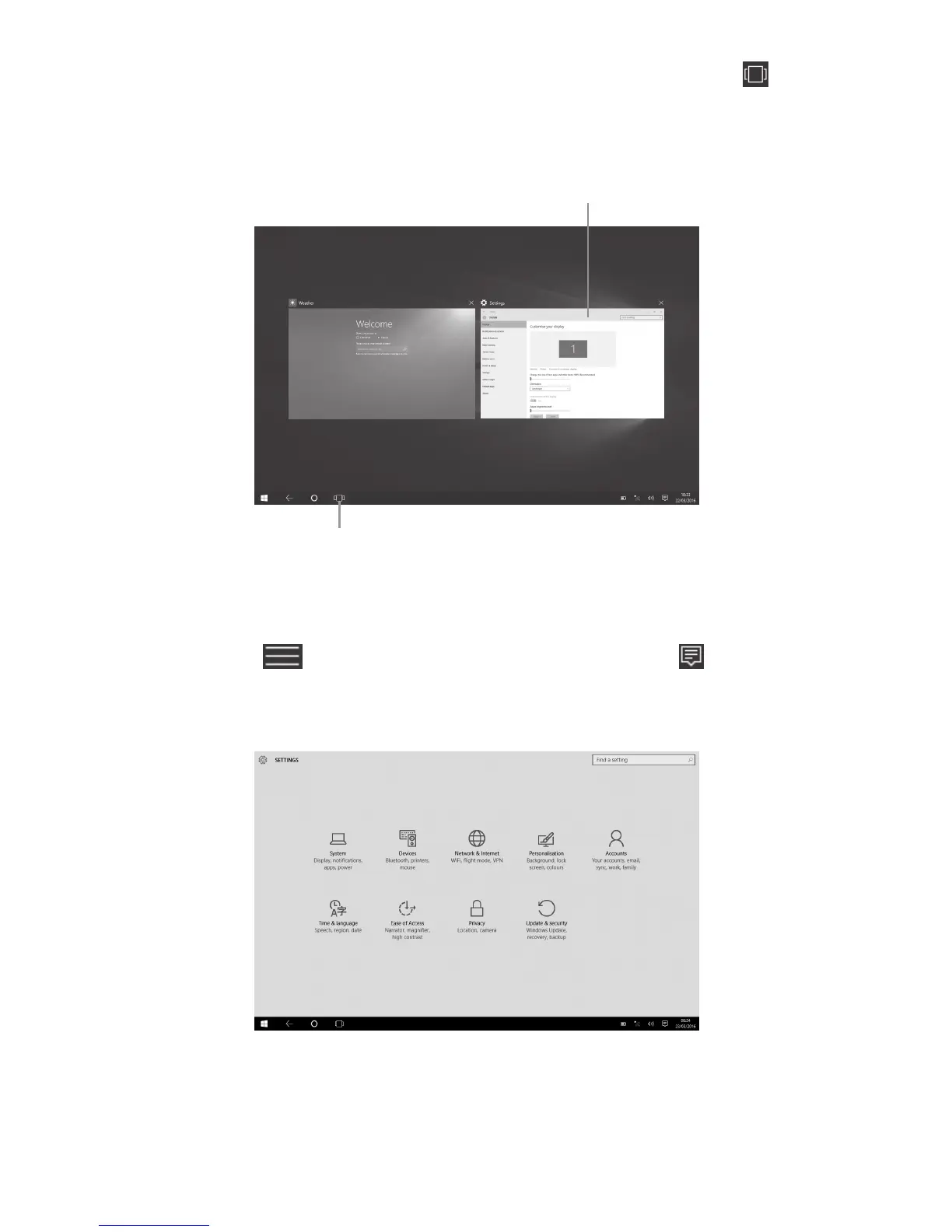
2.4 Task view
Swipe in from the left edge of the screen or touch
on the taskbar to see all your open apps. Select an
app to focus on or close an app by touching the "X" in
the upper-right corner of the app.
Touch to enter or exit task view mode.
Touch to view the details of a running task.
2.5 Settings
Select > Settings in the Start menu or > All
settings in the taskbar to access all your settings.











 To Next Page