5
1.4 Connecting to a keyboard hotspot
The keyboard creates a hotspot after you insert your
3G/4G SIM card. By connecting your tablet to the
hotspot, you can enjoy internet services, such as
online chats, webpage browsing, videos, games, etc.
• Insert a 3G/4G SIM card in the keyboard slot.
• Press the 3G/4G button. The data and Wi-Fi
indicators will turn green.
• In the taskbar of the tablet screen, touch the Wi-Fi
icon and then select "PLUS 10 LTE KB_xxxx"
in the hotspot list.
• Enter the default password "12345678" to confirm.
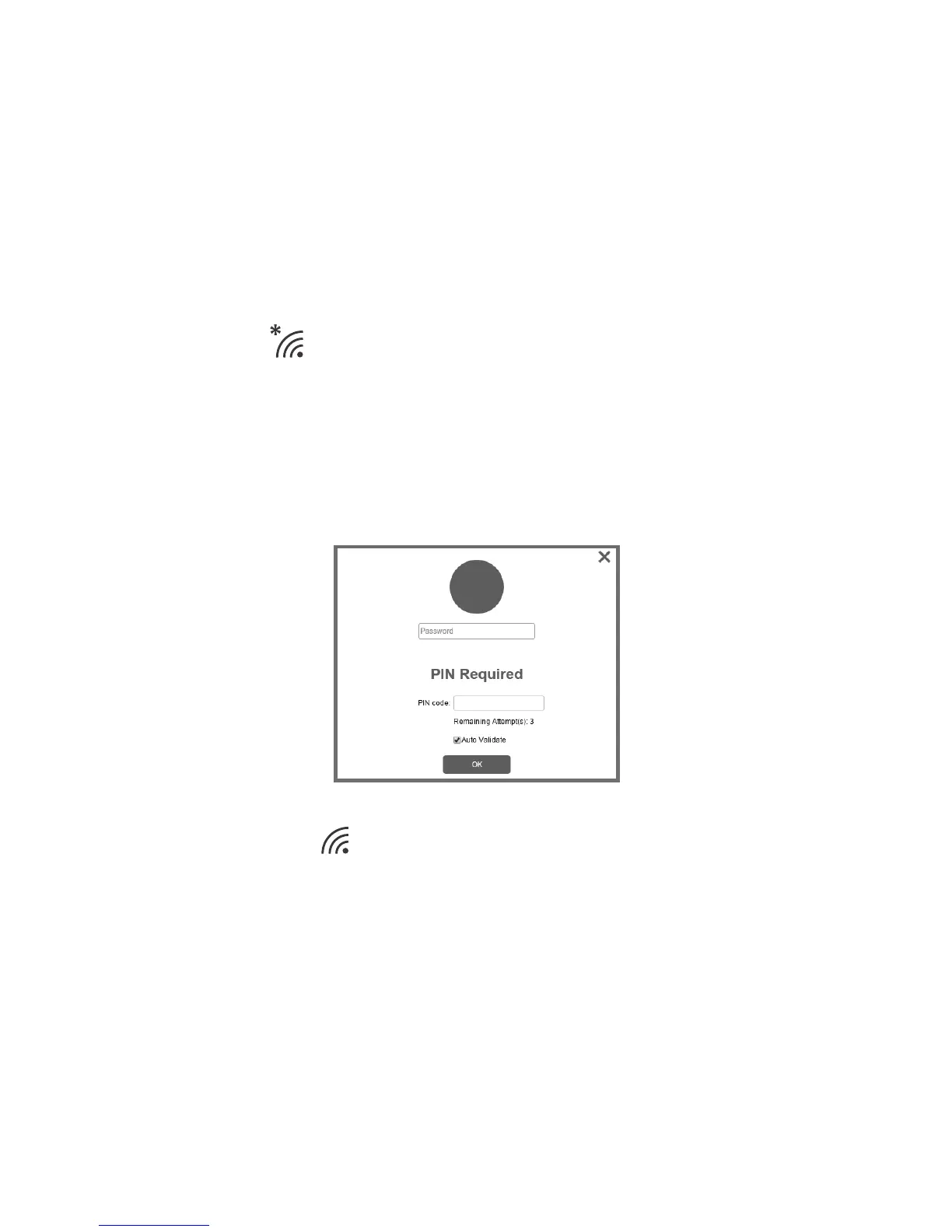
• In the window that pops up, enter the default login
password "admin".
• Enter the PIN code
1
of your SIM card.
• When the connection is successful, the Wi-Fi icon
becomes .
Note: By default, the hotspot name is "PLUS 10 LTE
KB_xxxx", and its password is "12345678". To
protect your personal data, you are advised to
change them by logging in to the Web UI when
using it for the first time.
1 The PIN code may not be required in some countries.











 To Next Page