Residential HRV/ERV
19
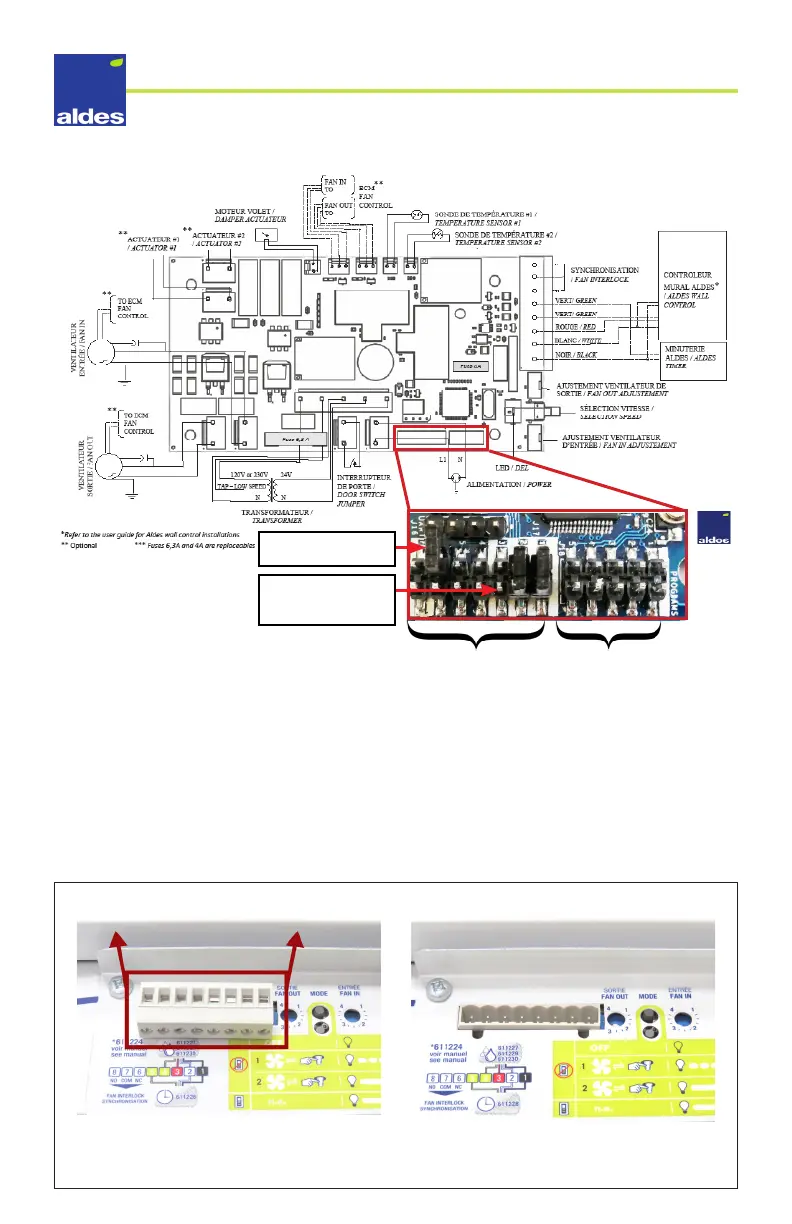
Electrical Diagram
Configuration Options
In order to congure the dierent modes on your unit, you may need to move a jumper on
the unit’s printed circuit board. This can be done without any special tools following the
directions below.
Suggestion: it is easiest to do this prior to installation, on a table with the unit on its back.
1. Disconnect the unit power cable to avoid electric shock or damaging the PCB.
2. Remove the unit’s terminal block by rmly pulling it straight out.
Removing the unit’s terminal block
Option is selected
when jumper connects
both pins on the row.
Extra jumper (does not
connect both pins).
Options jumper block Programms jumper block



 To Next Page