Installation and Operations Guide
|
Operating mode specifics
© Honeywell LTBT-MSTPMS2IOG Rev. 02
33
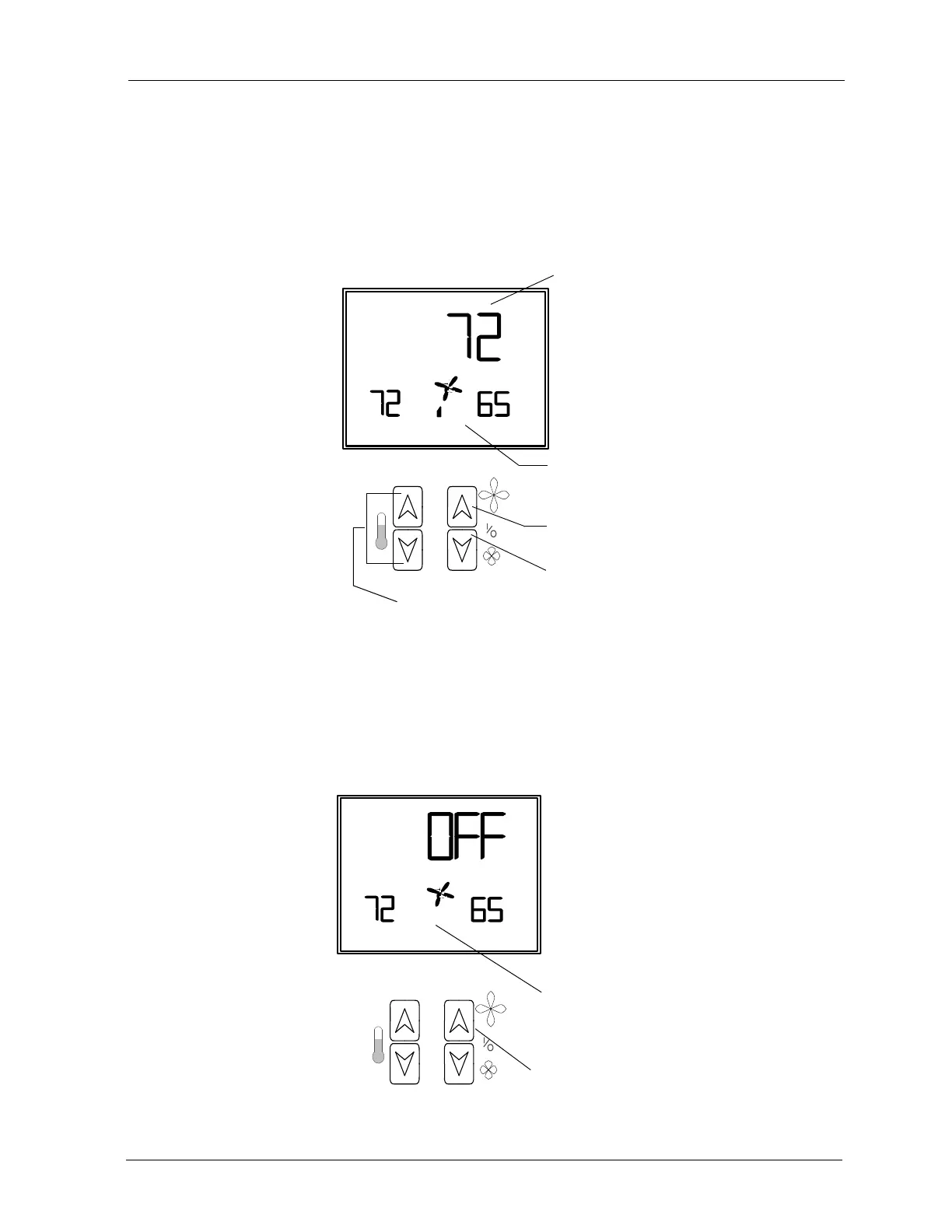
Operation with fan ON
The LCD displays the occupant-selected space temperature setpoint (AV-90) and
the fan speed. The unit controls to occupied setpoints.
The occupant can adjust the setpoint with the left
UP/DOWN buttons. The
occupant can also use the right
UP/DOWN buttons to change the fan speed or turn
the fan OFF.
Operation with fan OFF
If the tenant presses the right DOWN button until the fan turns OFF, the fan
symbol stops turning, the fan speed bars are not visible, and the word OFF
appears on the LCD. The unit controls to unoccupied setpoints.
The occupant can press the right
UP button to turn the unit ON.
Fan status reflects
occupant-selected fan speed
Increase fan speed
Adjust setpoint
Occupant-selected space
temperature setpoint
Decrease fan speed
Fan status bars are hidden
Turn fan ON



 To Next Page