13
Pad Menu
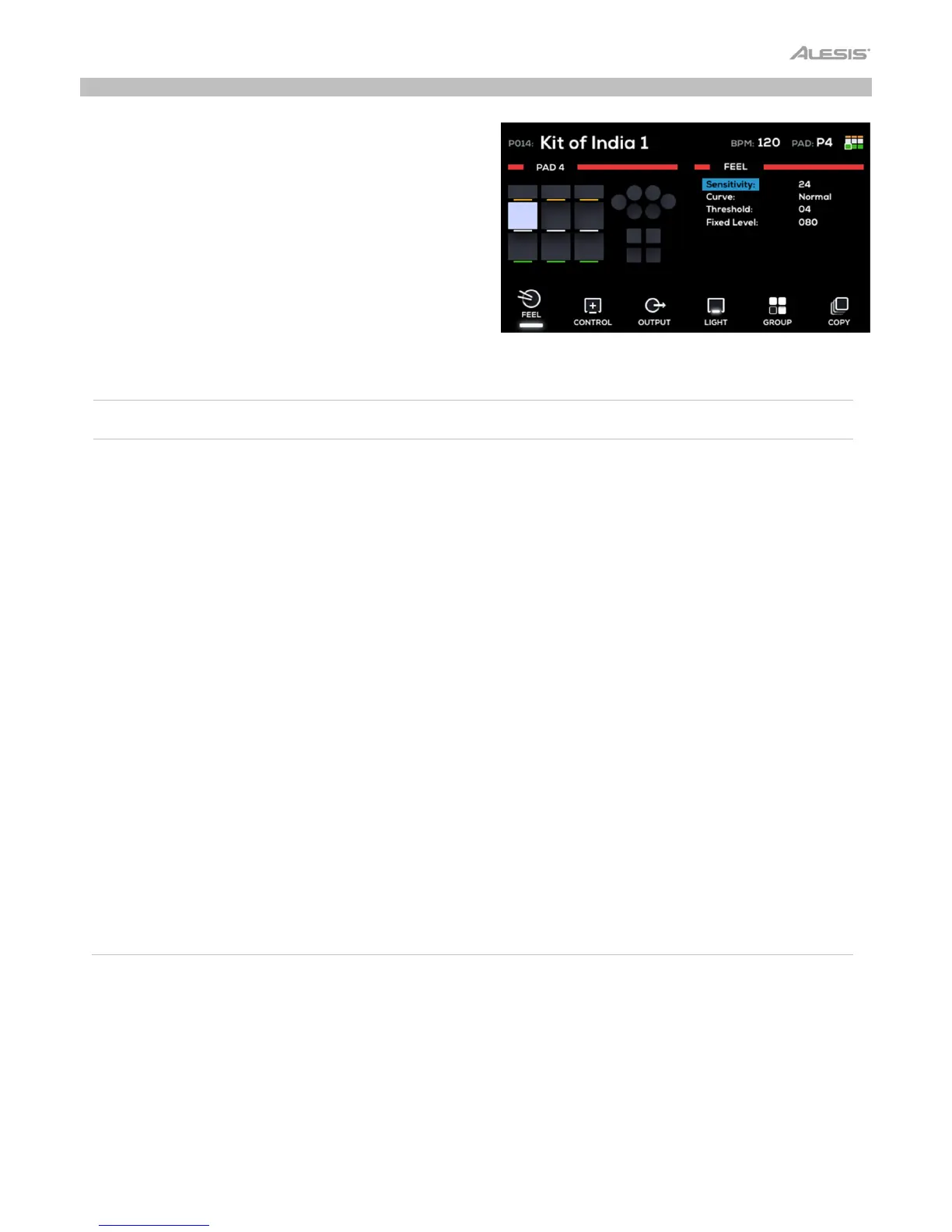
The Pad menu is where you can view and edit all pad-related
parameters.
The left side of the display shows the pads, triggers and
footswitches. The currently selected control will be highlighted.
The right side of the display will show the parameters being
edited. See below for more details.
Feel
Press the F1–Feel button to adjust the playing dynamics for the pad.
Parameter Description
alues/Settings
Sensitivity
This is the gain control for the pad, trigger or footswitch.
The higher the setting, the easier it’ll be to trigger louder
sounds with lighter hits. When setting this parameter,
strike the trigger listen to the sound. If it’s too loud even
though you are striking the pad lightly, lower this
setting.
01–32
Curve
This determines how a sound’s volume is affected by
how hard you strike it—that is, how responsive the pad
or trigger’s dynamics are to changes in your playing. All
pads and triggers on your Strike Multipad use Normal
as the default setting, which provides the most accurate
and natural performance.
Normal, Exp1, Exp2, Log1, Log2, Loud
Threshold
This determines how much velocity (force) is required
for a voice to sound. At higher settings, you’ll need to
strike the pad or trigger harder to produce a sound. At
lower settings, very light strikes on the pad or trigger will
produce sounds.
One typical use for this setting is when an acoustic
drum trigger is connected to a Trigger In and you find
the bass from a nearby speaker is causing unexpected
triggers. Raise the threshold setting here to help prevent
this.
00
32
(default 04)
Fixed Level
This setting allows you to have all pads, triggers and
footswitches sound at a specific velocity, no matter how
hard or soft you strike it. If you prefer to have pads and
triggers react to your playing dynamics, leave this
setting at Off.
Off, 001–127



 To Next Page