10
Tilt
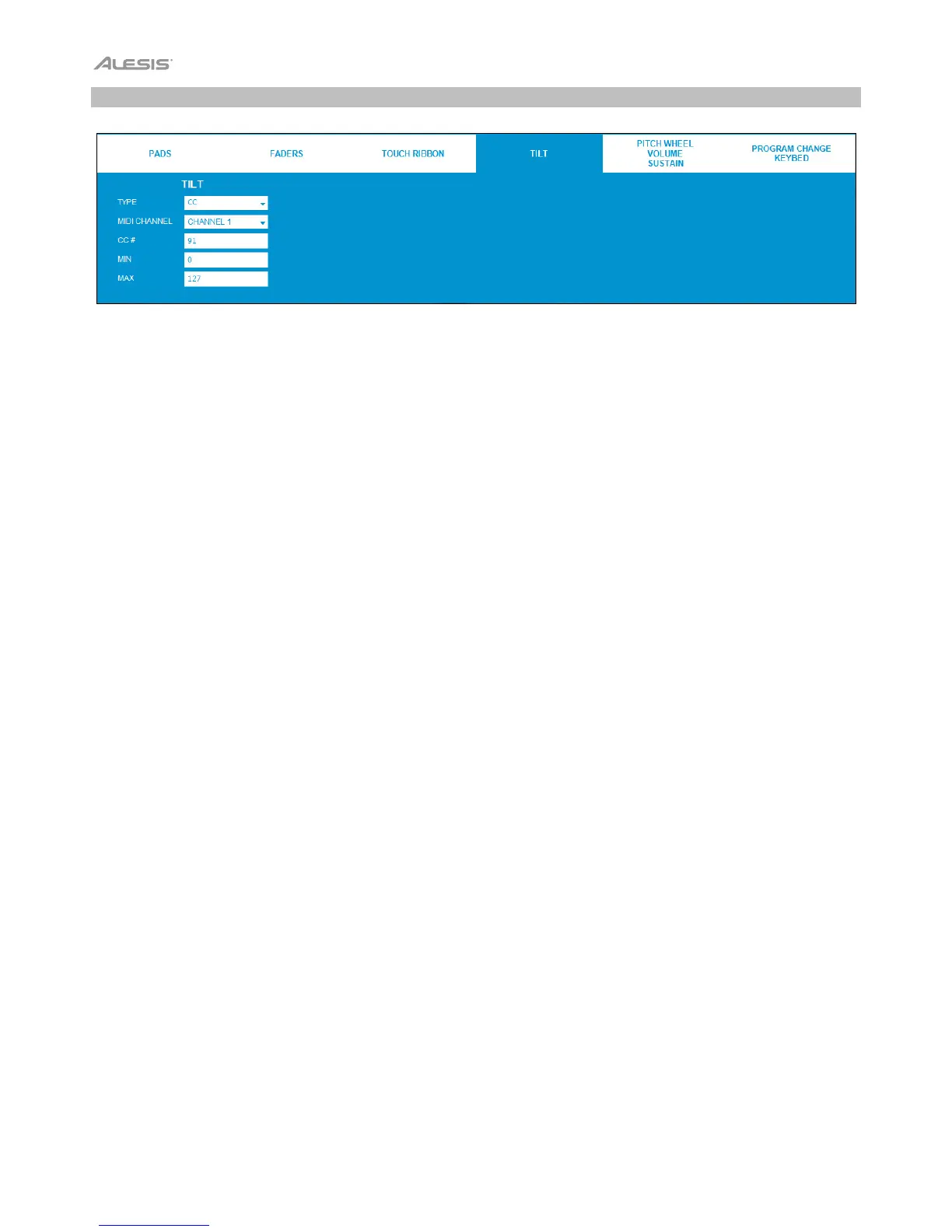
Click the Tilt tab to set the MIDI assignments for Vortex Wireless 2's accelerometer.
Type: Click this menu and select one of the following options.
• CC: The accelerometer will send Control Change MIDI messages.
• Pitch Bend: The accelerometer will send Pitch Bend MIDI messages.
MIDI Channel: The accelerometer will send MIDI messages over this channel. Click this menu and select Channel 1
– Channel 16.
CC #: When Type is set to CC, the accelerometer will send its MIDI messages using this CC number. Click it and
enter a number (0–127).
Min: This will be the lowest value that the accelerometer can send. Click it and enter a number (0–127).
Max: This will be the highest value that the accelerometer can send. Click it and enter a number (0–127).


 To Next Page