Connections – Chapter 2
Wedge Reference Manual 19
Balanced Operation
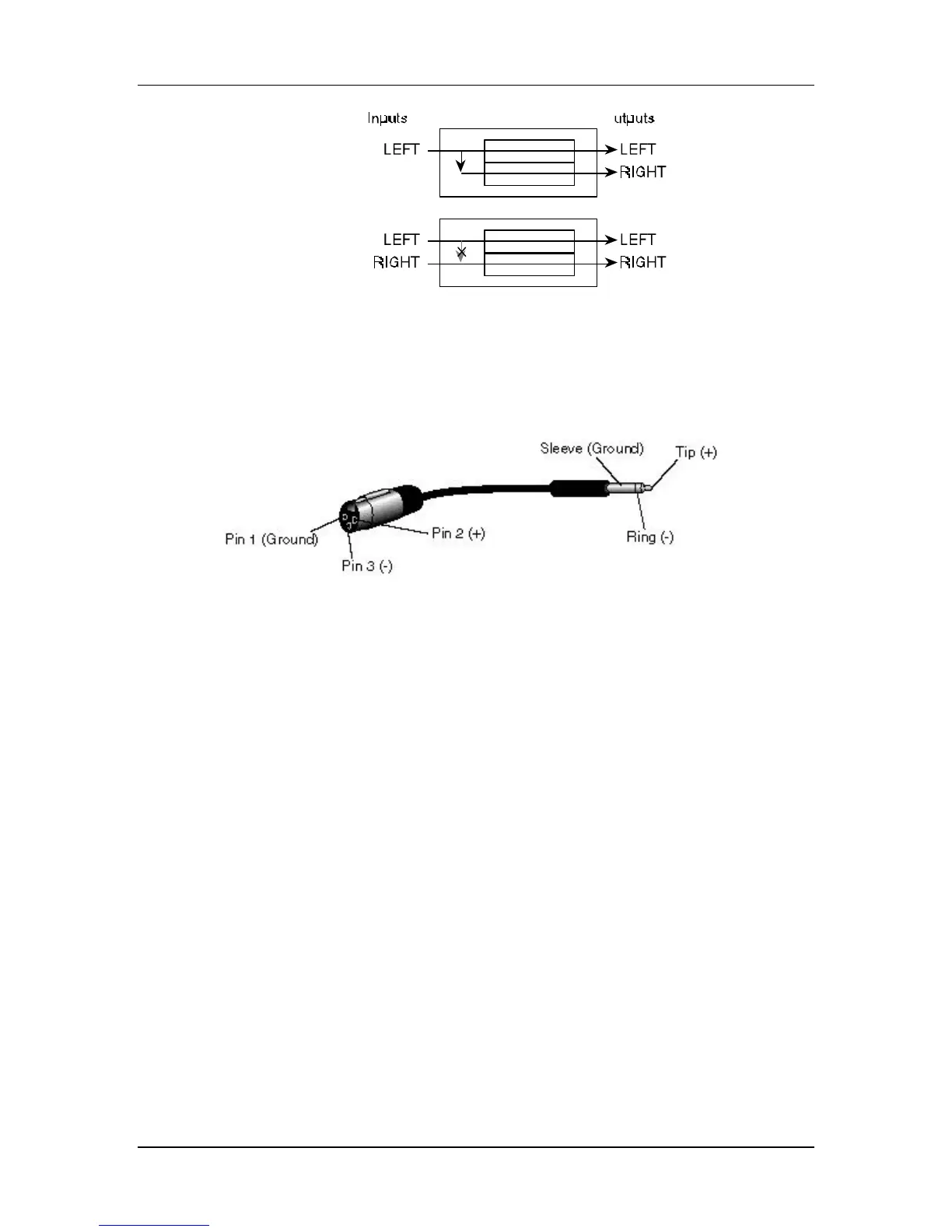
The Wedge features balanced TRS inputs and outputs. This allows it to be used with
professional consoles and other balanced equipment. You may need to purchase an
XLR to TRS 1/4” cable or adaptor, depending on the jacks used on the connecting
equipment.
The Wedge uses Servo Balancing on its inputs. This means that you can plug in
either a balanced (3-connector) or unbalanced (2-connector) signal without changing
the input level setting.
Alternatively, if your console uses balanced 1/4” TRS connectors for the effects
sends and returns (like the Alesis Studio 32) you should use “stereo phone cord”
TRS balanced cables for connection to the Wedge.
Interfacing Directly with Instruments
When connecting audio cables and/or turning power on and off, make sure that all devices in
your system are turned off and the volume controls are turned down.
The Wedge has two 1/4” balanced/unbalanced inputsand two 1/4” balanced/
unbalanced outputs. These provide three different audio hookup options:
• Mono: Connect an audio cable to the [LEFT] INPUT of the Wedge from a mono
source, and another cable from the [LEFT] output of the Wedge to an
amplification system or mixer input.
J



 To Next Page