Editing Programs – Chapter 4
Wedge Reference Manual 37
Editing Effect Parameters
Editing Programs is only possible while in Program mode. This means that the
[PROG] button must be lit. If the [PROG] button is not lit, press it now. From
Program mode, you can edit the currently selected Program by pressing either
[EDIT/PAGE] or any of the [A], [B], [C] or [D] buttons. Upon entering Edit mode, the
display will change to show you up to four parameters associated with the selected
Program.
18
Decay LPF PDly PMix
4
5
1
3
2
650msec 2.8KHz 150msec 000%
A B C DEDITED
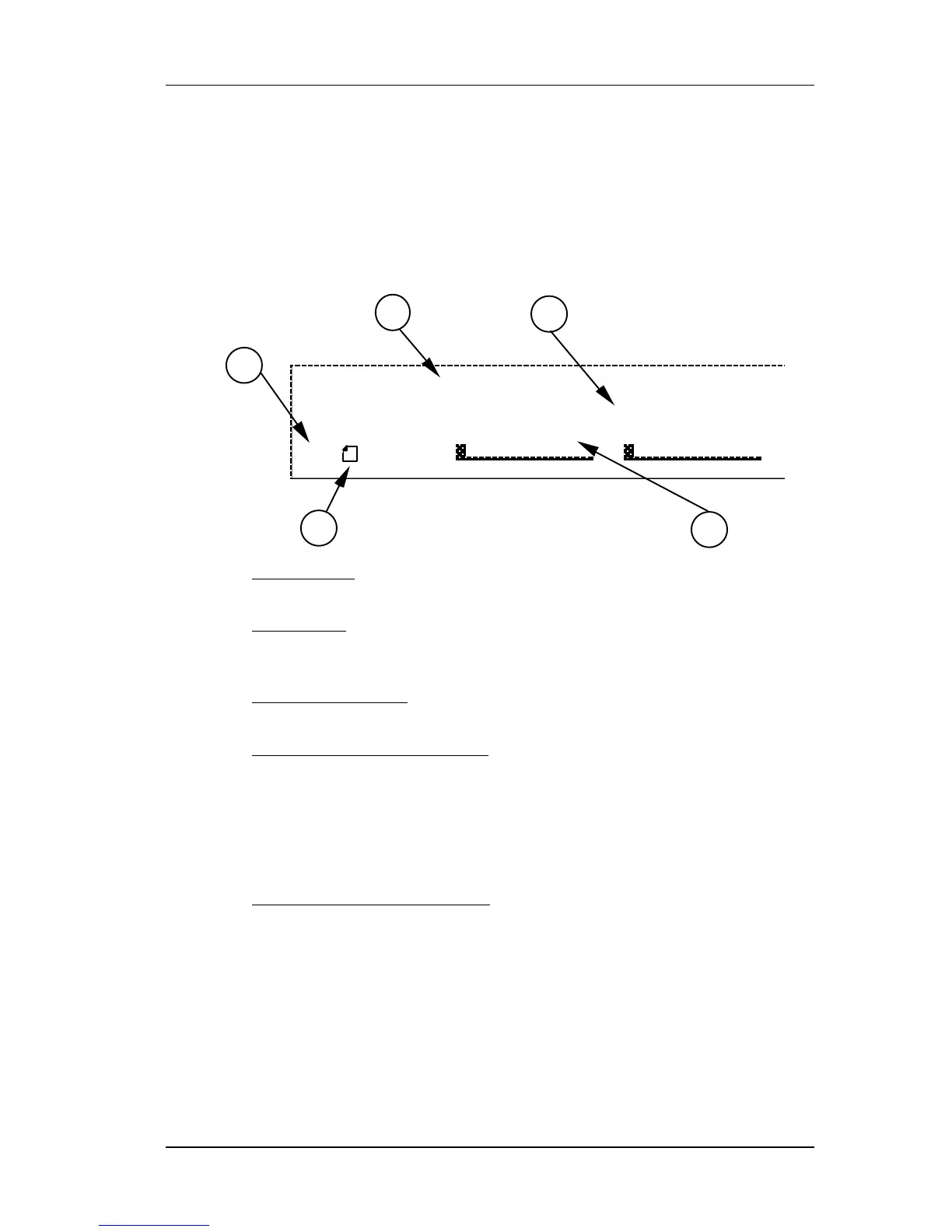
Ê Page Numbers. Depending on the Configuration, there will be up to six pages
available in Edit mode. In this example, only five pages are available.
Ë Selected Page. The currently selected page will be indicated by a box around its
number. In this example, page 1 is currently selected. Each time you press the
[EDIT/PAGE] button, the display will advance to the next page.
Ì Parameter Name Strip. Each page in Edit mode contains up to four parameters
whose names will appear at the top of the display, above their value settings.
Í Parameter Values and Bar Graphs. Each parameter in the selected page is
shown with both a numerical value and a bargraph. When a parameter is selected
for editing, its value will flash in the display. As you adjust a parameter, both its
numerical value and bargraph will change in relation to the slider’s position. For
finer control, you can also adjust the parameter using the [VALUE] wheel when a
parameter is selected. The type of units a parameter uses will be shown as well (dB,
kHz, etc.).
Î A, B, C, D and EDITED Indicators. Each parameter in the selected page is
designated by a letter (A, B, C or D). Once a parameter has been edited, the word
“EDITED” will appear below it.
If you decide you want to select a different Program, you can always get back to
Program mode by pressing [PROG] again. However, if you select another Program
after making changes and without storing the Program back into memory, the
changes you have made will be lost.
To make your changes to the Program permanent, you must store the Program
somewhere in the User bank. If the Program is already in the Preset bank and you
store it, you will automatically be taken into the User bank.



 To Next Page