Overview of Effects – Chapter 5
Wedge Reference Manual 41
CHAPTER 5
OVERVIEW OF EFFECTS
The Architecture of the Wedge
What is a Configuration?
A Configuration is an arrangement of one or more effects. Each of the 256 internal
Programs in the Wedge use one Configuration. There are 28 different Configurations
available, each of which fall into one of four categories. The four types of
Configurations are: Single, Double, Dual Mono and Multi Chain.
Single
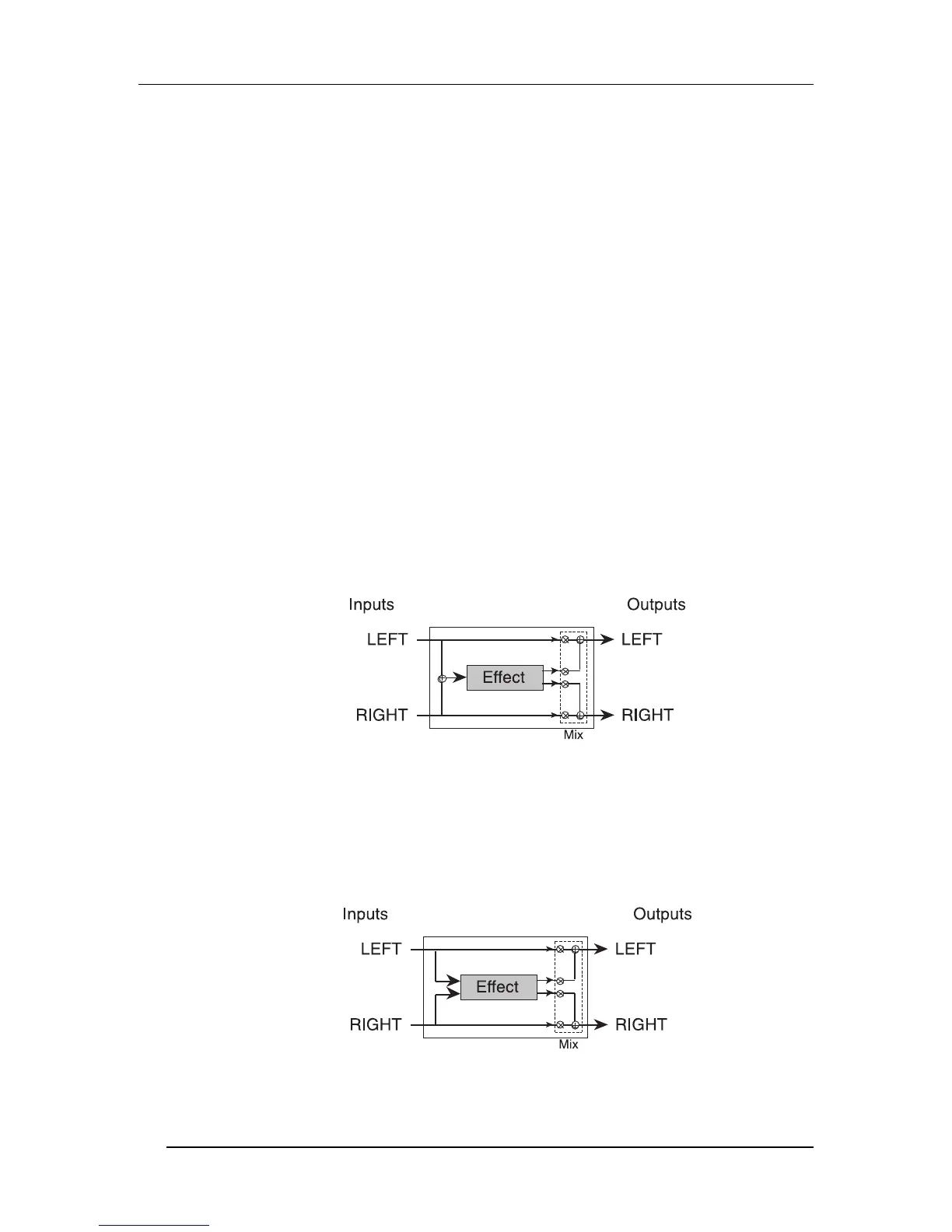
A Single Configuration consists of one effect. These Configurations utilize complex,
processor-intensive effect algorithms providing the best quality possible for each
effect type supported.
In most Single Configurations, the left and right inputs are summed internally before
being fed into the effect, so it doesn't really matter which input is used. The left and
right inputs need to be used only if you are using the Wedge inline between a stereo
instrument and an input, to provide a wet/dry mix that preserves the dry stereo
image.
Examples: Large Hall, Large Plate, Mono Delay, Etc.
The Stereo Room and Quad Chorus Configurations are special single algorithms that
treat the incoming left and right signals differently, but still creates a synthesized
stereo image from each side, depending on the setting of the Width control. If the
Width is set to 99%, a signal appearing at the left input will be processed and sent to
only the left output; if the Width is set to 00%, the processed signal will appear in
stereo at both outputs.
Examples: Stereo Room, Quad Chorus
In each case, the dry, uneffected signal of both inputs are also routed to the outputs.



 To Next Page