MIDI Applications – Chapter 6
Wedge Reference Manual 65
CHAPTER 6
MIDI APPLICATIONS
MIDI Functions
The Wedge provides many MIDI functions, including being able to respond to
program changes, sending and receiving Program information via Sysex (System
Exclusive) dumps, and realtime control over effect parameters via MIDI controllers.
For more information about basic MIDI connections, see Chapter 2.
MIDI Channel
The MIDI Channel is used to receive program change messages, as well as other
MIDI messages for use with the realtime modulation capabilities in the Wedge.
To set the Wedge’s MIDI channel:
Ê Press [UTIL].
The [UTIL] button will light.
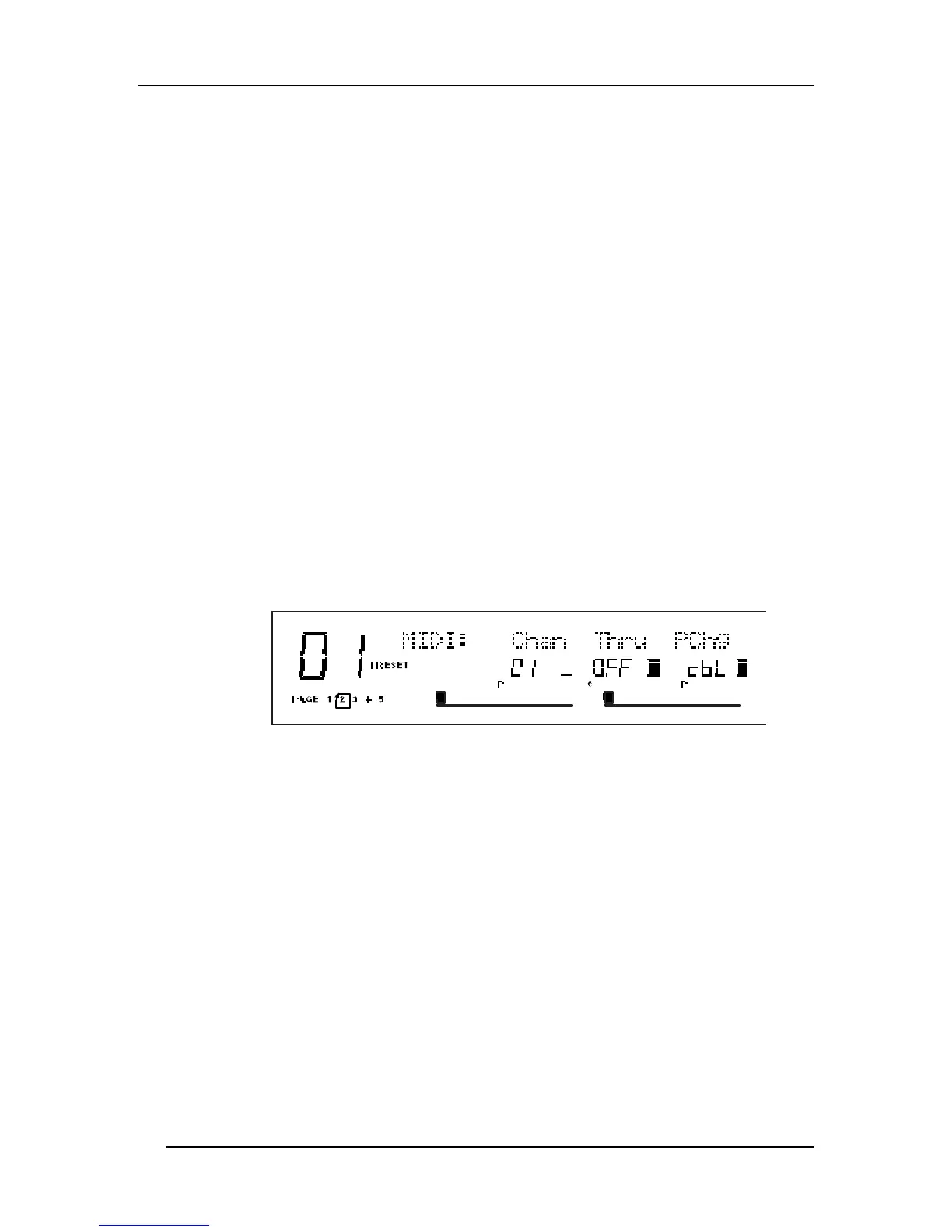
Ë Continue pressing the [UTIL] button until page 2 is selected.
The display will look like this:
Ì Move the [B] slider to set the MIDI Channel from 01 through 16, or 00 for Omni
mode (receives on all 16 channels simultaneously).
MIDI Thru
In order to pass on MIDI information from a control device thru the Wedge to
another MIDI device:
Ê Connect the control device’s MIDI OUT to the Wedge’s [MIDI IN]. Then connect
the Wedge’s [MIDI OUT] to the MIDI IN of the other device you wish to control.
Ë Press [UTIL] repeatedly until page 2 is selected.
Ì Press the [D] button to turn MIDI Thru On.



 To Next Page