22
Português
MULTIJET PRO
O Multijet PRO é um equipamento multitarefa (pode operar funções simultâneas sendo controladas através do
mesmo painel, visor e teclas).
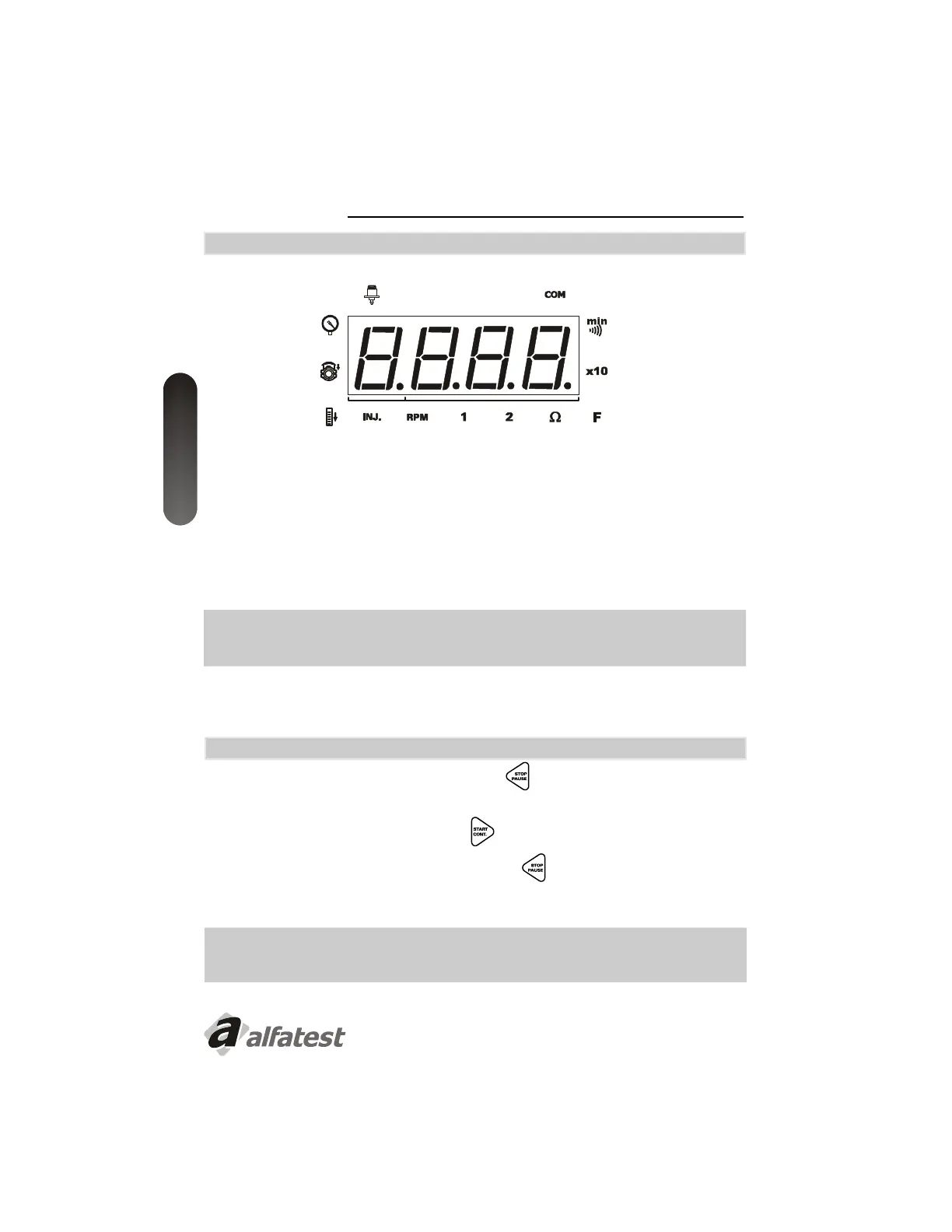
A seleção de uma função só é possível quando o ícone “F” estiver aceso no painel (o teclado estará disponível para
operações de seleção e ativação de funções).
Quando uma função é selecionada, automaticamente o painel muda suas operações.
Após selecionar uma função, o ícone “F” será desativado e os ícones da respectiva função se acenderão.
SEMPRE QUE O “MULTIJET PRO” NÃO ESTIVER REALIZANDO NENHUMA DAS FUNÇÕES, O ÍCONE
“F” PERMANECERÁ ACESO NO PAINEL, INDICANDO QUE ESTÁ DISPONÍVEL PARA REALIZAR UMA
OPERAÇÃO.
Para executar tarefas simultaneamente, vide as instruções no capítulo “Executando Duas Operações Simultâneas
(Multitarefa) ”.
4.1 - INTERPRETAÇÃO DO PAINEL
4.2 - PAUSAR/ PARAR UM TESTE
Caso necessite pausar o teste , pressione a tecla Stop/Pausa . Será exibida a letra “P” no painel indicando
que o teste está pausado.
Para continuar o teste pausado, pressione Start/Cont. . O display exibirá a mensagem “nP”
Para abortar o teste, pressione duas vezes a tecla Stop/Start . O teste será abortado e o painel será
posicionado a função “F” disponibilizando a seleção de um novo teste.
QUANDO UM TESTE É PAUSADO, A BOMBA CONTINUA LIGADA E O SISTEMA PRESSURIZADO.
CASO O TESTE NÃO SEJA REINICIADO EM 1MIN., O MESMO SERÁ DESATIVADO
AUTOMATICAMENTE.


 To Next Page