13
MULTIJET PRO
Español
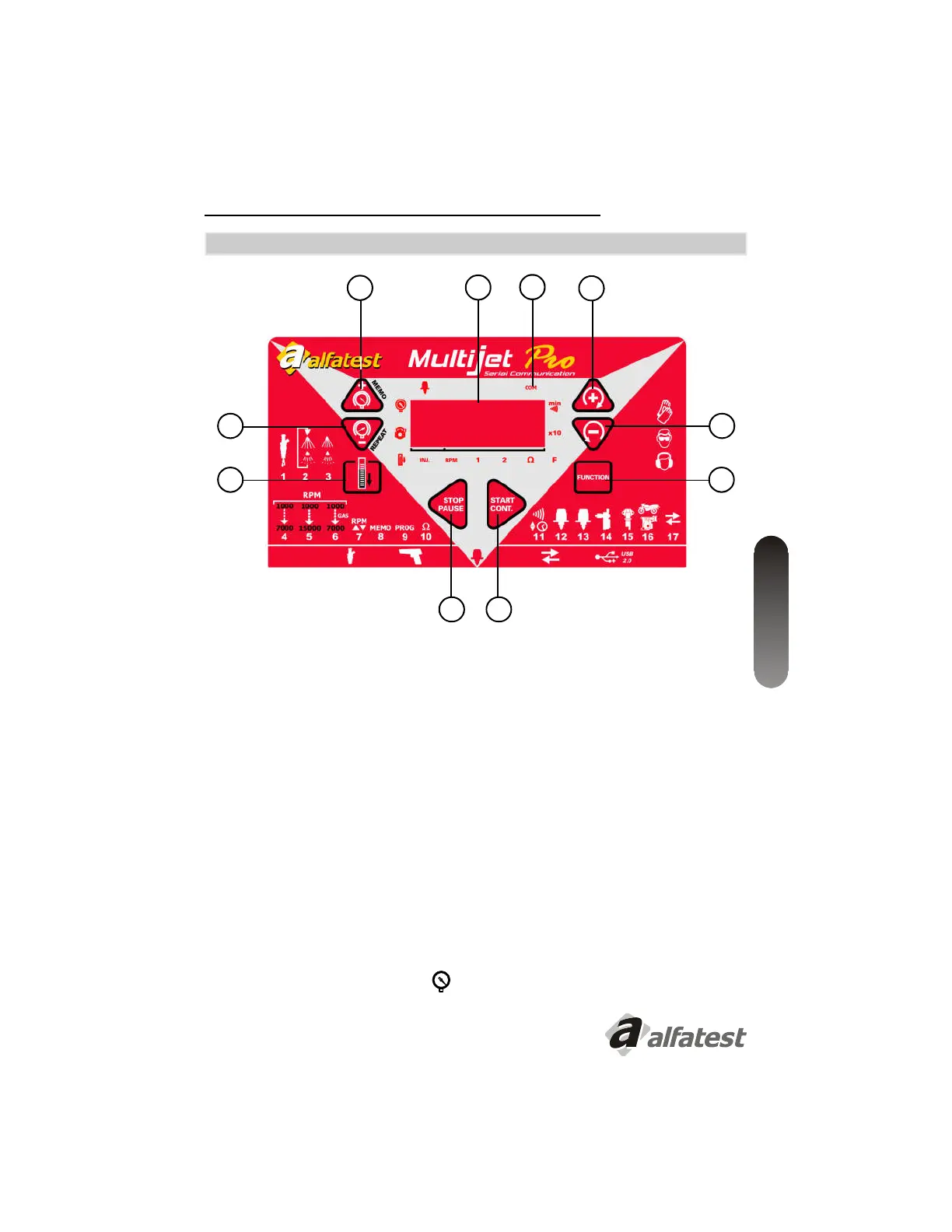
2.3 - PANEL DE CONTROL
1 - Ajuste de Presión + Aumenta/Memoria de test*;
2 - Ajuste de Presión - Disminuye/Repite último test*;
3 - Enciende/Apaga Dreno;
4 - Stop (parar) /Pause (pausar);
5 - Start (iniciar) / Continuar;
6 - Function (Alterna operación del panel entre las funciones);
7 - Tecla Multifunción + Aumenta;
8 - Tecla Multifunción - Disminuye;
9 - Visor.
10 - Íconos indicativos de operación y status.
2
1
8
7
6
54
3
9
10
*
Ejecuta el ajuste de presión cuando el ícono
esté encendido.
.


 To Next Page