Using AlienFX application | 73
Navigating the AlienFX window
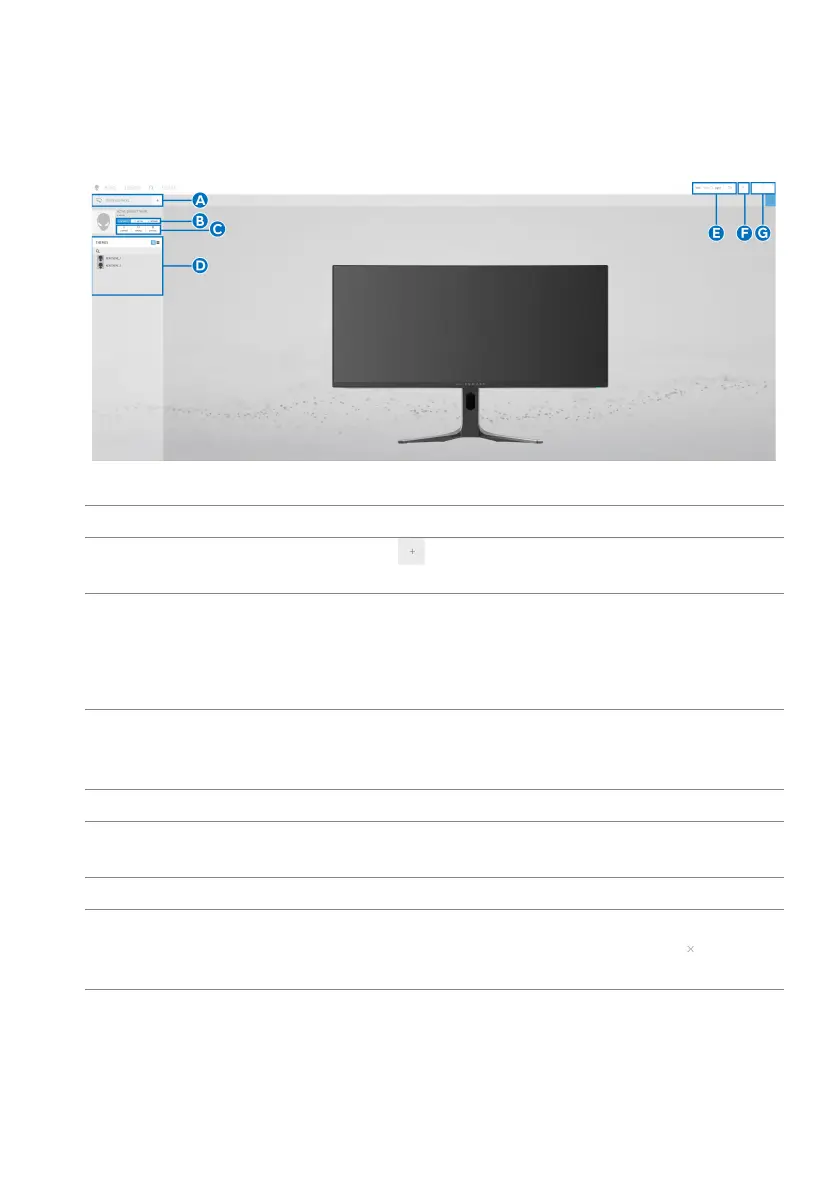
In the AWCC home screen, click FX in the top menu bar to access the home
screen of AlienFX.
The following table describes the functions and features on the home screen:
Callout Function Description
A CREATE NEW
THEME...
Click
and then enter a name in the text box to
add a theme.
B Edit controls • EDIT:
Provides options for you to customize
lighting adjustments for your theme.
• GO DIM: Makes the
light dimmer.
• GO DARK:
Turns off the light.
C Theme components You can use these components (LIGHTING and
SETTINGS) to make
the selected theme as an
active theme.
D THEMES li
st Displays the themes in list view or grid view.
E Background
control
s
Adjusts the background animation effects.
F Help Click to access the AWCC Online Help.
G Window controls You can use the buttons to minimize, maximize, or
restore t
he size of the window. When
is
selected, the application will close.















 To Next Page