10
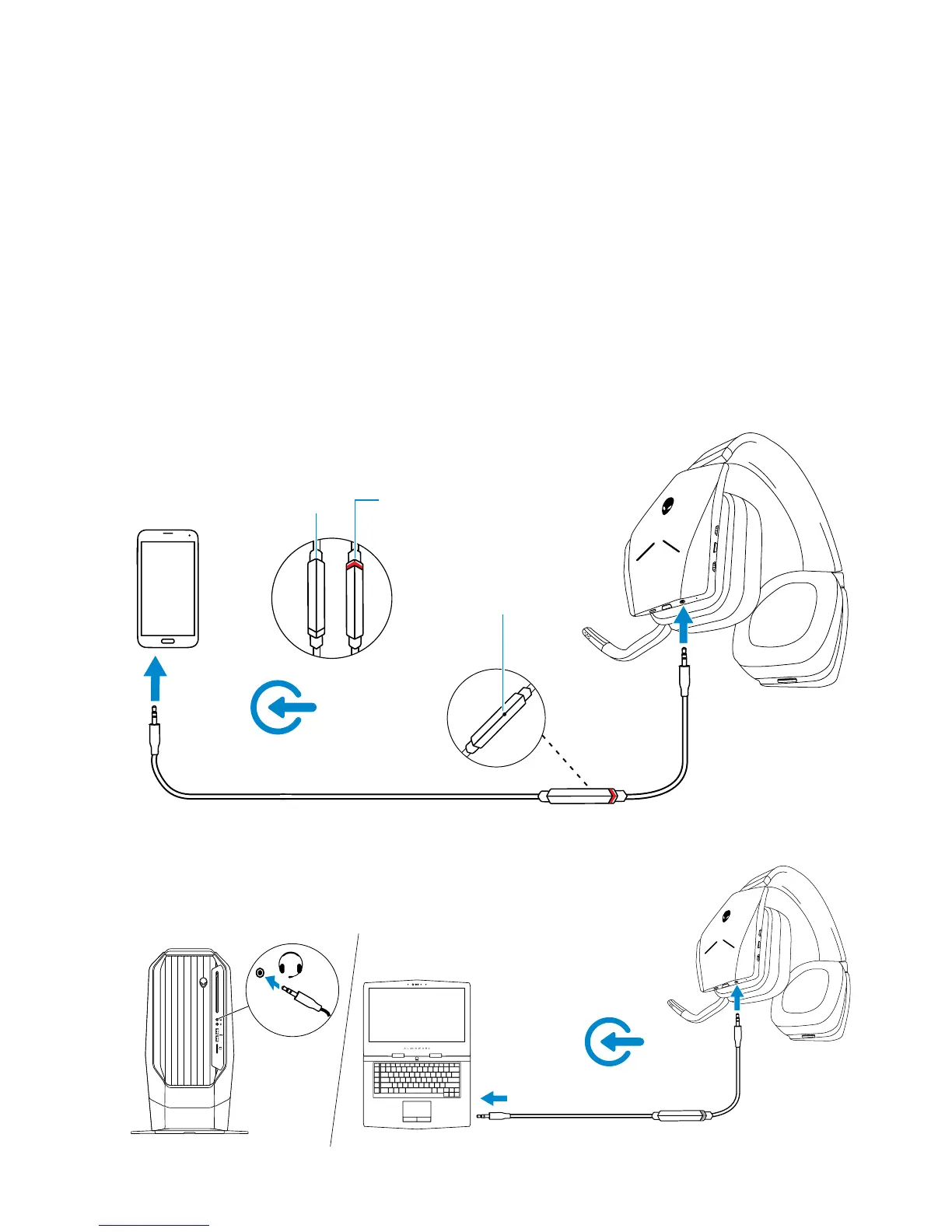
Connecting the headset to your computer or mobile device
using the 3.5 mm audio cable (optional)
Connect one end of the audio cable to the 3.5 mm audio port on your headset,
and connect the other end to the audio/headset port on your computer or
mobile device.
The headset speakers and the microphone on the cable will function even when
the headset is powered off, as long as the headset is connected to a 3.5 mm
audio port. The buttons and LEDs will not function when powered off.
NOTE: Audio preset is not supported for 3.5 mm audio port.
Microphone
Mic offMic on



 To Next Page