19
Replacing the earcup cushions
The earcup cushions can be removed and replaced, if necessary. To order new
earcup cushions go to www.dell.com.
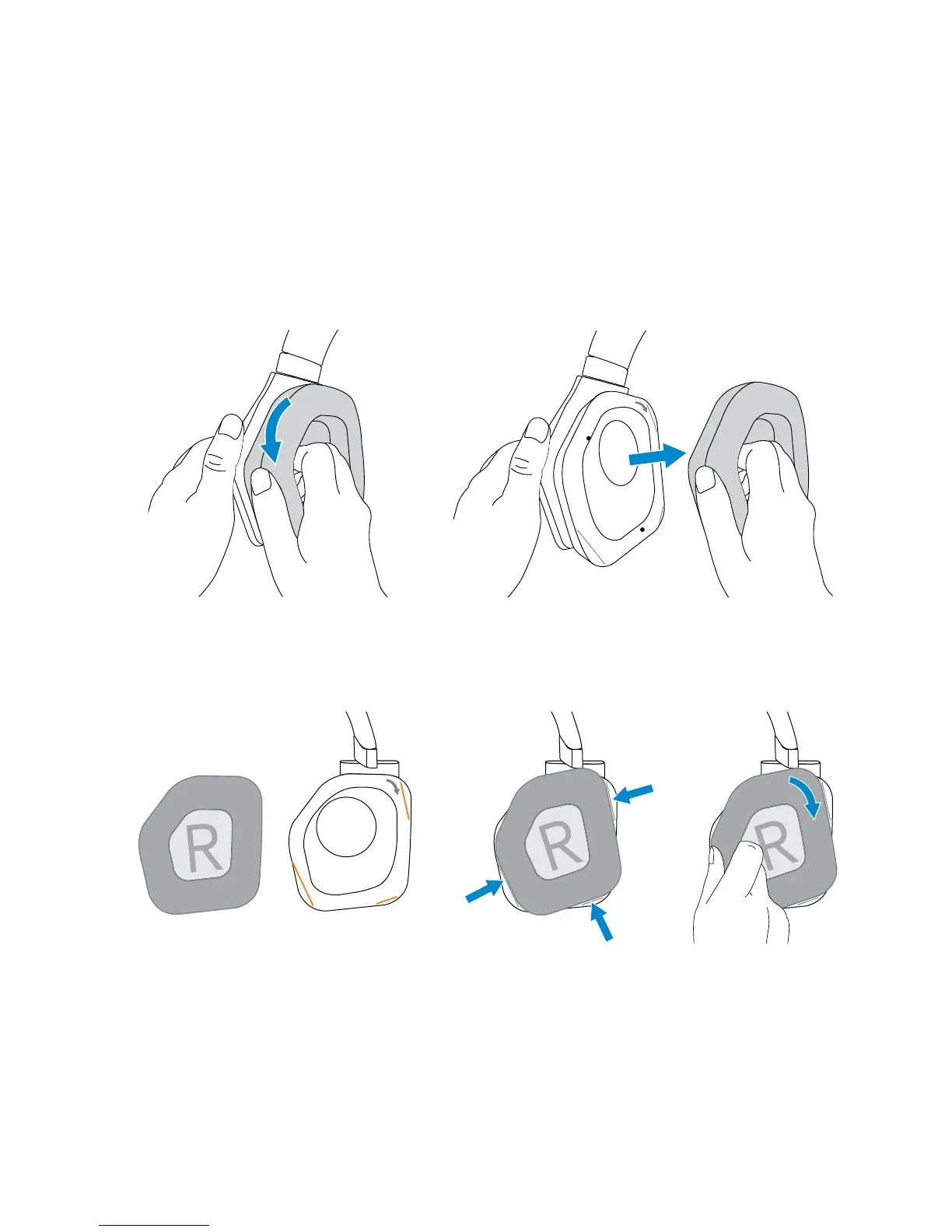
To remove the cushion, hold the cushion firmly and rotate clockwise (left
cushion) or counter-clockwise (right cushion), and then pull the cushion away
from the headset.
To replace the cushion, fit them around the edges of the earcup firmly and
rotate them into position.



 To Next Page