EasyManua.ls Logo

Alinco DJ-V17TFH - User Manual

Alinco DJ-V17TFH
65 pages
Print Icon
To Next Page IconTo Next Page
Loading...
ALINCO, INC.
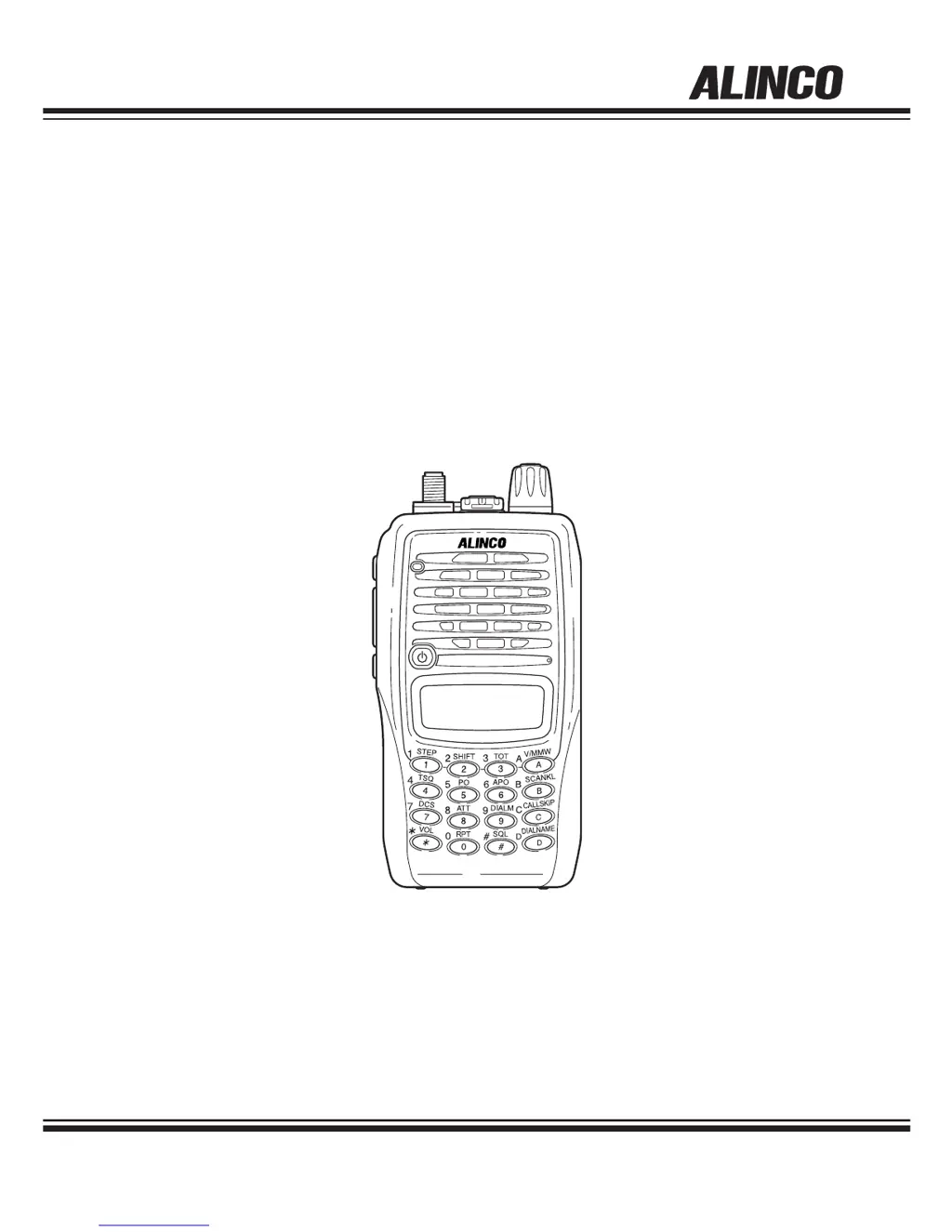
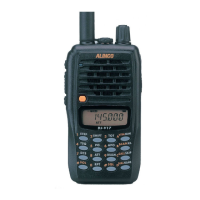
VHF FM TRANSCEIVER
DJ-V17T/E/R/TFH
Instruction Manual
Thank you for purchasing your new Alinco transceiver.
This instruction manual contains important safety and
operating instructions. Please read this manual
carefully before using the product and keep it for future
reference.

Table of Contents

Questions and Answers

  • N
    Natalie GonzalezAug 15, 2025
    Why is there no speaker audio and reception on my Alinco Transceiver?
    • B
      brandonjohnsonAug 15, 2025
      If you're experiencing no speaker audio or reception on your Alinco Transceiver, here are a few things to check: * Make sure the volume isn't too low by adjusting the audio level. * The squelch level might be too high, so adjust the squelch. * Ensure tone squelch and DCS are turned off. * Also, confirm you're not accidentally pressing the PTT key, which activates transmitting. Release the PTT key.
  • N
    Nancy JamesAug 18, 2025
    What to do if my Alinco Transceiver can't transmit or talk to other stations?
    • M
      Mark JohnsonAug 18, 2025
      If your Alinco Transceiver isn't transmitting, ensure you're pressing the PTT key firmly enough to light the TX/RX lamp red. Also, verify that you are within the TX range and check the shift status. Double-check the shift status and repeater settings to confirm you're on the correct frequency.
  • T
    Taylor MacdonaldAug 21, 2025
    How to fix an Alinco Transceiver with a blank display on startup?
    • R
      robertowenAug 21, 2025
      If nothing appears on the display of your Alinco Transceiver when you turn it on, check the following: Ensure the battery pack terminals are clean and correctly attached. Recharge or replace the battery if it's exhausted. Hold the power key down until the display shows figures; you might be releasing it too quickly.
  • J
    Joseph HillAug 25, 2025
    What to do if the frequency and memory number don't change on my Alinco Transceiver?
    • D
      Dana NguyenAug 25, 2025
      If the frequency and memory number aren't changing on your Alinco Transceiver, first, ensure that Keylock is turned off. Also, check if the transceiver is in Call mode; if so, select the VFO or Memory mode.
  • A
    andrewmortonAug 27, 2025
    Why does the display flash or go out when I transmit with my Alinco Transceiver?
    • D
      Dawn MorrisAug 27, 2025
      If the display flashes or goes out when you transmit with your Alinco Transceiver, the battery is likely exhausted. Recharge or replace the battery.
  • S
    Sarah MedinaAug 30, 2025
    How to unlock key entry on an Alinco Transceiver?
    • C
      Curtis AndersonAug 30, 2025
      If key entry is not possible on your Alinco Transceiver, the Keylock is likely on. Turn off Keylock to enable key entry.
  • E
    Erika JohnsonSep 2, 2025
    Why does the display flash during reception on my Alinco Transceiver?
    • B
      brian22Sep 2, 2025
      If the display flashes or disappears during reception on your Alinco Transceiver, the battery is likely exhausted. Recharge or replace the battery.
  • C
    Charles SalazarSep 5, 2025
    What causes an incorrect frequency display on an Alinco Transceiver?
    • K
      Kenneth HinesSep 5, 2025
      An incorrect frequency display on your Alinco Transceiver could be due to a CPU error; try resetting the unit. Alternatively, a channel name might be set.
  • J
    Jennifer GonzalesSep 8, 2025
    Why won't my Alinco Transceiver scan?
    • T
      tyler57Sep 8, 2025
      Your Alinco Transceiver might not scan if the squelch is unmuted. Set the squelch so that noise mutes.
  • T
    Tracy TurnerSep 12, 2025
    How to troubleshoot repeater access issues on Alinco Transceiver?
    • D
      Dennis PowellSep 12, 2025
      If Repeater-Access can't be used on your Alinco Transceiver, the parameters are likely set incorrectly. Set the correct parameters to suit your local repeaters.

Summary

FCC and Compliance Information

Manufacturer Details

Information about ALINCO, INC., including its head office and contact details.

Safety Warnings and Precautions

General Warning Symbols

Explanation of Danger, Alert, Caution symbols.

Environment and Usage Cautions

Guidance on safe operating environments and conditions.

Handling and Power Safety Guidelines

Safe Product Handling

Warnings and advice for handling the transceiver and accessories.

Charger and Power Supply Safety

Safety instructions for using chargers and power supplies.

Emergency Procedures and Maintenance

Emergency Response and Maintenance

Steps for emergencies and cautions regarding maintenance.

Usage Cautions and Environment

Environmental and Transceiver Cautions

Cautions for usage environments and handling the transceiver.

Specific Warnings and Notices

Lightning and Regional Notices

Warnings about lightning, California Proposition 65, and EU power source rules.

Introduction and Manual Guide

Understanding the Instruction Manual

Emphasizes reading the entire manual for complete functional understanding.

Product Features and Accessories

Key Features Overview

Lists the main features of the DJ-V17T transceiver.

Standard Accessories Included

Lists accessories provided with the transceiver.

Accessory Installation

Antenna and Strap Installation

How to attach the antenna, hand strap, and belt clip.

Battery Pack Management

Battery Pack Handling and Safety

Instructions for attaching, removing, and safety precautions for the battery pack.

Battery Charging Procedures

Charging via DC-Jack

Steps to charge the Ni-MH battery pack using the DC-jack.

Preventing Battery Short Circuits

Battery Pack Short Circuit Prevention

Visual guide on preventing battery pack short circuits.

Alternative Power and Battery Status

Dry Cell Case and Battery Icon

Using the dry cell case and understanding the battery level icon.

Transceiver Component Identification

Top and Front Panel Controls

Identifies controls on the top and front of the transceiver.

Side Panel Controls

Side Panel Components and Ports

Identifies controls and ports on the side of the transceiver.

Keypad Functionality

Keypad Operation Details

Explains the function of each key with/without FUNC.

LCD Display Elements

Understanding LCD Icons

Explains the meaning of icons and indicators on the LCD.

Basic Transceiver Operations

Power On;Off and Volume

How to power the unit on/off and adjust audio volume.

Squelch Level Adjustment

Steps to adjust the squelch level.

VFO Mode Frequency Setting

VFO Mode and Frequency Entry

How to select VFO mode and set frequencies via dial/keypad.

Tuning Step Configuration

Setting the Frequency Tuning Step

How to select the frequency tuning increment.

Frequency Offset and Memory Programming

Shift Direction and Offset Frequency

Setting frequency shift direction and offset for repeaters.

Programming Memory Channels

Step-by-step guide to storing frequencies in memory.

Memory Channel Management

Recalling and Deleting Memories

How to recall and delete stored memory channels.

Repeater-Access Setup

Setting up the Repeater-Access function.

Memory Parameters and Call Channel

Programmable Memory Parameters

List of parameters storable in memory channels.

Call-Channel Mode Usage

Accessing the most frequently used memory channel.

Receiving Signals

Basic Receiving Procedures

Steps for receiving, including volume/squelch adjustment.

Monitor Function

Using the monitor function for weak signals.

Transmitting Signals

Transmitting Procedure

How to transmit audio using the PTT key.

Output Power Level Selection

Switching between high and low transmission power.

Scanning Functions

VFO and Memory Scanning

How to perform VFO and memory scanning.

Advanced Scan and Lock Features

Skip Channels and Keylock

Setting skip channels and activating keylock.

Tone-Burst Function

Using the tone-burst for European repeaters.

Memory Channel Naming

Setting Name-Tags for Memories

Assigning alphanumeric names to memory channels.

Auto-Power-Off (APO) Function

APO Setting and Operation

Enabling and using the Auto-Power-Off feature.

Timers and Illumination

Time-Out-Timer (TOT) Configuration

Setting the TOT to limit transmission time.

Lamp;Backlight Usage

Operating the display backlight.

Selective Calling Overview

Tone Squelch (TSQ) Introduction

How Tone Squelch filters signals using CTCSS tones.

Setting Tone Squelch

Configuring CTCSS tones for encode/decode.

Tone Squelch and DCS Basics

DCS (Digital Code Squelch) Introduction

Introduction to DCS and its use for signal filtering.

Setting DCS Codes

How to enable and set DCS codes.

DCS Code Management

Changing DCS Codes and DET Mode

Selecting DCS codes, turning off DCS, and using DET mode.

DTMF Tones and DET Mode

DTMF Tone Encoding

Manually transmitting DTMF tones.

Auto Dialer Functionality

Setting and Generating Auto Dialer Codes

Programming and using the Auto Dialer.

Redial Functionality

Using the Redial Feature

Redialing the last DTMF tones.

Special Transceiver Functions

Attenuator (ATT) Function

Using the attenuator for noisy reception.

Battery Refresh Operation

Performing a battery refresh cycle.

Repeater-Access Function

Setting Repeater-Access Parameters

Configuring Repeater-Access for prioritized operation.

Set Mode Configuration

Set Mode Operation Overview

Overview of available parameters in Set mode.

Entering the Set Mode

Steps to access the Set mode.

Configuring Basic Settings

Battery Save and Scan Settings

Configuring Battery Save and scan resume conditions.

Beep and Tone-Burst Frequency Settings

Adjusting beep sounds and tone-burst frequency.

Configuring Advanced Settings

Clock Shift and Busy Channel Lockout

Settings for clock shift and busy channel lockout.

DTMF and TOT Penalty Settings

TOT Penalty Time Configuration

Setting penalty time after TOT transmission stop.

DTMF Timing Parameters

Configuring DTMF wait and burst/pause times.

DTMF Timing and Battery Charging

DTMF First Digit Burst Time

Adjusting the first DTMF digit burst time.

Battery Charge Function

Enabling battery charging via DC-jack.

Battery Type Configuration

Selecting Battery Type

Setting battery type for correct level indication and charging.

Data Transfer and Packet Operation

Cloning Unit Settings

Transferring settings between units using a clone cable.

Cloning Procedures

Master and Slave Unit Operations

Steps for master-to-slave unit data transfer.

Packet Communication Setup

Connecting for Packet Operations

Connecting transceiver to TNC for packet data.

Troubleshooting and Maintenance

Common Troubleshooting Guide

Table of common issues, causes, and solutions.

Resetting and Default Settings

Unit Reset Procedure

How to reset the unit to factory defaults, deleting memories.

Optional Accessories

List of Optional Accessories

Comprehensive list of available accessories.

Cables and Battery Packs

Microphone;Speaker Cable (EDS-10)

Connecting the EDS-10 cable.

Battery Packs and Charging

Battery pack types and charging combinations.

Using the Chargers

Trickle Charger (EDC-143) Operation

Using the EDC-143 trickle charger.

Battery Pack Specifications

EBP-65;66 Specifications

Technical specs for EBP-65 and EBP-66 battery packs.

Quick Charger Operation

Quick Charger (EDC-144) Usage

Using the EDC-144 quick charger.

Battery Charger Specifications

Battery Charger Specifications

Charging specs for battery packs and chargers.

Connecting Additional Baskets

Multi-Basket Connection Guide

Connecting multiple baskets to chargers.

Transceiver Specifications

General Specifications

Frequency range, steps, channels, impedance, voltage, consumption, temp, dim, weight.

Transmitter and Receiver Specs

Transmitter Specifications

Transmitter output, modulation, spurious emission, mic impedance.

Receiver Specifications

Receiver system, sensitivity, IF, AF output.

Alinco DJ-V17TFH Specifications

General IconGeneral
BrandAlinco
ModelDJ-V17TFH
CategoryTransceiver
LanguageEnglish

Related product manuals