8
General Setting
Press and hold
1.
key for over 2s to
enter general setting menu.
Press
2.
CALL
/
MONI
key to choose No.29
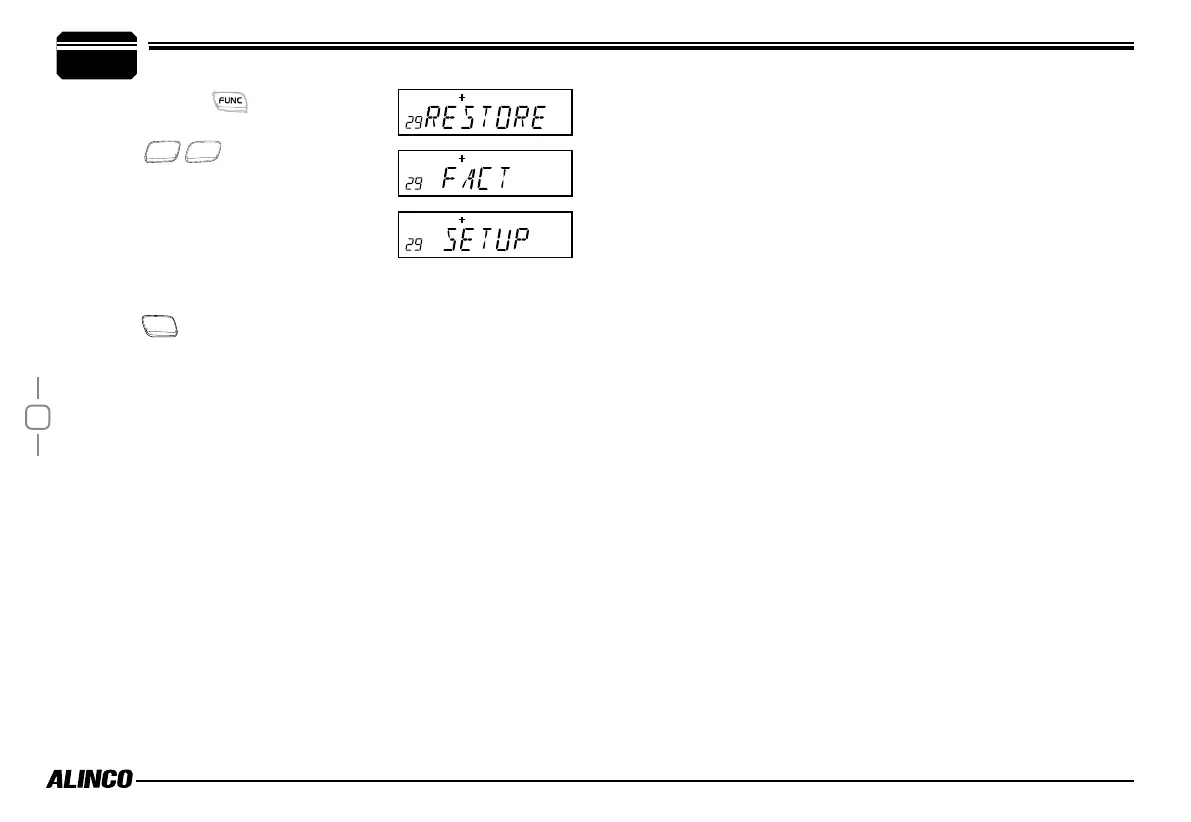
menu, LCD displays "RESTORE".
Turn selector knob to select the desired
3.
operation.
FACT:Re s u me f a c tory default for
channel,signaling and general setting.
SETUP:Return initial setup for No.18-No 27 general setting menu.
Press
4.
MHz
key to conrm.



 To Next Page