ALL-TEST PRO
®
31 User Manual
©2011, ALL-TEST Pro, LLC www.alltestpro.com rev 2011-11F 23
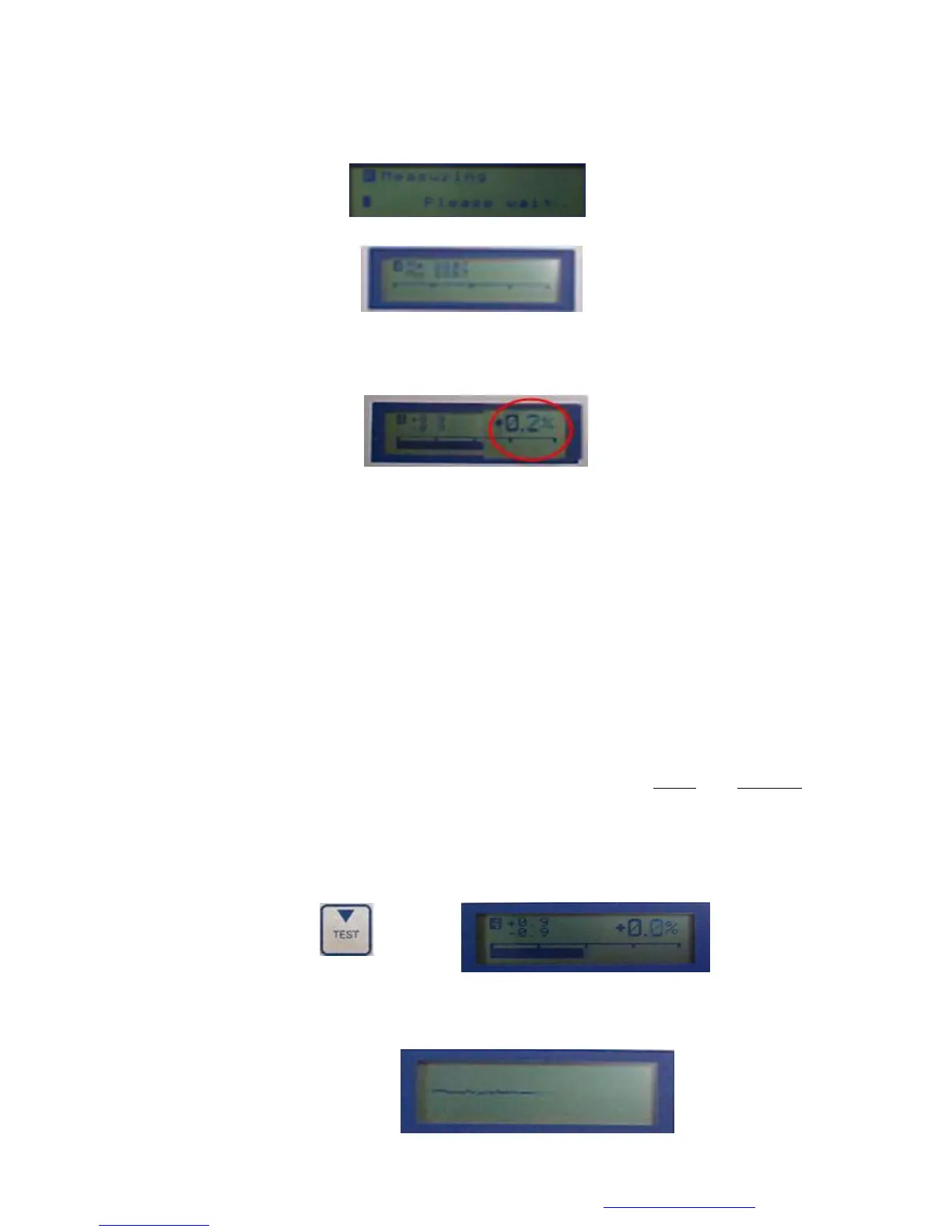
5. The screen displays “Measuring… Please wait” Wait until the screen changes and the instrument
issues an audible “beep” before going to step 6. Note: This may take several seconds.
6. Turn the shaft by hand until the bar appears on the display screen. This is display screen 4.
7. Continue to rotate the shaft until a percentage value appears on the right side of the display
screen. (Note: This value should be > 3% for a rotor test to be considered reliable. If the value is
less than 3 the results of the rotor test may be unreliable.)
8. To check the rotor condition:
a. % Value Method:
i. Turn the shaft and stop when the bar is in the middle of the display screen and the value
is 0%. If the bar does not cross zero, repeat steps 6 and 7 at a slower rate until it does
cross zero.
ii. Turn the shaft until the bar moves to the extreme left side of the screen, note the
displayed value (ex - 4.5%).
iii. Turn the shaft until the bar moves to the extreme right side of the screen, note the
displayed value. (Ex 4.7%)
iv. Compare these values. If they are within 1 integer of each other, the rotor doesn’t
exhibit any issues. However values exceeding 3 integers should be investigated further.
b. Bar display method: Turn the shaft one full turn and if the bar “hangs” or “hesitates” at
either end or in the middle, there is a rotor issue and further testing should be performed.
Wave Form Test
1. While still on the Bar Test Screen (display screen 4) press the TEST key.
2. A line will be displayed across the screen. Smoothly and consistently turn the shaft; (the faster
the shaft turns the more waveforms are displayed) adjust the speed until 3 or 4 complete
waveforms are displayed.


 To Next Page