ALL-TEST PRO
®
31 User Manual
©2011, ALL-TEST Pro, LLC www.alltestpro.com rev 2011-11F 9
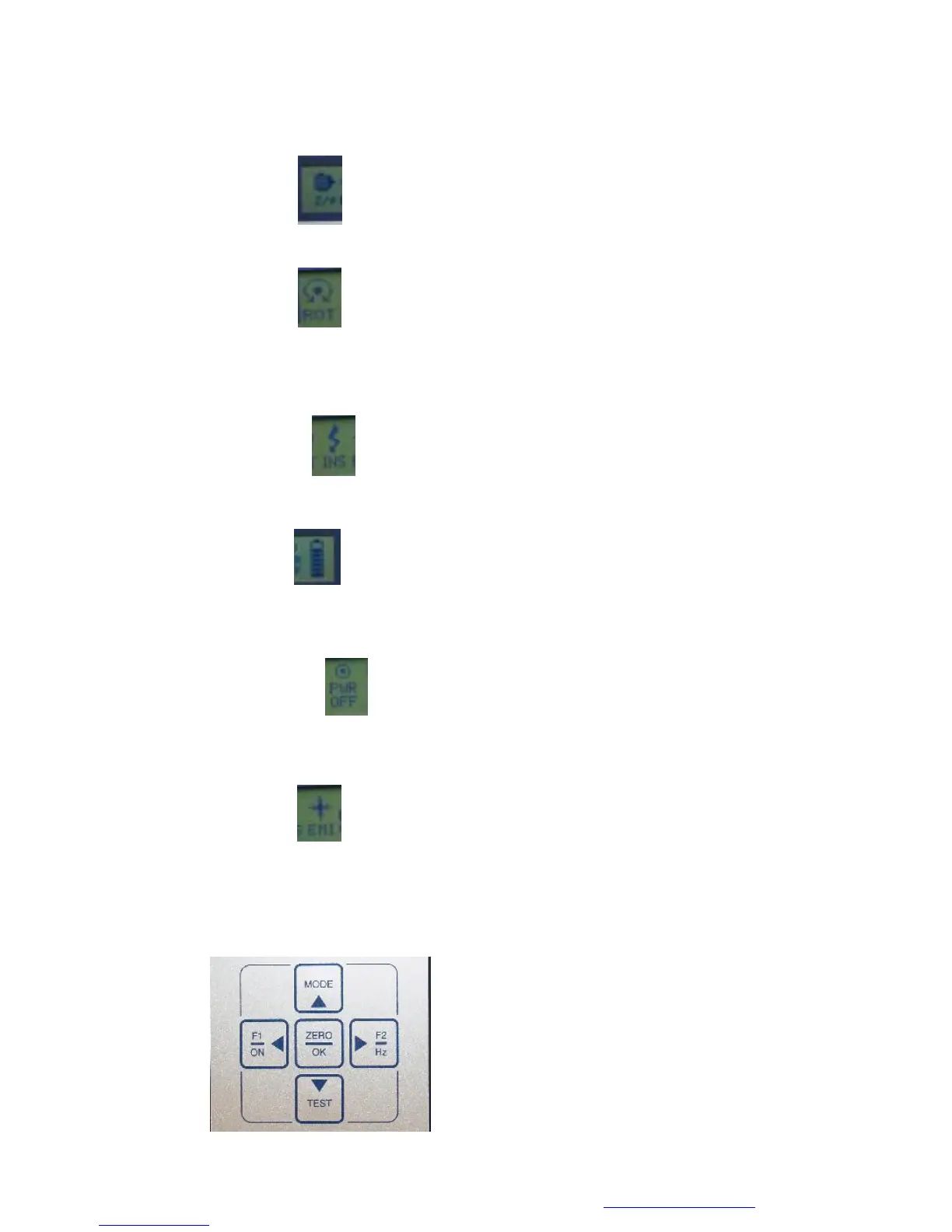
1. Z/ψ Icon performs the Impedance (Z), Phase Angle (ψ), Current/Frequency (I/F) and Phase
Balance tests (used to identify developing winding faults).
2. ROT Icon performs the Rotor test (used to find squirrel cage induction motor rotor faults).
3. INS Icon performs the Insulation to ground resistance test (used to verify that the insulation to
ground resistance is sufficient to prevent electrical shock).
4. Battery charge level indicator. A fully charged battery will have 7 bars (it is recommended to
keep the AT31 on charge when not in use to ensure proper operation).
5. PWR OFF Icon turns the instrument off (the AT31 will automatically shut-off after about 5
minutes).
6. EMI Icon tests for EMI signals within the Motor System that could cause errors in the AT31 test
results.
Keypad Section
The keypad section provides keys to operate and control the functions of the AT31.


 To Next Page