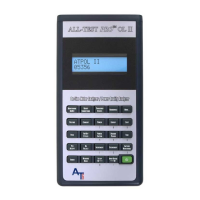
ALL-TEST PRO
®
31 User Manual
©2011, ALL-TEST Pro, LLC www.alltestpro.com rev 2011-11F 36
Capacitor Testing
Note: This is a Pass/Fail test.
Motor starting capacitors and power factor correction capacitors can be effectively tested with the ALL-
TEST PRO® 31. This test will not provide the capacitance value of the test specimen, but will indicate
if the capacitor is performing properly in an AC Circuit.
1. Turn line power off. Disconnect one capacitor lead from the circuit.
2. Short the capacitor terminals to remove any remaining charge.
3. Put the ALL-TEST PRO® 31 in “winding test” mode by selecting the Motor icon from the mode
screen.
4. Connect the red and black test leads to the capacitor.
5. An impedance value should be displayed. If impedance value shows “---”, the capacitor is open.
6. Observe the phase angle measurement in the upper right of the display. If the capacitor is good,
this number is very close to 90.
7. Press the TEST key. For a good capacitor, the main display will show 90 or above. A reading
below 90 indicates a poor or failed capacitor.
8. Turn the instrument off.


 To Next Page