ALL-TEST PRO
®
31 User Manual
©2011, ALL-TEST Pro, LLC www.alltestpro.com rev 2011-11F 8
Display Section
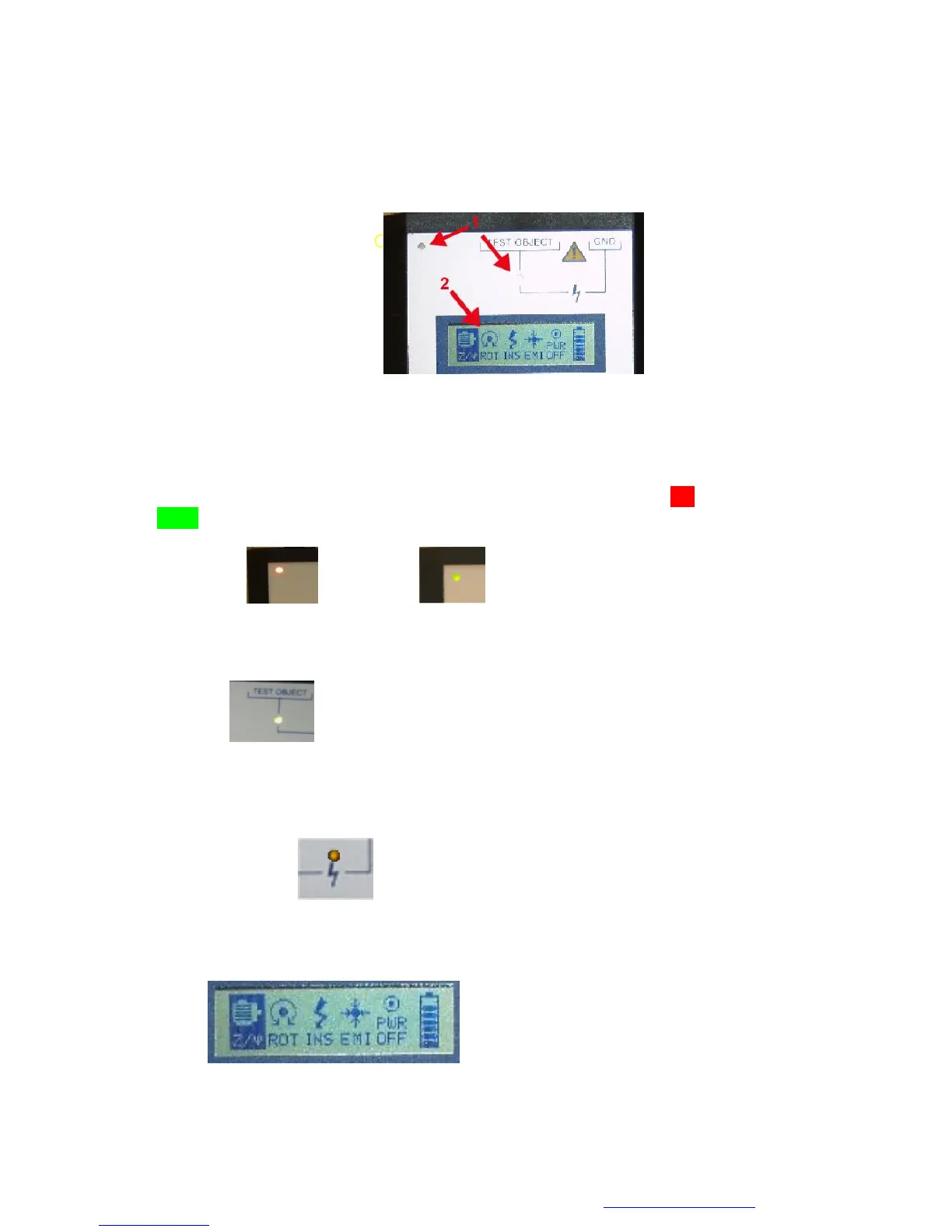
The display section is divided into 2 sections:
1. Indicator Lights
2. Display Screen
The Indicator Lights (section 1) informs the operator when an operation or test is being performed.
The Display screen (section 2) allows the operator to select tests to be performed by the AT31.
Indicator Light Section
1. Charging light – Indicates that the unit is charging, light is illuminated red while charging, light
is green when fully charged.
2. Test indicator light – Light is illuminated green when the unit is testing
3. Insulation Test indicator light – The light illuminates yellow when the instrument is testing
insulation resistance. Caution – Applied voltage is 500 or 1,000 Volts DC.
Display Screen
The display screen has individual icons to select and perform the various motor and winding tests.


 To Next Page