Allen & Heath 27 XONE:DB4 User Guide
USB AUDIO SYSTEM
SOUNDCARD
OUTPUTS
SOUNDCARD
INPUTS
The 16-channel USB2.0, 96kHz/24bit audio system built into the XONE:DB4 makes it the perfect in-
terface for use with Digital Audio Workstation software. The mixer deals with the processor inten-
sive effects work, leaving the computer lightly loaded to better stream the audio data. Another ad-
vantage is that all processing is kept in the digital domain, especially if the DAW is used to simultane-
ously record the mix. MIDI compatible DAWs can be controlled from the DB4 via MIDI.
The supplied low-latency drivers must be installed before connecting the
XONE:DB4 to a computer; see page 30 for PC installation, or page 33 for
Mac installation.
SOUNDCARD NOMENCLATURE
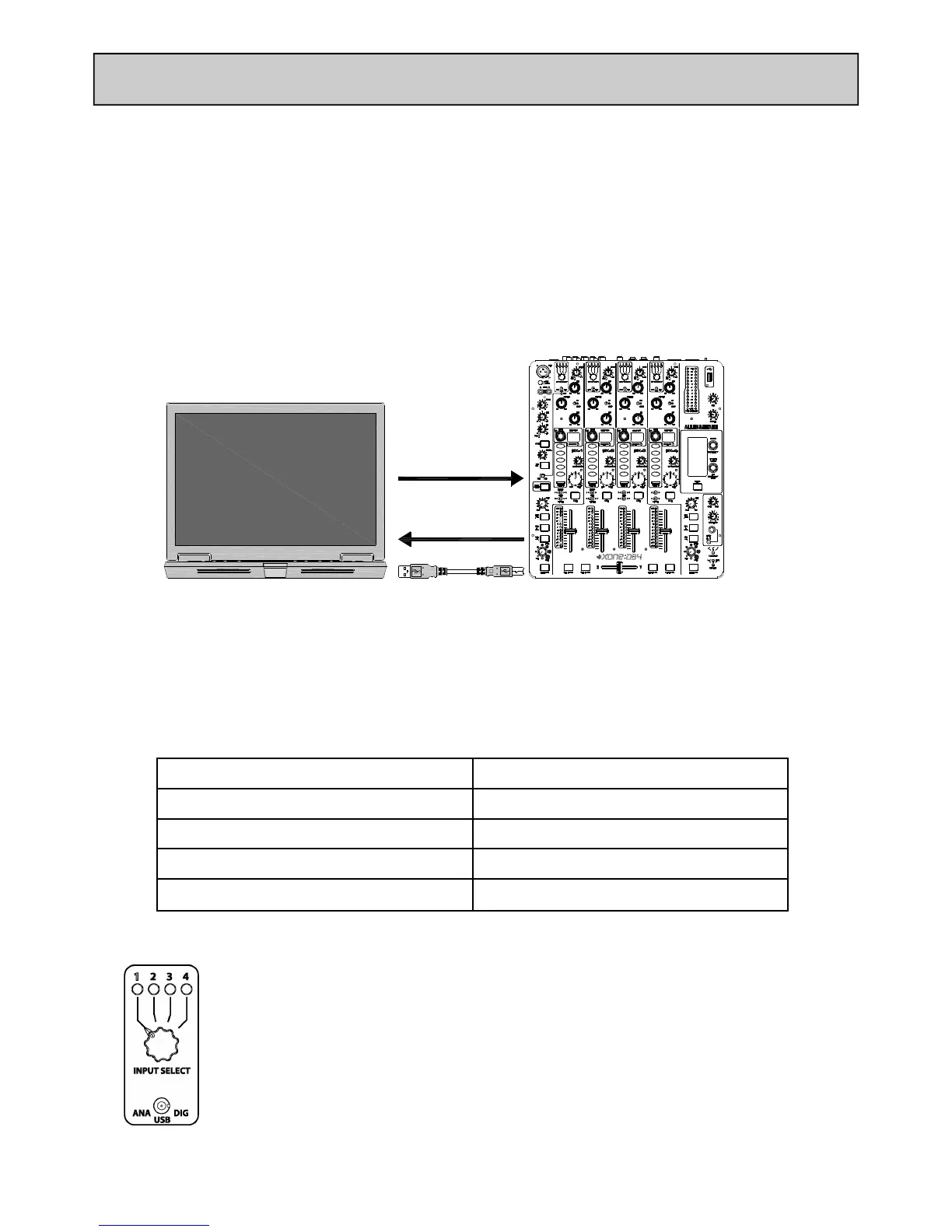
Referencing the above diagram, Soundcard Inputs are from the XONE:DB4 to the PC/MAC and
Soundcard Outputs are from the PC/MAC to the XONE:DB4.
SOUNDCARD OUTPUTS
The XONE:DB4 has eight (four stereo) soundcard outputs that will appear in your chosen DAW ap-
plication. The outputs are arranged as follows:
DAW XONE:DB4
SOUNDCARD OUTPUT 1-2 USB 1
SOUNDCARD OUTPUT 3-4 USB 2
SOUNDCARD OUTPUT 5-6 USB 3
SOUNDCARD OUTPUT 7-8 USB 4
SELECTING A USB AUDIO CHANNEL
To select USB audio on one of the XONE:DB4 input channels, set the source switch to
USB and then use the Input Select switch to choose which USB channel you wish to
use.


 To Next Page
 Loading...