26 Rockwell Automation Publication 442L-UM005B-EN-P - April 2017
Chapter 3 Configurable Functions
Display Direction of the Seven-segment Display
The numbers on the seven-segment display can rotate 180° with the aid of the
SCD software. Rotation is useful, for example, when the SafeZone™ Mini is
rotated 180° due to the specific application.
If you rotate the numbers of the seven-segment display, the point in the seven-
segment display goes out.
Determine the Display Direction of the Seven-segment Display
Under seven-segment display, activate the Rotated by 180° option. After the
configuration draft has been transferred to the SafeZone Mini device, the
numbers of the seven-segment display rotate by 180°.
Application
With the help of the SCD software, you can configure the SafeZone Mini
device for the required application. Depending on whether you select a
stationary or a mobile application, different configuration options are
available:
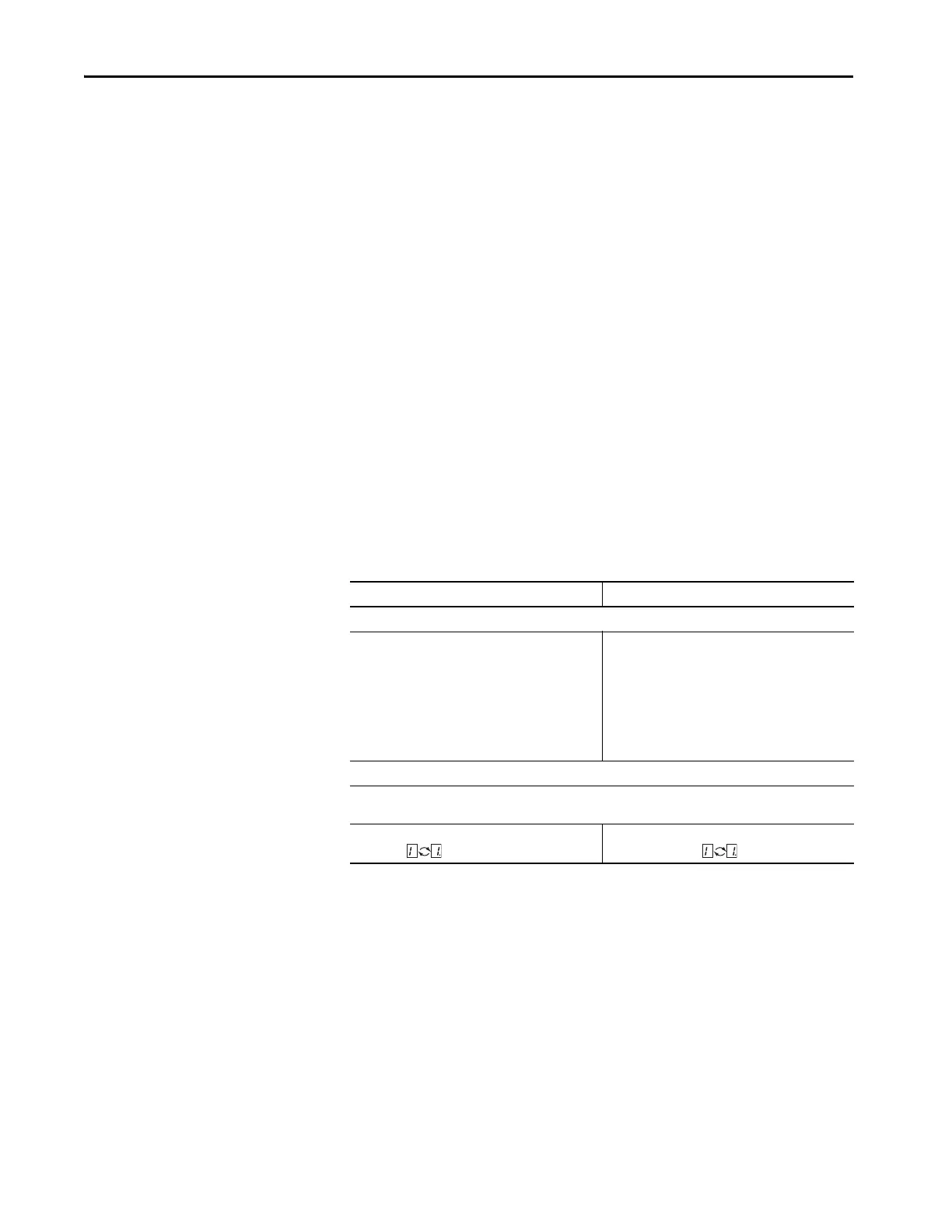
Table 4 - Comparison of Mobile and Stationary Applications
Mobile Applications [mm (in.)] Stationary Applications [mm (in.)]
Resolution
Hand Detection:
• 30 (1.2) (with smaller protective field size)
• 40 (1.6) (with larger protective field size)
Leg Detection:
• 50 (2.0) (with smaller protective field size)
• 70 (2.8) (with larger protective field size)
(1)
(1) In mobile applications, a resolution of only 70 mm (2.8 in.) is required for leg detection.
Hand Detection:
• 30 (1.2) (with smaller protective field size)
• 40 (1.6) (with larger protective field size)
Leg Detection:
• 50 (2.0) (with smaller protective field size)
• 70 (2.8) (with larger protective field size)
Whole Body Detection:
• 150 (5.9)
Manipulation Prevention
The safety laser scanner checks whether in any 90° segment all measured values correspond to the maximum
distance value that can be measured.
If so, the SafeZone Mini device shuts down after 2 hours
and signals .
If so, the SafeZone Mini device shuts down after
5 seconds and signals .



 To Next Page
 Loading...