8 Appendix
8.1 NET Framework 3.5 installation
AFX-100/AFX-110 Software requires .NET Framework 3.5 to be installed on the machine.
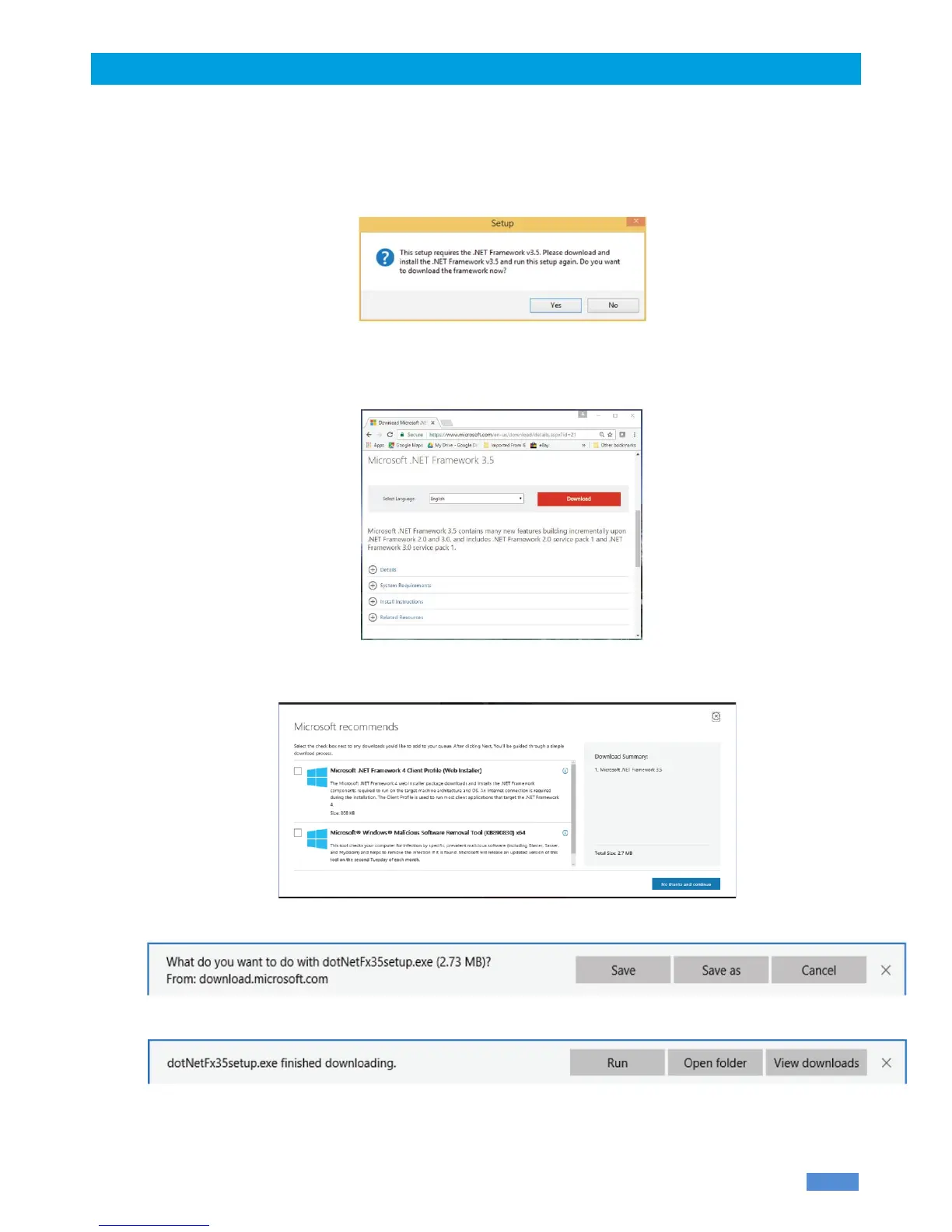
If the following message is displayed while running the setup package, click “Yes” and follow the .NET
Framework 3.5 installation instructions. This message may vary depending on your Operating System.
NOTE: The .NET Framework installation requires an internet connection.
1. After clicking on “Yes”, your internet browser will be opened with the following page. Click on
“Download” button to continue.
2. Uncheck unnecessary downloads (Download summary should only contain Microsoft .NET
Framework 3.5) and click on “No thanks and continue”:
16
3. Click Save on the bottom of the page to start .NET Framework installation.
4. Click Run on the bottom of the page to start .NET Framework installation.
5. Then, click on “Download and install this feature”.



 To Next Page