3.4.2 Read range performances
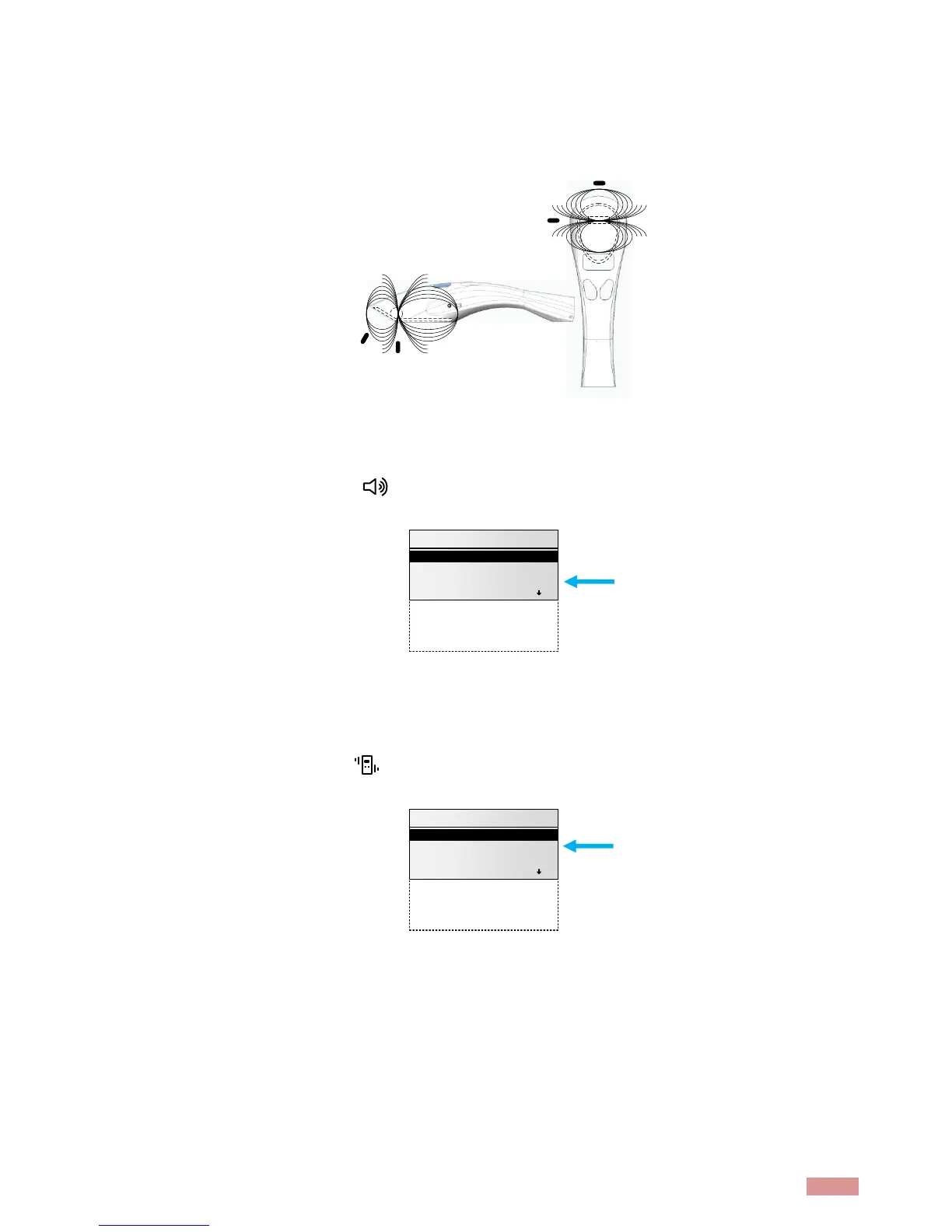
The figure below (Figure 3) illustrates the reading zone of the reader, within which microchips can be
successfully read. Optimum read distance occurs depending upon the orientation of the microchip.
Microchips are best detected when positioned as shown below.
Figure 3 - Optimum Read Distance Microchip Orientation (position 1, 2, 3 and 4)
Typical read distances will vary when reading different types of microchips
3.5 Tones
The scanner displays the icon when the beeper is enabled. To activate the option, enable it in
the menu “general settings”
The scanner has distinct beep tones for different functions: after starting-up, when scan button is
pushed, when scan button is released, when microchip is found, or during low battery condition.
3.6 Vibrations
The scanner displays the icon when the vibration mode is enabled. To activate the option, enable
it in the menu “general settings”



 To Next Page