38
C
A
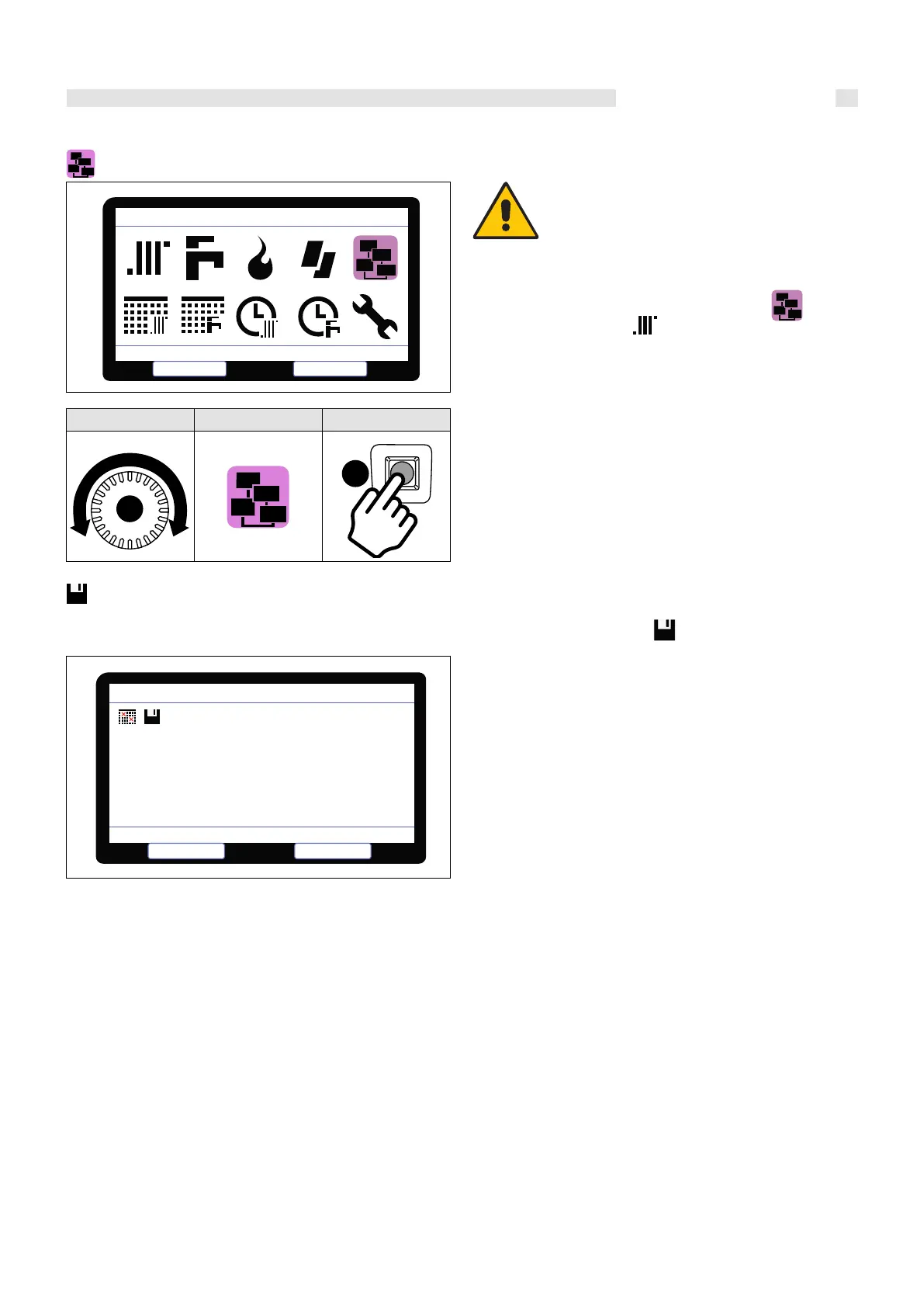
1.9 DEVICE MANAGEMENT
ROTATE POSITION SELECT
Wait for scanning device (1 minute); to save click:
1.9.1 DEVICE MANAGEMENT SELECTION + LOG
e display shows the devices in the system (- = not present/1-8 =
progressive number of the detected device
• CM (BCM cascade controller)
• HC (multifunction module)
• BMM (burner management board)
Select the module with knob “C” and conrm with key “A ”. e services
provided by the device, parameters and soware version are displayed.
Devices Management
Select
Select
Escape
HCM:
BMM:
SHC:
1
1
1
* * *
2
* * * * * *
Errors Hist ory
Select
Escape
Devices Managem ent
Instructions for use
• Select HCM :1
• Change parameter setting 803 (which is
factory set to 16 disabled) change this
value to 19
• Then select Escape
• Then select the Icon
• This will now allow you to access the
Central Heating Parameters
Attention
To be able to select (Central Heating Parameters)
first select (Device Management)
You will be unable to select
unless this step is carried out first!


 To Next Page