EasyManua.ls Logo

Alpine 7294R - Random Play

Alpine 7294R
51 pages
Print Icon
To Next Page IconTo Next Page
To Previous Page IconTo Previous Page
Loading...
OPERATION
|
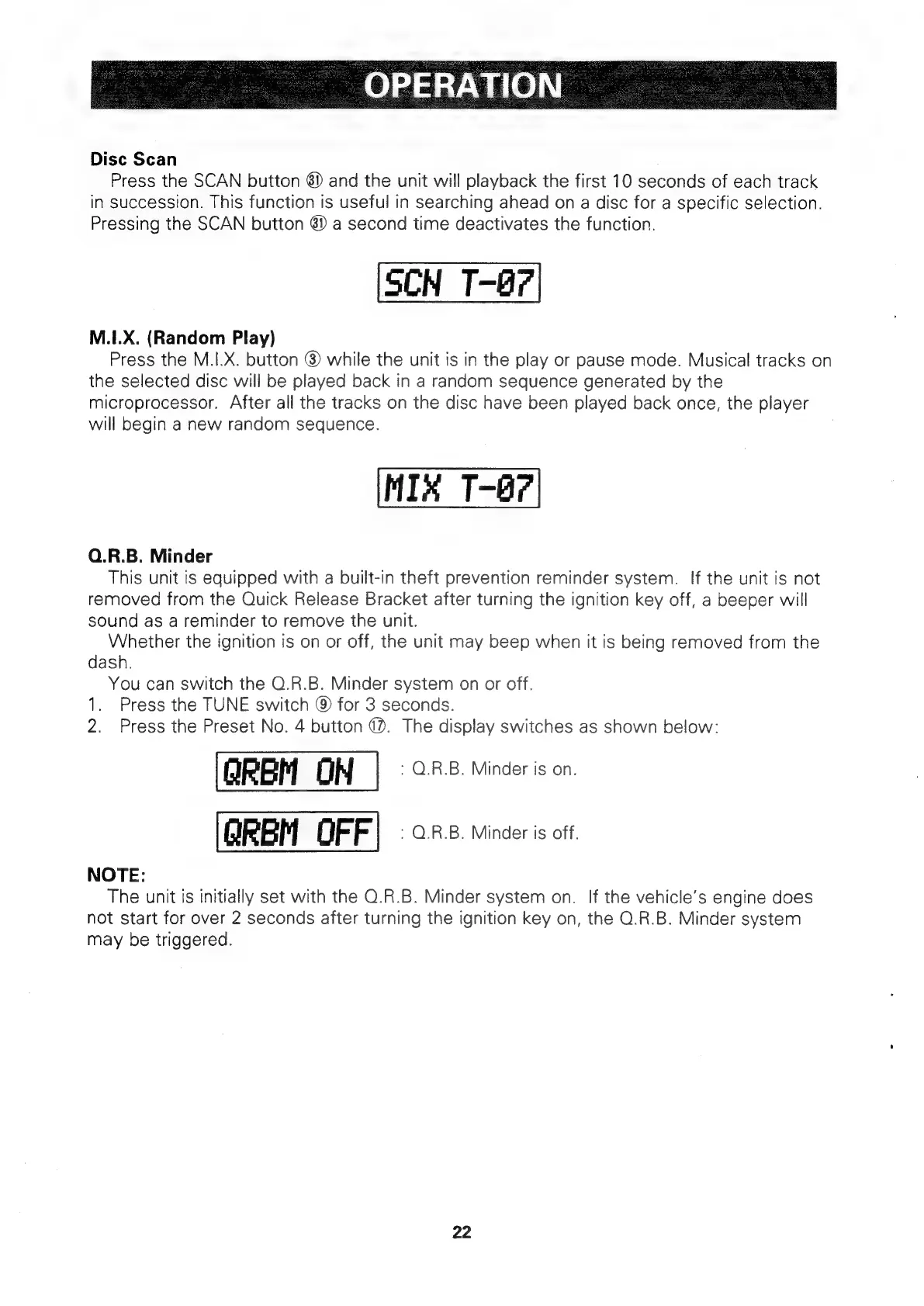
Disc
Scan
Press
the
SCAN
button
6)
and
the
unit
will
playback
the
first
10
seconds
of
each
track
in
succession.
This
function
is
useful
in
searching
ahead
on
a
disc
for
a
specific
selection.
Pressing
the
SCAN
button
8)
a
second
time
deactivates
the
function.
SCN
T-67
M.I.X.
(Random
Play)
Press
the
M.I.X.
button
@
while
the
unit
is in
the
play
or
pause
mode.
Musical
tracks
on
the
selected
disc
will
be
played
back
in
a
random
sequence
generated
by
the
microprocessor.
After
all
the
tracks
on
the
disc
have
been
played
back
once,
the
player
will
begin
a
new
random
sequence.
MIK
T-@?
Q.R.B.
Minder
This
unit
is
equipped
with
a
built-in
theft
prevention
reminder
system.
If
the
unit
is
not
removed
from
the
Quick
Release
Bracket
after
turning
the
ignition
key
off,
a
beeper
will
sound
as
a
reminder
to
remove
the
unit.
Whether
the
ignition
is
on
or
off,
the
unit
may
beep
when
it
is
being
removed
from
the
dash.
You
can
switch
the
O.R.B.
Minder
system
on
or
off.
1.
Press
the
TUNE
switch
@
for
3
seconds.
2.
Press
the
Preset
No.
4
button
@.
The
display
switches
as
shown
below:
OREM
OH
:
Q.R.B.
Minder
is
on.
GQREM
OFF)
«an.
minder
is
off.
NOTE:
The
unit
is
initially
set
with
the
Q.R.B.
Minder
system
on.
If
the
vehicle’s
engine
does
not
start
for
over
2
seconds
after
turning
the
ignition
key
on,
the
O.R.B.
Minder
system
may
be
triggered.
22

Related product manuals