EasyManua.ls Logo

Alpine 7294R - Radio Operation; Manual Tuning

Alpine 7294R
51 pages
Print Icon
To Next Page IconTo Next Page
To Previous Page IconTo Previous Page
Loading...
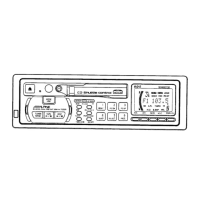
OPERATION
@
RADIO
OPERATION
Press
the
POWER
switch
@
to
turn
the
power
on
and
set
the
unit
to
the
radio
mode.
Tuning
Band
Selection
Press
the
BAND
button
@
to
select
the
desired
tuning
band.
The
Band
indicator
shows
your
selection.
Local/Distance
(DX)
Seek
Sensitivity
for
FM,
MW
and
LW
You
can
select
the
radio
seek
sensitivity
local
or
distance
(DX),
by
pressing
the
DX
(distance)
switch
8).
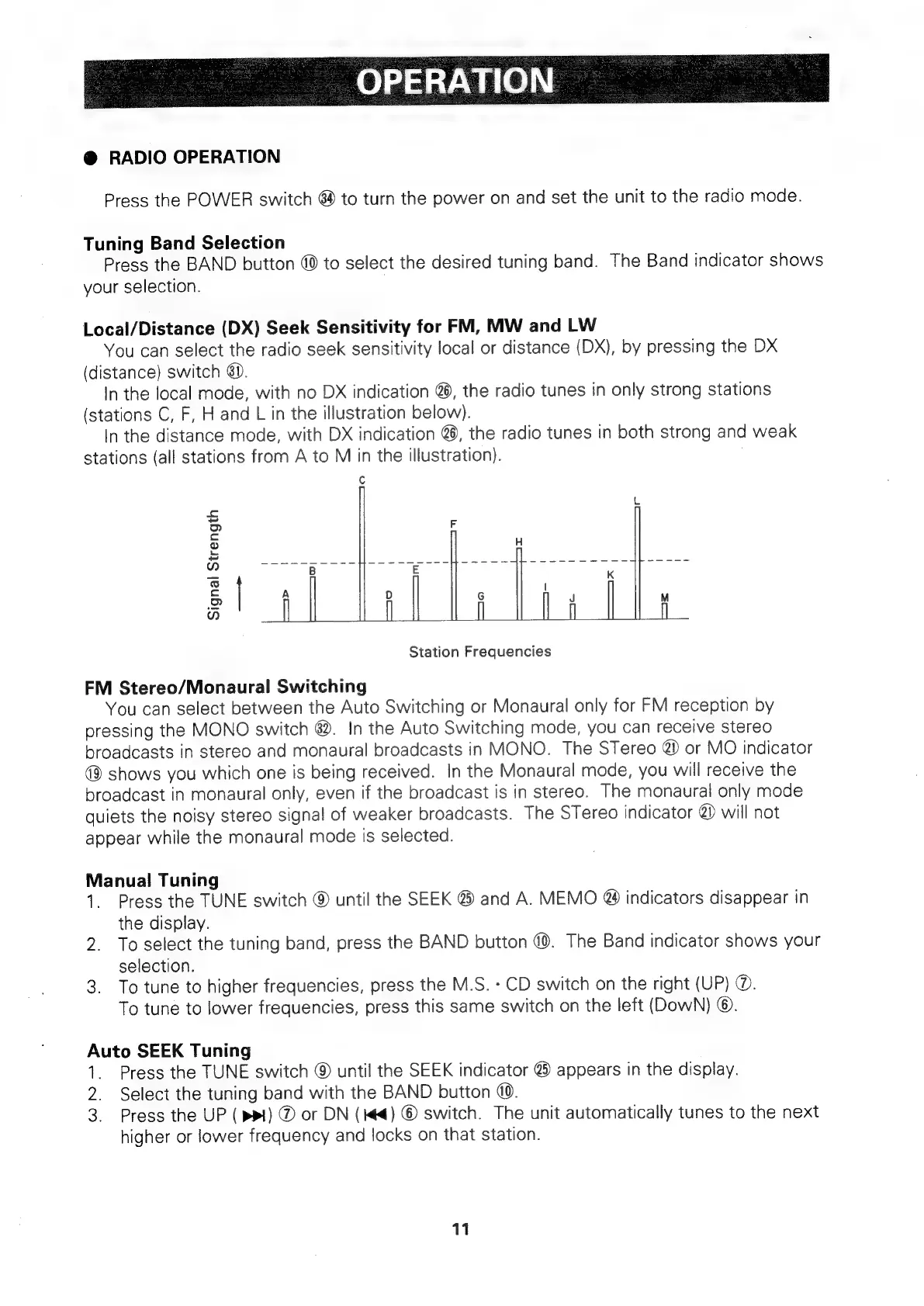
In
the
local
mode,
with
no
DX
indication
@,
the
radio
tunes
in
only
strong
stations
(stations
C,
F,
H
and
L
in
the
illustration
below).
In
the
distance
mode,
with
DX
indication
@),
the
radio
tunes
in
both
strong
and
weak
stations
(all
stations
from
A
to
M
in
the
illustration).
Signal
Strength
Station
Frequencies
FM
Stereo/Monaural
Switching
You
can
select
between
the
Auto
Switching
or
Monaural
only
for
FM
reception
by
pressing
the
MONO
switch
8.
In
the
Auto
Switching
mode,
you
can
receive
stereo
broadcasts
in
stereo
and
monaural
broadcasts
in
MONO.
The
STereo
@
or
MO
indicator
shows
you
which
one
is
being
received.
In
the
Monaural
mode,
you
will
receive
the
broadcast
in
monaural
only,
even
if
the
broadcast
is
in
stereo.
The
monaural
only
mode
quiets
the
noisy
stereo
signal
of
weaker
broadcasts.
The
STereo
indicator
@)
will
not
appear
while
the
monaural
mode
is
selected.
Manual
Tuning
1.
Press
the
TUNE
switch
@
until
the
SEEK
@
and
A.
MEMO
@
indicators
disappear
in
the
display.
2.
To
select
the
tuning
band,
press
the
BAND
button
@®.
The
Band
indicator
shows
your
selection.
3.
To
tune
to
higher
frequencies,
press
the
M.S.
-
CD
switch
on
the
right
(UP)
@.
To
tune
to
lower
frequencies,
press
this
same
switch
on
the
left
(DowN)
©.
Auto
SEEK
Tuning
1.
Press
the
TUNE
switch
©
until
the
SEEK
indicator
@)
appears
in
the
display.
2.
Select
the
tuning
band
with
the
BAND
button
@.
3.
Press
the
UP
(
ppl)
®
or
DN
(#4)
©
switch.
The
unit
automatically
tunes
to
the
next
higher
or
lower
frequency
and
locks
on
that
station.
11

Related product manuals