EasyManua.ls Logo

Alpine 7294R - Tape Player Operation; Cassette Loading; Music Sensor

Alpine 7294R
51 pages
Print Icon
To Next Page IconTo Next Page
To Previous Page IconTo Previous Page
Loading...
@
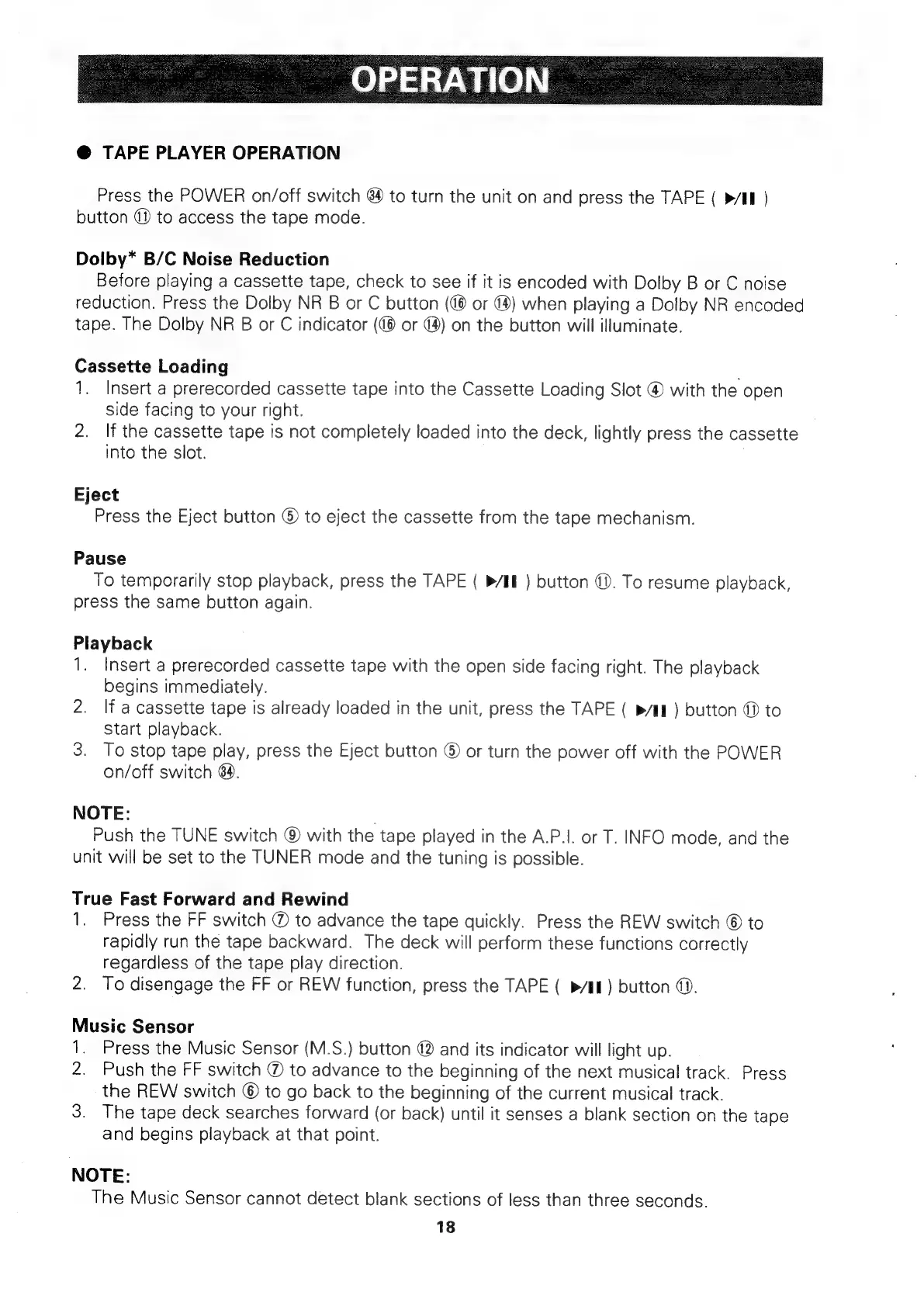
TAPE
PLAYER
OPERATION
Press
the
POWER
on/off
switch
84
to
turn
the
unit
on
and
press
the
TAPE
(
»/II
)
button
@
to
access
the
tape
mode.
Doiby*
B/C
Noise
Reduction
Before
playing
a
cassette
tape,
check
to
see
if
it
is
encoded
with
Dolby
B
or
C
noise
reduction.
Press
the
Dolby
NR
B
or
C
button
(@
or
@)
when
playing
a
Dolby
NR
encoded
tape.
The
Dolby
NR
B
or
C
indicator
(@®
or
@)
on
the
button
will
illuminate.
Cassette
Loading
1.
Insert
a
prerecorded
cassette
tape
into
the
Cassette
Loading
Slot
®
with
the
open
side
facing
to
your
right.
2.
If
the
cassette
tape
is
not
completely
loaded
into
the
deck,
lightly
press
the
cassette
into
the
slot.
Eject
Press
the
Eject
button
©
to
eject
the
cassette
from
the
tape
mechanism.
Pause
To
temporarily
stop
playback,
press
the
TAPE
(
»/EE
)
button
@.
To
resume
playback,
press
the
same
button
again.
Playback
1.
Insert
a
prerecorded
cassette
tape
with
the
open
side
facing
right.
The
playback
begins
immediately.
2.
If
a
cassette
tape
is
already
loaded
in
the
unit,
press
the
TAPE
(
pin)
button
@
to
Start
playback.
3.
To
stop
tape
play,
press
the
Eject
button
©
or
turn
the
power
off
with
the
POWER
on/off
switch
64).
NOTE:
Push
the
TUNE
switch
@
with
the
tape
played
in
the
A.P.|.
or
T.
INFO
mode,
and
the
unit
will
be
set
to
the
TUNER
mode
and
the
tuning
is
possible.
True
Fast
Forward
and
Rewind
1.
Press
the
FF
switch
@
to
advance
the
tape
quickly.
Press
the
REW
switch
©
to
rapidly
run
the
tape
backward.
The
deck
will
perform
these
functions
correctly
regardless
of
the
tape
play
direction.
2.
To
disengage
the
FF
or
REW
function,
press
the
TAPE
(
»/i&)
button
@.
Music
Sensor
1.
Press
the
Music
Sensor
(M.S.)
button
@
and
its
indicator
will
light
up.
2.
Push
the
FF
switch
@
to
advance
to
the
beginning
of
the
next
musical
track.
Press
the
REW
switch
©
to
go
back
to
the
beginning
of
the
current
musical
track.
3.
The
tape
deck
searches
forward
(or
back)
until
it
senses
a
blank
section
on
the
tape
and
begins
playback
at
that
point.
NOTE:
The
Music
Sensor
cannot
detect
blank
sections
of
less
than
three
seconds.
18

Related product manuals