USING VOICE RECOGNITION
1
General information - 21
Introduction
Your multimedia system is equipped
with a voice recognition system
which can be used to control some of
the multimedia system functions and
some of your telephone functions by
voice command. You can use your
multimedia system or your phone while
keeping your hands on the steering
wheel.
Note: the position of the voice
recognition button may vary. Please
refer to the vehicle user manual for
further information.
The voice recognition system records
neither your voice nor your commands.
It does not include voice assistance
which can interact with the user or
answer questions such as:
– "What is the weather in Paris?"
– "Are there any disruptions along my
route this morning?"
Voice controls
(depending on equipment)
You can use voice control to call a
contact in your phonebook, enter a
destination and change the radio
station without touching the screen.
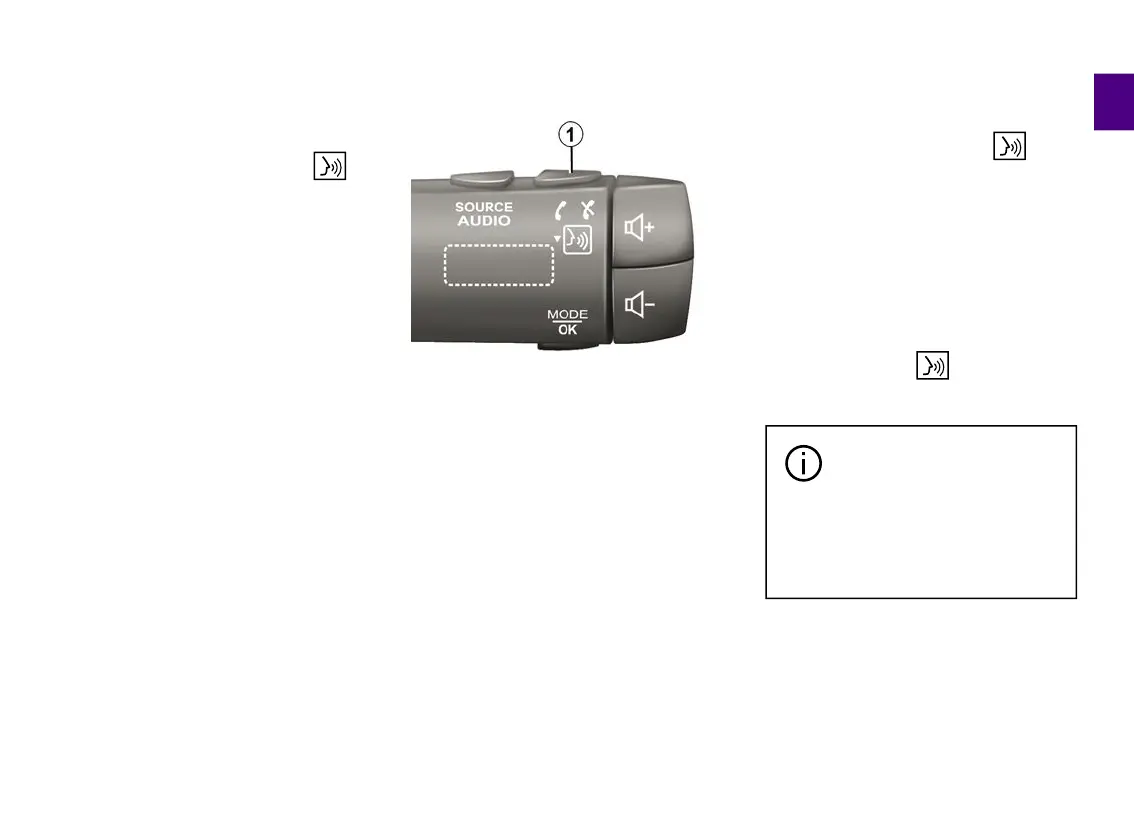
Press the button
1
and follow the
audio and visual instructions provided
by the system and on the screen.
Note: this function is only available on
vehicles equipped with the navigation
system
Activation
Depending on the equipment, press
the voice recognition button of
your vehicle.
Note: when using voice recognition,
always wait for an audible confirmation
to sound before speaking.
Deactivation
To deactivate the voice recognition
system, press and hold the voice
recognition button in your vehicle
or, after the beep, say "Exit".
You can interrupt the
synthetic voice when using
voice recognition by
pressing the button
1
or by
dictating your command. A beep
indicates that you may speak.
Using the multimedia system's
voice recognition
Main voice commands for your
multimedia system
Say "Main screen" or "Back" to return
to the voice recognition main screen.



 To Next Page