ACTIVATING SERVICES
5
78 - Apps
Activating services
For your vehicle's connected services
to work (real-time traffic information,
search for POI online, control the
vehicle remotely using your
smartphone etc.), they must first be
activated.
Activating the services also enables
automatic updating of the system and
maps. Refer to the section on
"Updating the system and maps".
Note:
– the services are activated free of
charge during a specified time period
following the delivery of your vehicle;
– activation of the services depends
on the country in which the vehicle is
sold.
The manufacturer takes all
the necessary precautions
to ensure that your
personal data is processed in
total security.
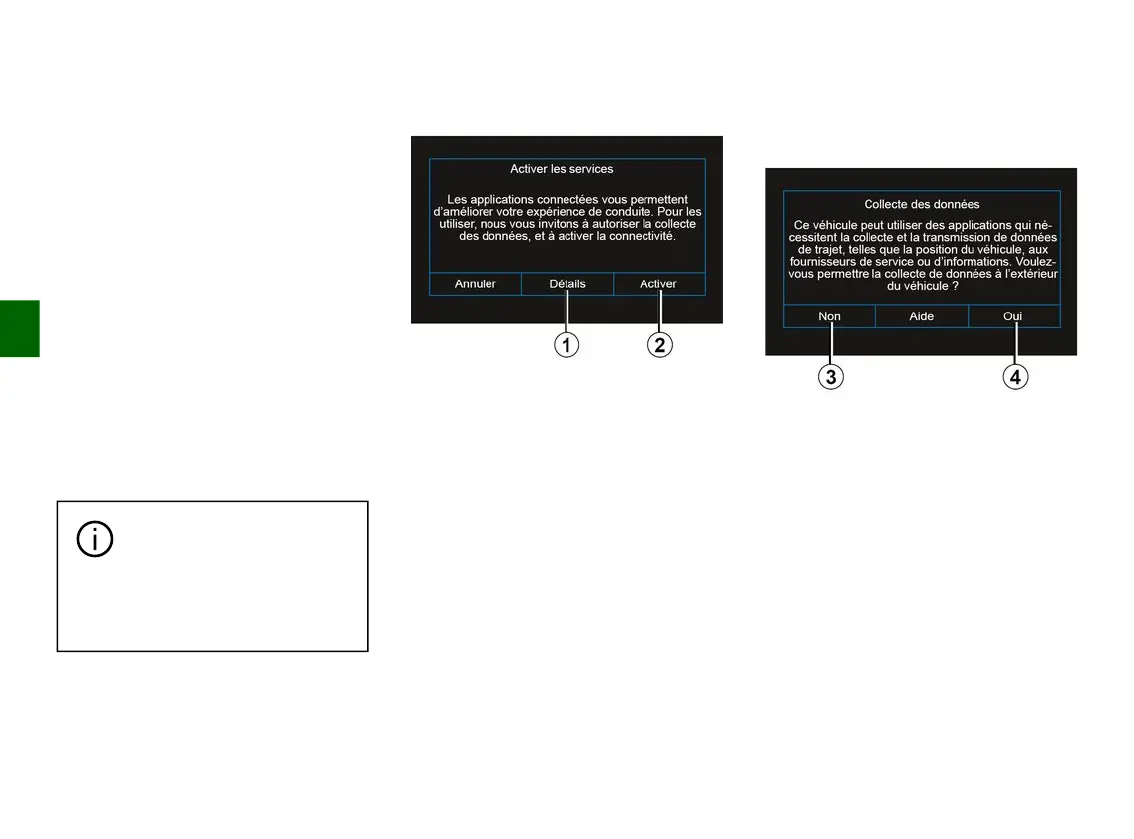
If the connected services are not yet
activated, the multimedia system
suggests that you send the activation
request to the server by
pressing "Connection", then confirm
the request by pressing "Activate"
2
.
For more information, press the
"Details" button
1
.
Note: as the services need to be
activated only once, the "Connection"
control will not be available during the
time it takes to activate the services
(up to 72 hours).
Data collection
For the services to work, your vehicle
collects data on the its position and its
operating status.
These data may be shared with our
partners and service providers.
These data are of a personal nature.
The multimedia system suggests that
you activate data collection. Press
"Yes"
4
to activate or "No"
3
to
deactivate data collection.



 To Next Page