23-EN
From the Map Display
1
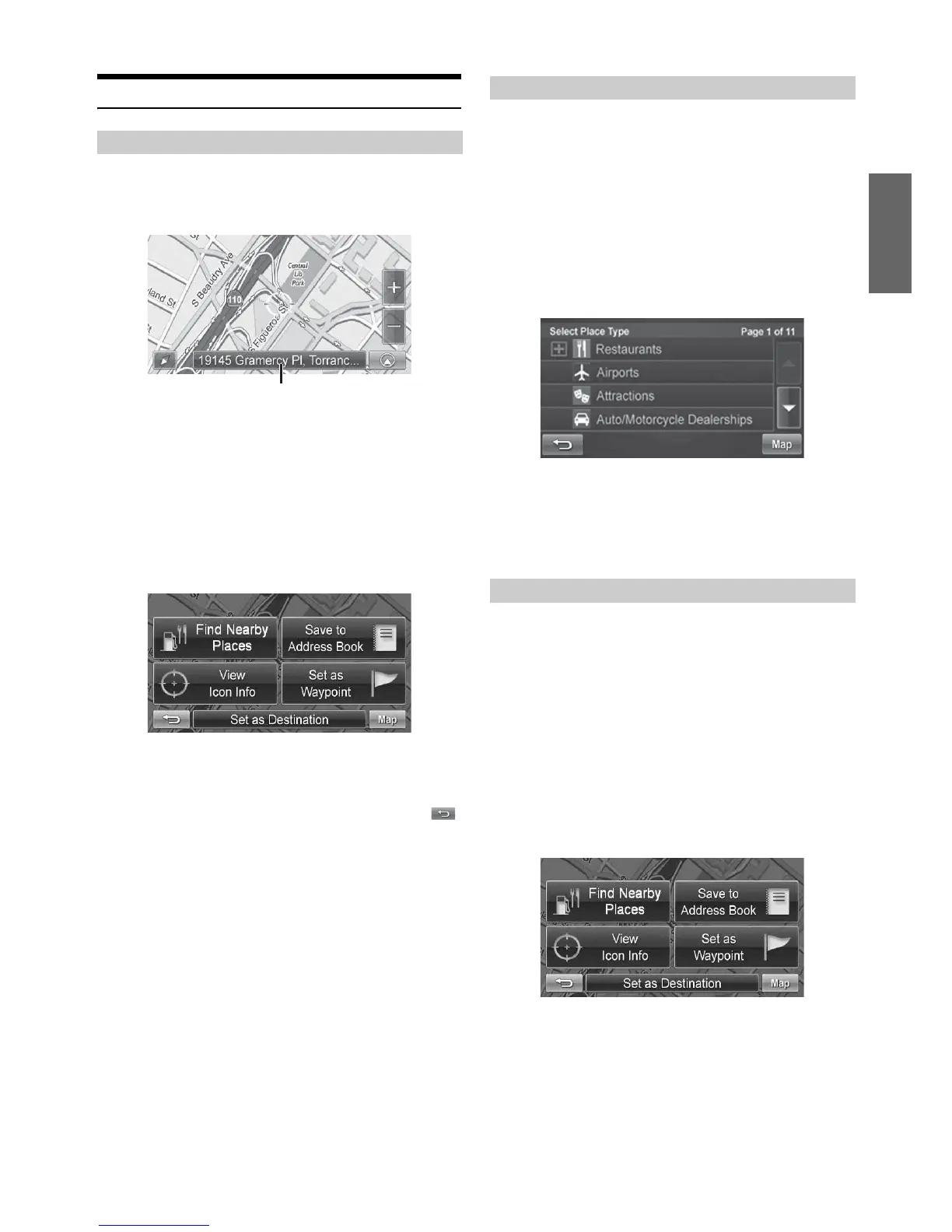
Touch anywhere on map screen.
2
The vehicle arrow changes to a crosshair cursor.
3
Move the cursor to the new desired street.
• Use Map Zoom button to zoom out the map if the destination is far
from the current location.
4
Touch the selected position bar on the bottom of the
screen.
5
Select Set as Destination.
6
Touch [Go!] on the Confirm Destination Screen.
• To use destination options on the Confirm Destination Screen, see
pages 29-31 for details. To cancel, touch Previous Screen icon .
1
Touch anywhere on map screen.
The vehicle arrow changes to a crosshair cursor.
2
Touch the selected position bar on the bottom of the
screen.
3
Select Find Nearby Places.
4
Select the desired category and the desired place.
5
Touch [Go!] on the Confirm Destination Screen.
• To use destination options on the Confirm Destination Screen, see
pages 29-31 for details. See Find Local Places on pages 26-27 for
finding places though Places menu.
1
Touch anywhere on map screen.
2
The vehicle arrow changes to a crosshair cursor.
3
Move the cursor to the desired waypoint.
4
Touch the selected position bar on the bottom of the
screen.
5
Select Set as Waypoint and the destination will
automatically be added to the Waypoint List.
6
Touch [Go!].
• To add another waypoint, see page 30.
Setting a Destination
Position bar
Finding Local Places
Setting Waypoints



 To Next Page