34-EN
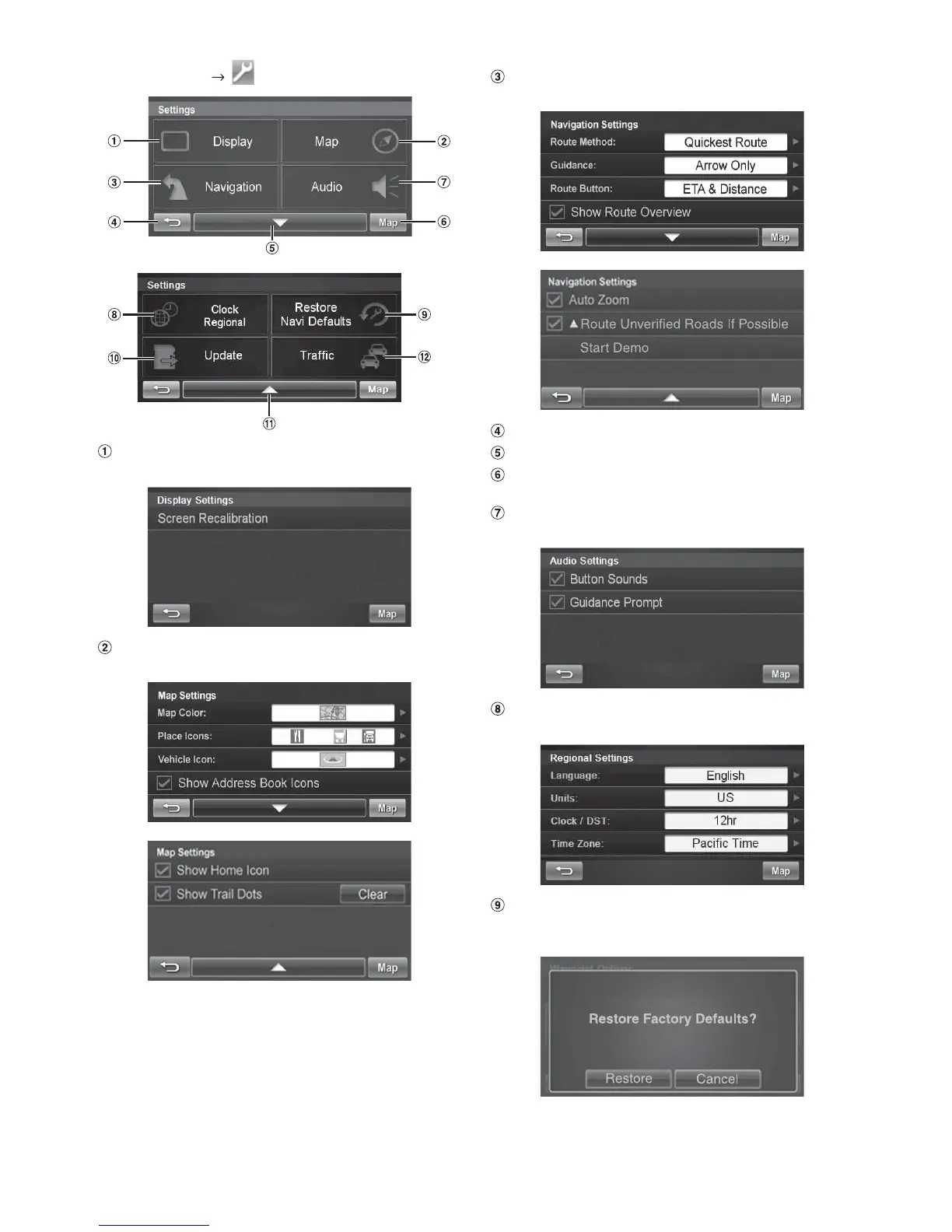
Go to Main Menu
Display Button
For display settings, see page 35.
Map Button
For map settings, see page 35.
Navigation Button
For navigation settings, see page 35.
Returns to the previous screen.
Page List Down
Map Button
Press this to go to the map. See page 22.
Audio Button
For audio settings, see page 36.
Clock / Regional Button
For regional settings, see page 36.
Restore Navi Defaults Button
This allows you to delete all stored information and default
back to the original factory settings.




 To Next Page