46
EnglishEnglish
RDS Operation
The RDS (Radio Data System) is a radio
information system using the 57 kHz subcarrier of
regular FM broadcast. The RDS allows you to
receive a variety of information such as traffic
information, station names, and to automatically
re-tune to a stronger transmitter that is broadcast-
ing the same programme.
1
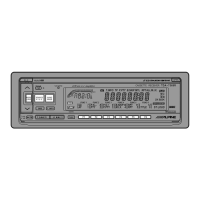
Press the FUNC button. The function indicator
will illuminate.
Press the F1 button to select the AF (Alterna-
tive Frequencies) ON or OFF mode.
Note: Use the AF OFF mode when automatic
re-tuning is not required.
2
Setting AF (Alternative
Frequencies) Reception
Mode and Receiving
RDS Stations
BBC R3
Press the DN or UP button to tune in the
desired RDS station.
Choose your desired station in 5 seconds after
the above step 2.
Note: When the BAND button is pressed and
held for more than 2 seconds while a
station name is displayed, the display
shows the station frequency for 5
seconds.
When the RDS station signal received has
become weak:
3
UP
DN
FUNC
FUNC
F1
AF
SEEK END
AF SEEK
• AF seek mode, press and hold the F1 button
for at least 2 seconds to have the unit
automatically seek a stronger station in the
AF list.
If there is no AF station, the display shows
"SEEK END."
F1



 To Next Page