Aircraft Systems
FLIGHT INSTRUMENTS
AL250 Flight Manual
MEP
6-5-4 ALTIMETER
There are two altimeters installed: one on the pilot’s panel, the second on the central
panel.
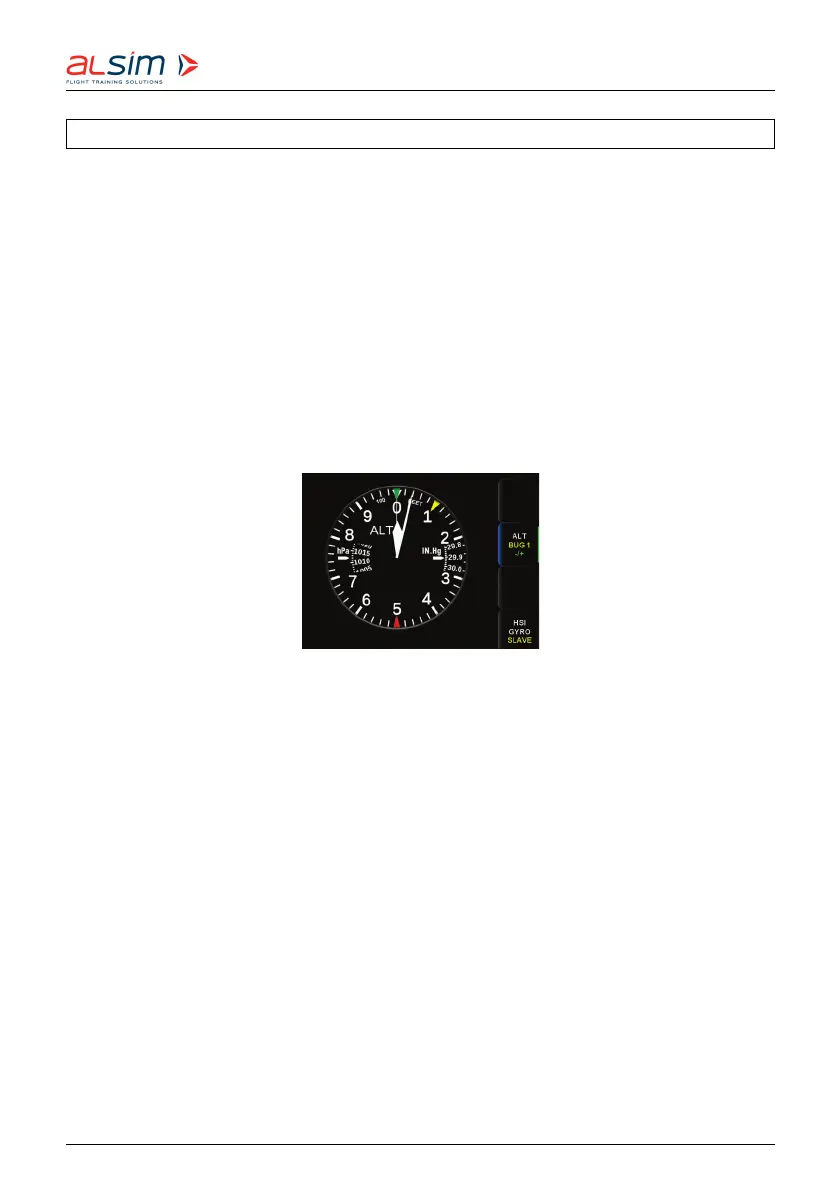
The altimeter scale is graduated from 0 to 1,000 feet with increments of 20 feet.
Altitude is displayed by means of three pointers. A long pointer (hundreds of feet), a
short pointer (thousands of feet) and a triangle-tipped thin pointer (ten thousands of
feet).
The left-hand window in the altimeter dial shows the air pressure in hPa, the right-
hand window shows the air pressure in IN.Hg. The values in the windows can be
adjusted by means of dedicated LSK associated with the rotary function knob.
Figure 6.27: Altime ter
Three bugs can be set on the pilot’s altimeter. Switch between Alti Bug 1/2/3 thanks
to the dedicated LSK then se t the value wanted with the rotary function knob
Rev. 1.8 © 2021 ALSIM - All Rights Reserved 6-26



 To Next Page