11
(4.1) Pairing a Bluetooth® Device
Note: Press and hold the Bluetooth Pair button and the Link button for 3 seconds to
disable/enable voice prompts.
1. Turn on your Bluetooth device.
2. Turn on Busker using the power switch.
3. Press and hold the Pair button for 3 seconds, then
release it. The Pair LED will blink and a pairing tone will
sound to show it is in pairing mode.
4. Navigate to your Bluetooth device’s setup screen, find
Alto Busker, and connect. The Pair LED will light up
solid and a confirmation tone will sound when paired.
Note: If your device requires a passcode or PIN, enter
0000.
5. Start playback from your Bluetooth device.
To disconnect a connected Bluetooth device and connect
to another Bluetooth device, press and hold the Pair
button for 10 seconds to break the connection, and then
repeat Step 3.
Note: If you experience trouble connecting or playing
music, update your device's OS.
Note: Busker will automatically reconnect to the last paired
device on power up if the device is in range and Bluetooth
is active on the device.
(4.0) OPERATION
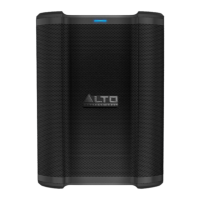
ALTO BUSKER
BLUETOOTH
Press and hold


 To Next Page