Section 4 • Operating Instructions
43
SECTION 4 - OPERATING INSTRUCTIONS
NOTE: All operating instructions are the same for the three modes of the ambIT
®
PIB
v1.5pumpsexcept“StartInfusion”(Section4.1).Pleasereadrespectivesections
within Section 4.1 to understand how each mode starts infusion.
NOTE: Pump display may not be clearly visible in bright light. Shading the display will
allow viewing of the display by the user.
4.1 StartInfusion
NOTE: Before starting infusion, the pump must be
programmed. See Section 3 - “Programming
Instructions” for details.
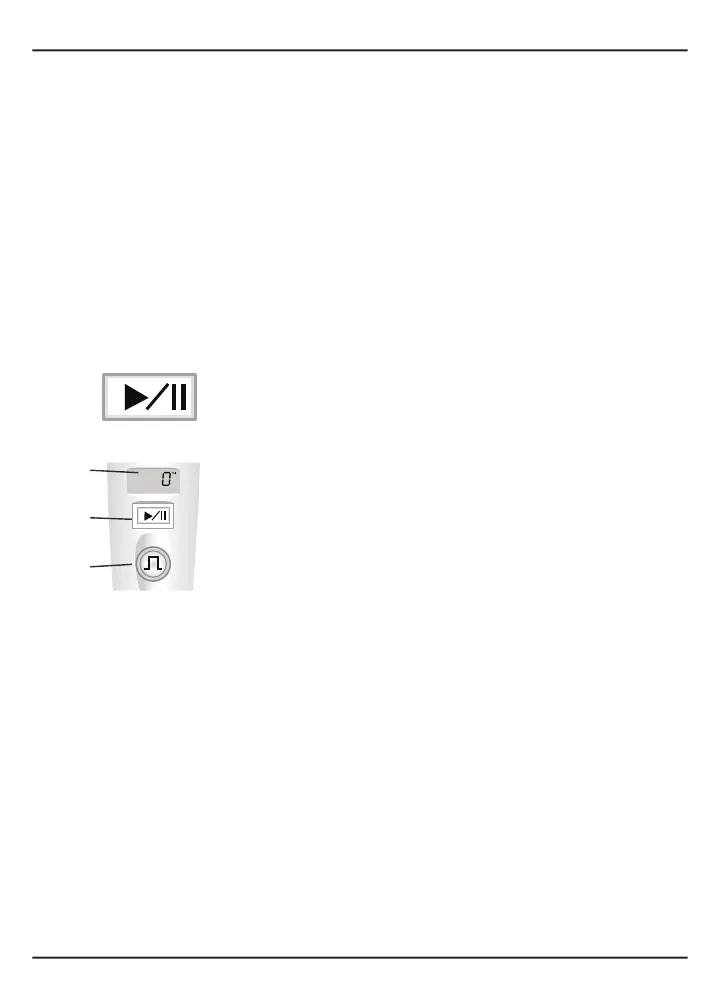
To begin an infusion, with the pump in pause mode, press and release
the RUN/PAUSE button. The RUN/PAUSE button is located directly
below the pump display.
Thersttimeaninfusionisstartedafterprogramming,orafter
powering on, the pump
will review the prog
ram settings (“RX”) when
either the RUN/PAUSE button or the BOLUS button is pressed. After
this review, the pump will return to pause mode.
Press and release the RUN/PAUSE button again to start the infusion.
The green run light (inside the BOLUS button) will start to blink, the
“ml” icon and the volume infused will appear in the pump display.
Please refer to Sections 4.1.1, 4.1.2, and 4.1.3 for instructions on
receiving infusions for different modes.
4.1.1 PCAModeStartInfusion
The bolus can be delivered immediately by pushing the BOLUS button
after placing the pump in run mode after changing the setting or
clearing the history. The lockout time is from the end of a bolus to the
startofthenextbolus.
4.1.2 PIbModeStartInfusion
TherstPIbdoseisdeliveredafterthedoseintervalwiththefollowing
exception:
Pump
display
RUN/
PAUSE
button
BOLUS
button



 To Next Page