EasyManua.ls Logo

Amcrest IP2M-851 - Page 28

Amcrest IP2M-851
118 pages
Print Icon
To Next Page IconTo Next Page
To Previous Page IconTo Previous Page
Loading...
28
Note: Note that
once the
password
is changed here it
will take effect
immediately. If
you forget your
password, you
can always hard
reset the camera
using
the steps
detailed
in the FAQs
section of this
guide.
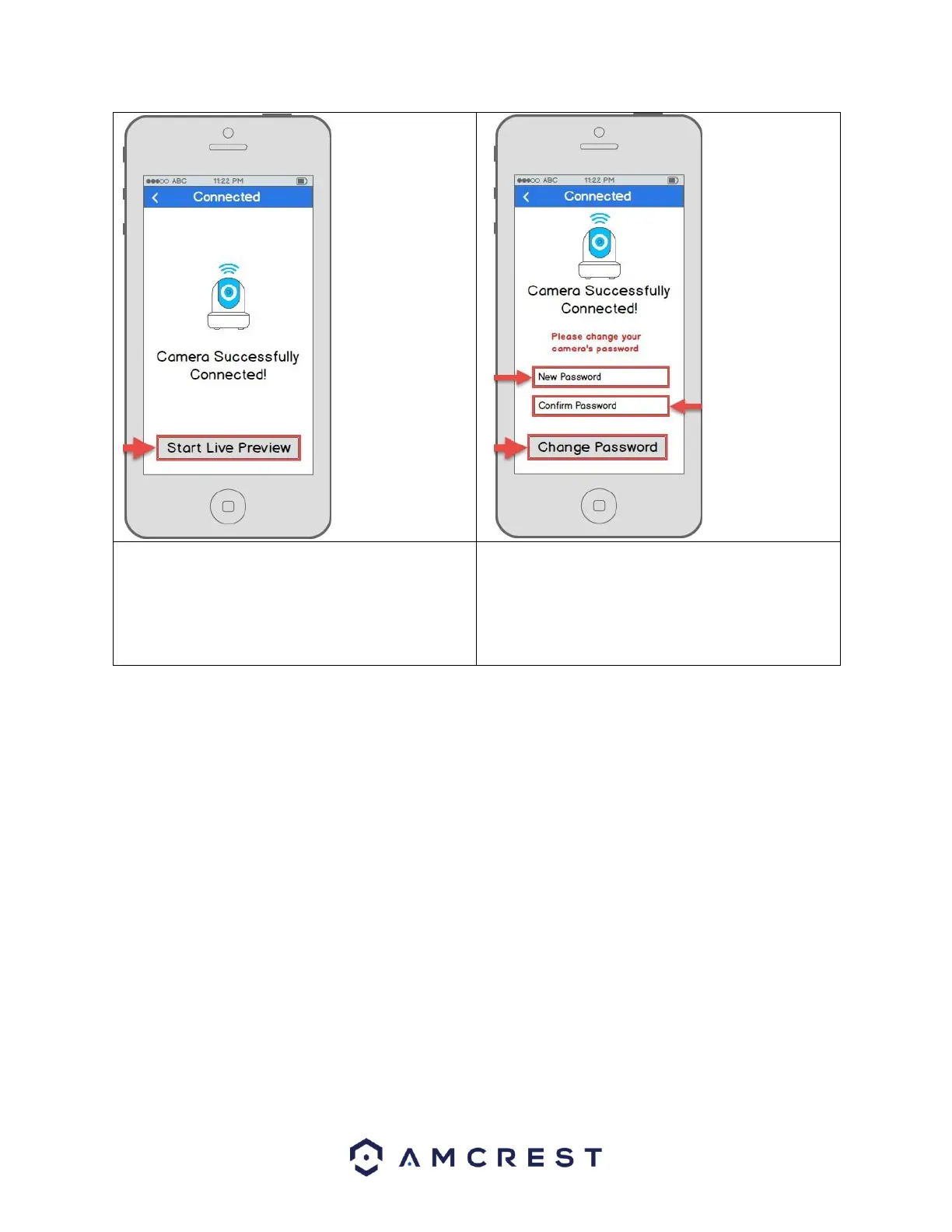
12. Your camera is almost ready. Tap the Start Live
Preview button to proceed with changing your
password.
13. To ensure the security of your camera, you will be
asked to change the password for your camera’s
default username (admin). Please select a
password that is at least 8 characters long and
one that uses a combination of uppercase letters,
lowercase letters, and numbers.


Related product manuals