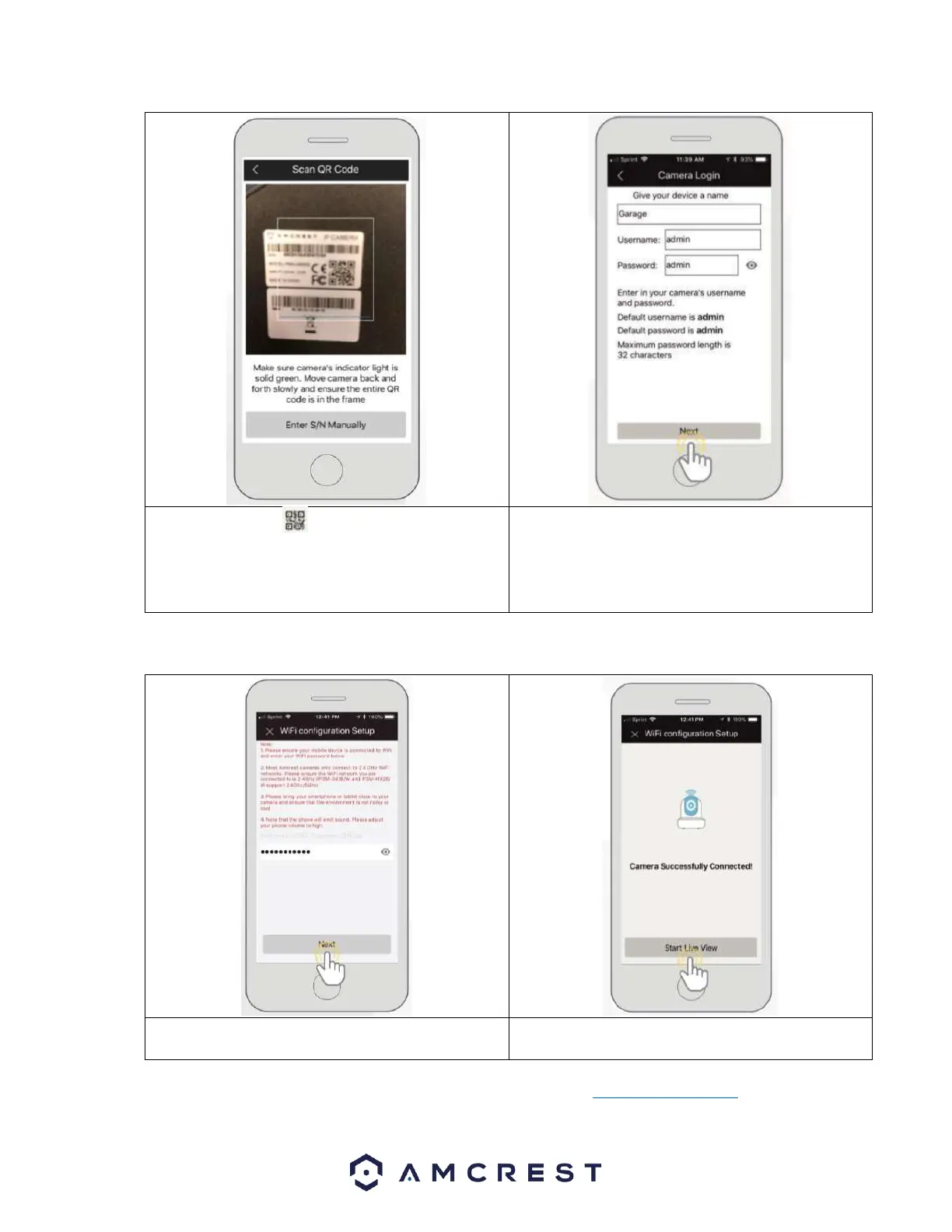
8. Scan the QR code on the back/side/bottom of
the camera or manually enter the camera’s serial
number into the Enter camera S/N (serial number)
field. Press Next to continue.
9. Give the camera a name (e.g. Garage, Kitchen,
Living Room, etc.) and provide the username and
password for your camera. The default username and
will be admin. Tap Next to continue.
Note: Android users, tap on Scan QR Code to access the QR code reader.
10. Enter the WiFi Password for your WiFi network in the
Network SSID field. Press Next to continue.
Note: For Android 8.0 and above users, you will need to enable location permissions to be able to locate and scan
for your WiFi network. For more information on how to locate an SSID visit: amcrest.com/androidP














 To Next Page