47
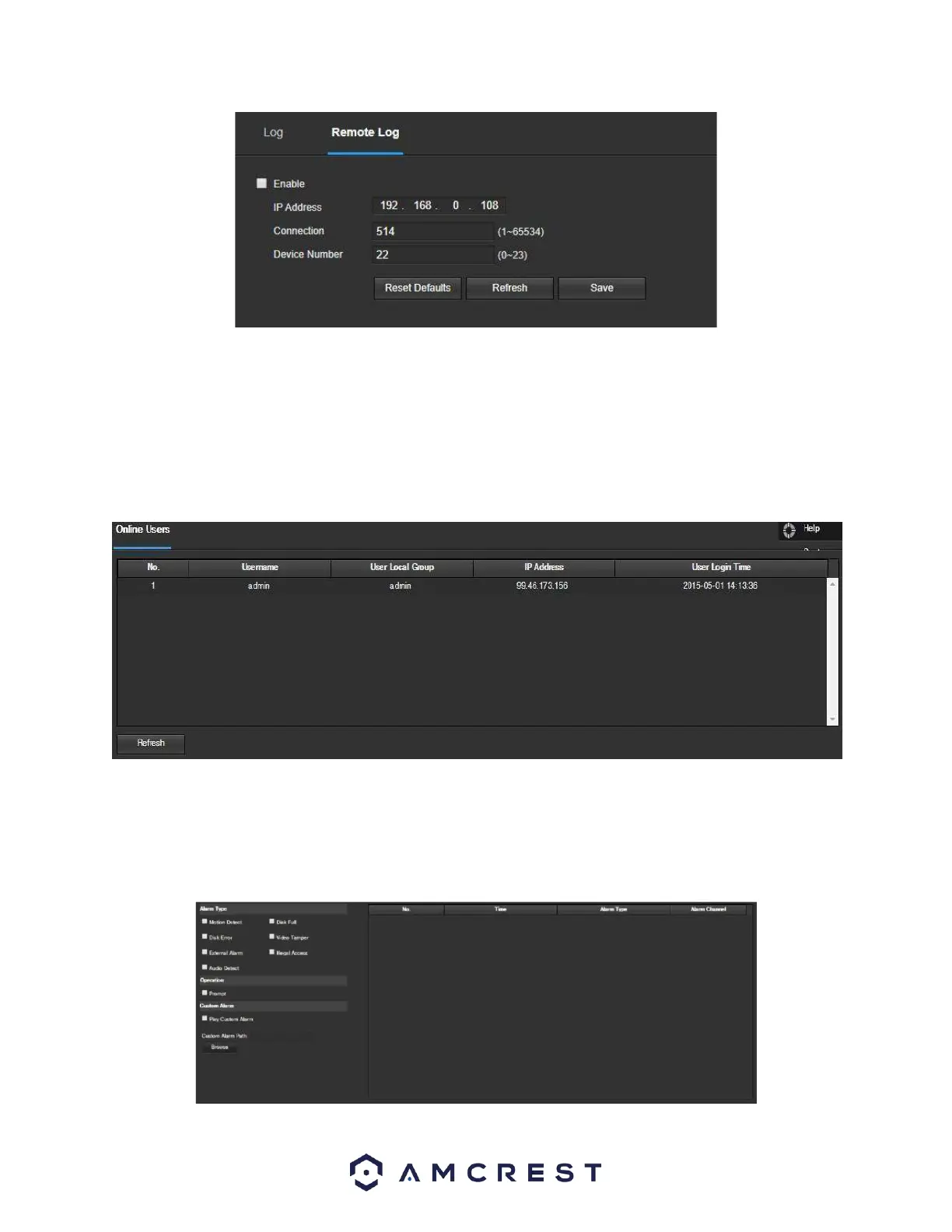
Enable: This checkbox enables the remote log menu.
IP Address: Enter the IP address of the device being logged.
Connection: Enter the Port number of the remote device. (1~65534)
Device Number: Enter the number for your device here. This will be how the devices are viewed in the log.
Online Users
This screen allows the user to see which users are online. Below is a screenshot of the Online Users screen:
Click Refresh to refresh this table.
Alarm
This screen is where the alarm log is kept. Below is a screenshot of the alarm screen:














 To Next Page