5
• Advanced Network Protocol Support
The camera is UPnP compatible, and includes functionality for use with PPPoE, DDNS, and other protocols to allow
remote and local connection with a large variety of network hardware.
Note: There may be slight differences in functionality due to the existence of different product series.
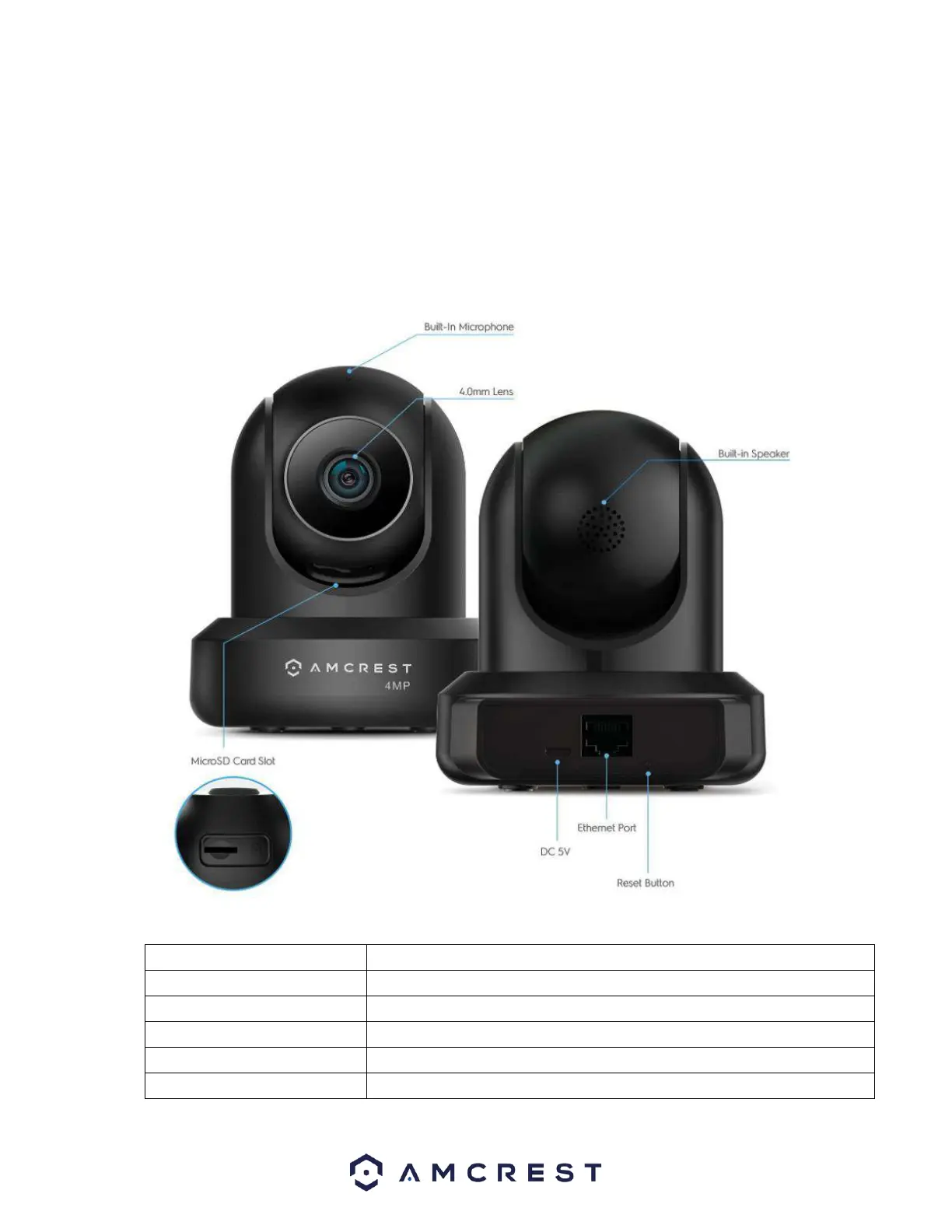
Device Overview
The image below is a representation of your device:
Please refer to the chart below for information about the camera’s indicator light:
Red Light is blinking quickly.
The device is activating.
The device is ready to connect or is connecting to the network.
Red light is solid and steady.
The device failed to connect to the network.
Green Light is solid and steady.
The device is connected to the network and is functioning normally.
Red Light is blinking slowly.
The device is upgrading itself.














 To Next Page