32
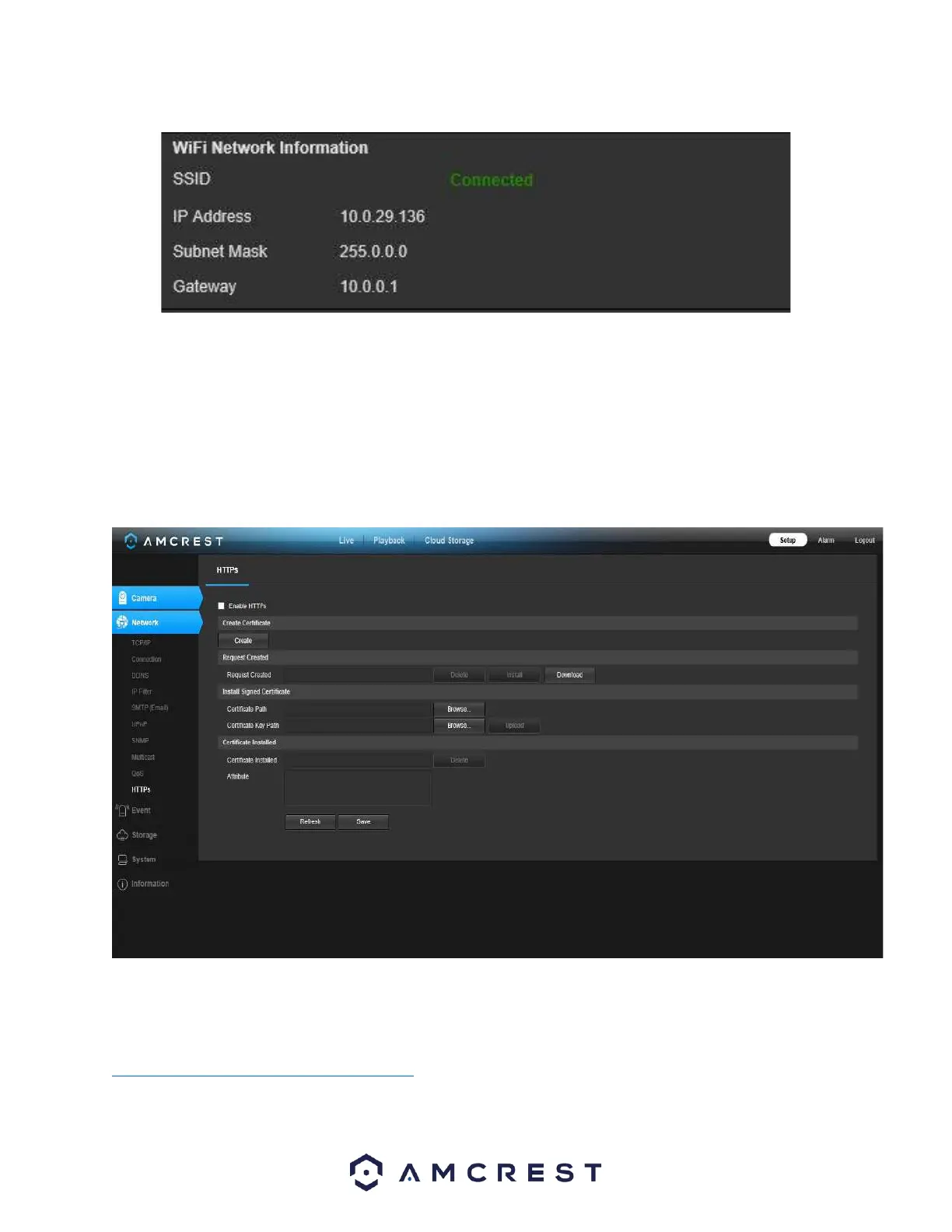
The WiFi camera will now be connected to your WiFi network. You can now remove the Ethernet cable from the
device. Please note, the IP address listed in the WiFi Network Information menu will be the IP address used to
access your camera wirelessly.
HTTPS
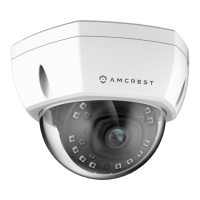
This menu allows the user to enable and create HTTPS certificates.
Below is a screenshot of this menu:
Before you create certificate or download certificate, from main window->Setup->Network >Connection, set the
HTTPS port values and then check the box to enable HTTPS.
For more information on how to setup HTTPS in the web user interface visit
https://www.youtube.com/watch?v=gkjlaf-Iuso














 To Next Page