9
Note: Connect your mobile device to the same network that your camera is on.
2. Register for an Amcrest Cloud account. To register click on Sign Up and fill out the form to complete registration.
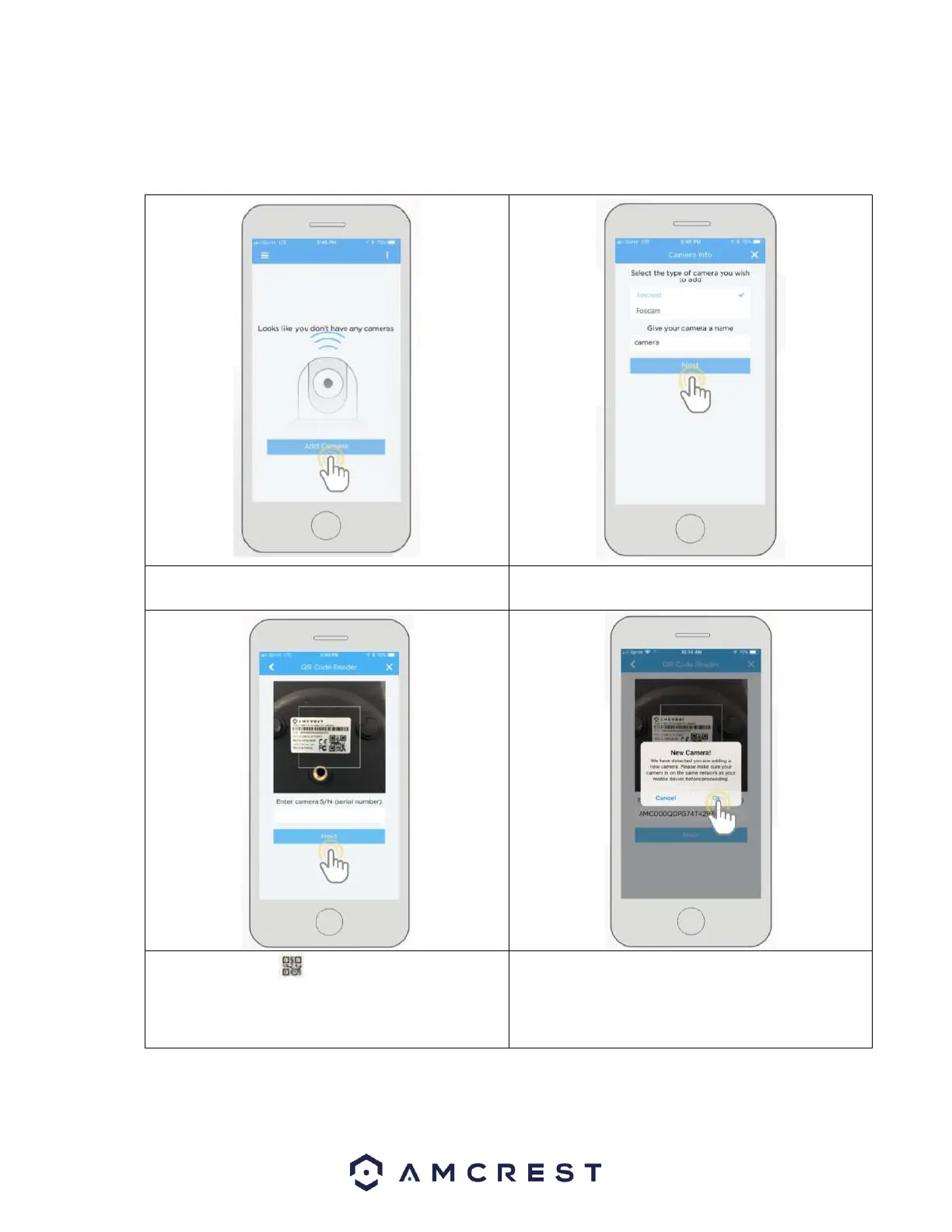
4. Give your camera a name (Ex. Garage, Living Room,
Kitchen, etc.) and tap Next to continue.
5. Scan the QR code on the back/side/bottom of
the camera or manually enter the camera’s serial
number in the Enter camera S/N (serial number field.
Press Next to continue.
6. If you are adding a new camera that does not have a
set password the app will automatically detect that a
new camera is being added. Tap OK to proceed.














 To Next Page