Keep away from extremely hot places and sources of heat.
Avoid direct sunlight.
Keep away from extremely humid places.
Avoid any violent vibrations.
Do not put other devices on the top of the device.
Install in a well-ventilated place; do not black the vents.
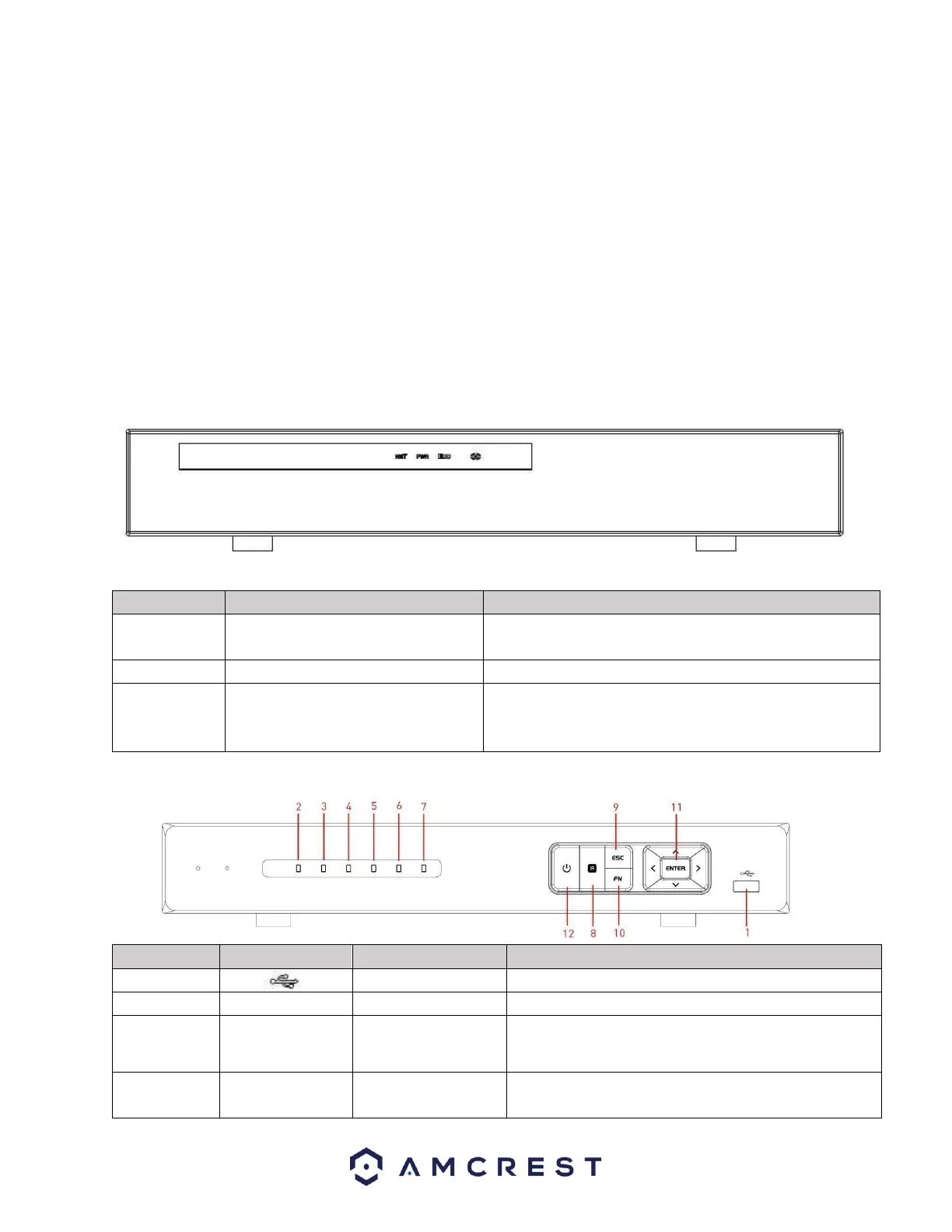
Front Panel
The front panel of the NVR may differ model to model. Below is a representation of the front panel for
all applicable NVR devices.
Applicable for the NV2104/NV2104E/NV2108/ NV2116/NV2108E/NV4108E-HS/NV4116E-HS
Network abnormality indicator
light
When a network error occurs or there is no network
connection, this light turns red.
When NVR is on, this light remains on.
HDD abnormal indicator light
When an HDD error occurs, or the HDD capacity is
below the specified threshold value, this light turns
red.
To connect USB storage device, USB mouse, etc.
When an alarm occurs, the light becomes red.
When the NVR is recording, the light turns red.
HDD abnormal
indicator light
HDD error occurs, or HDD capacity is below specified
threshold value, the light becomes red to alert you.



 To Next Page