Network abnormal
indicator
Network error occurs or there is no network
connection, the light becomes red to alert you.
When the NVR receives a signal from the remote,
the light will blink.
When NVR is on, the light is on.
Go to previous menu or cancel current operation.
When playback, click it to restore real-time
monitor mode.
One-window monitor mode click this button to
display assistant function: PTZ control and image
color.
Confirm current operation
Power button press this button for three seconds
to boot up or shut down NVR.
Activate current control, modify setup, and then
move up and down.
Increase/decrease numeral.
Assistant function such as PTZ menu.
Shift current activated control.
When playback, click these buttons to control
playback bar.
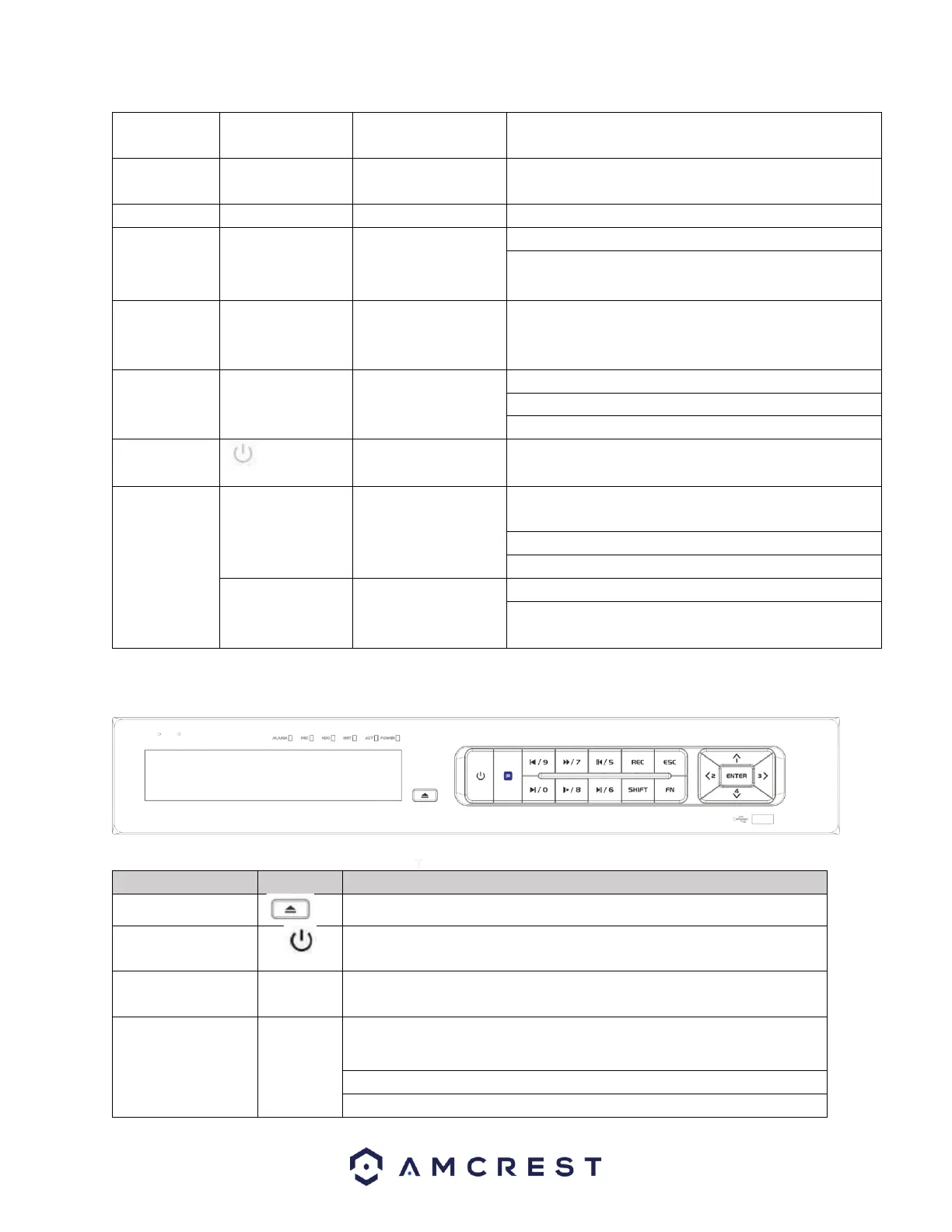
Applicable for the NV4432-HS/NV4432E-HS/NV4432E model NVR systems.
Use this button to open/close the built-in CD drive (if applicable)
Power button press this button for three seconds to boot up or
shut down NVR.
In textbox, click this button to switch between numeral, English
(Small/Capitalized), donation etc.
Activate current control, modify setup, and then move up and
down.
Increase/decrease numeral.
Assistant function such as PTZ menu.



 To Next Page