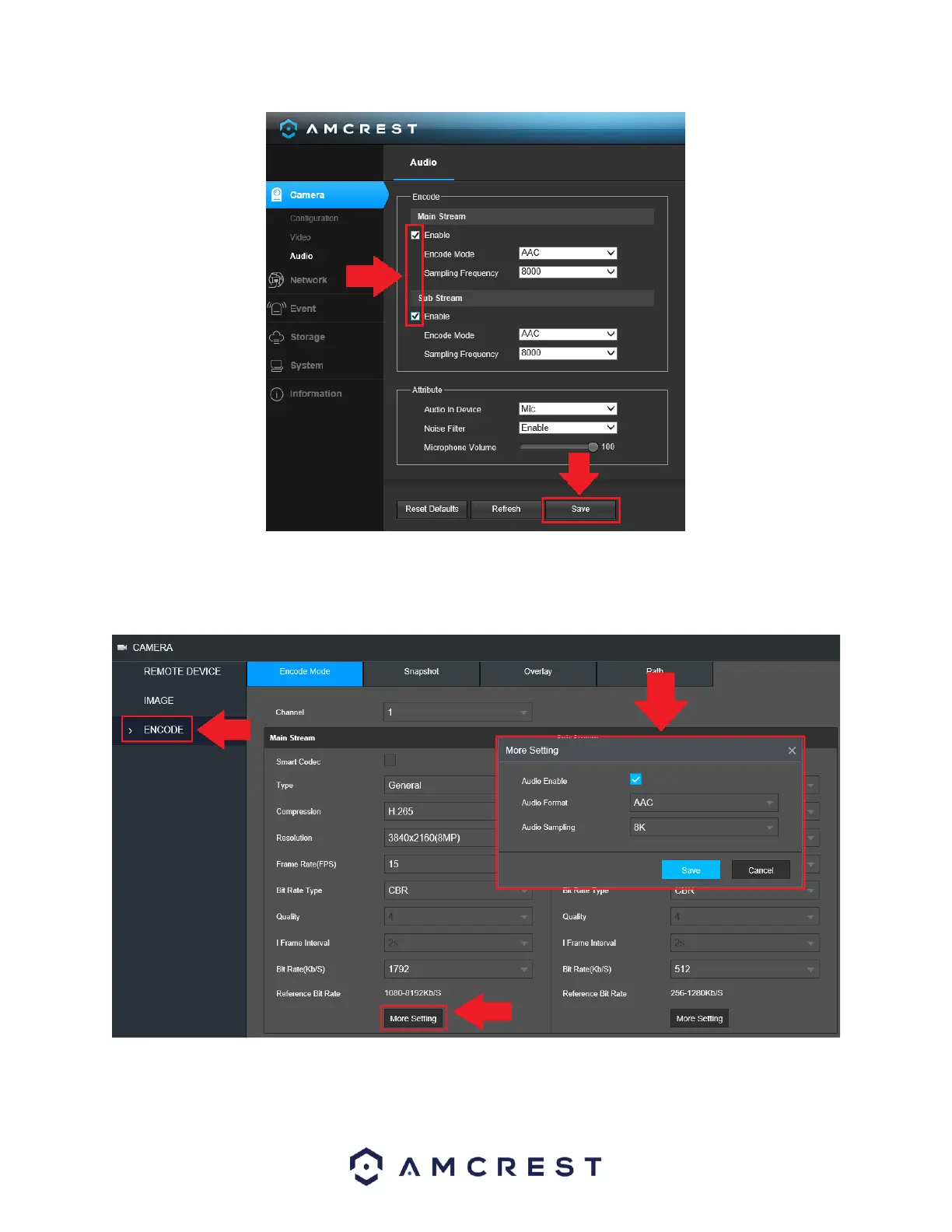
Navigate back to the web UI for your NVR and click on Encode. Ensure the proper channel is selected in
the interface and click on the More Setting button in the Main Stream column to access audio options.
Ensure the Audio Enable checkbox is enabled and click Save.
Ensure the same settings are enabled for the sub stream side as well. This is to ensure if you are viewing
a sub stream feed the audio is still being produced by the camera.



 To Next Page