Multiple slow play speeds or normal playback. In text mode, input
number 8.
In playback mode, press to playback the next video. In menu setup, go
downward in a dropdown list. In text mode, input number 9.
In playback mode, press this button to playback the previous video. In
text mode, input number 0.
One-window monitor mode, click this button to display assistant
function: PTZ control and image color.
Backspace function: in numeric control or text control, press and hold for
2 seconds to delete the previous character before the cursor.
In motion detection setup, working with FN and direction keys to
realize setup.
In text mode, press this button to switch between numeric,
capitalization, etc.
Rear Panel
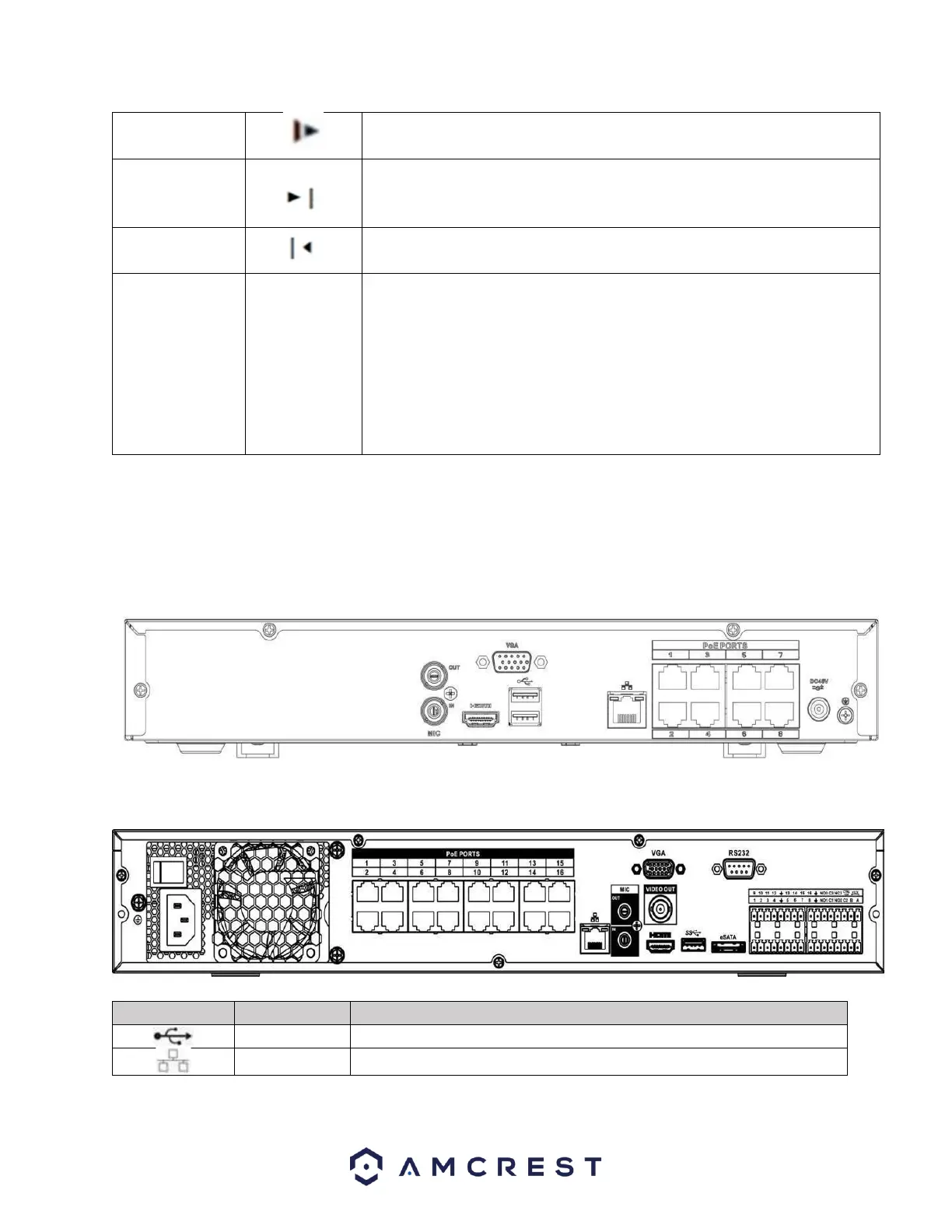
The rear panel of the NVR may differ model to model. Below is a representation of the rear panel of all
applicable NVR devices.
NVXXXX-Series is shown below.
NV4432 Series is shown below.
USB2.0 port. Connect a mouse, USB storage device, USB burner, etc.
10M/100Mbps self-adaptive Ethernet port. Connects to the network.



 To Next Page